Jenkins network diagram
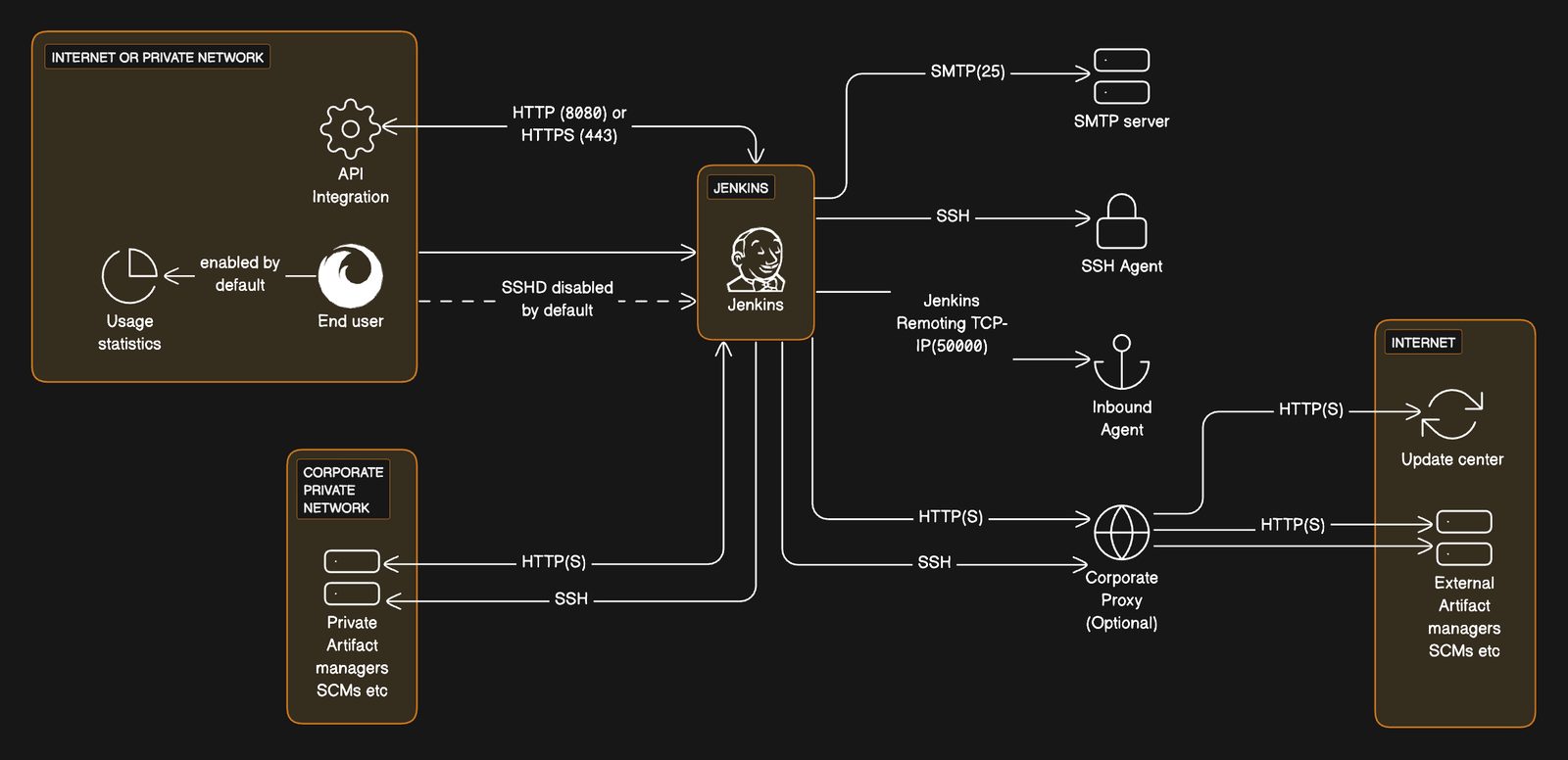
Enhance your DevOps practices by visualizing the Jenkins CI/CD network flow with this example.
 Network Diagrams
  Cloud Architecture Diagram Jenkins
 About this example
Jenkins is a cornerstone of continuous integration and delivery. This diagram provides a visual representation of a Jenkins setup within a network:
- Client Interaction: Showcases how users interact with Jenkins via HTTP/HTTPS protocols, facilitated by Amazon CloudFront.
- Build Automation: Details the role of Jenkins in automating builds, including integration with third-party Git repositories.
- Secure Communication: Highlights the disabled SSH daemon for security, with alternative Jenkins Remoting over TCP/IP.
- Artifact Storage: Connects AWS Lambda to Amazon S3 for storing build artifacts, secured by AWS KMS and accessible through an optional corporate proxy.
When to use
- Infrastructure Setup: When configuring Jenkins within an AWS environment for CI/CD pipelines.
- Security Configuration: When setting up secure communication channels for Jenkins agents and build processes.
- DevOps Tool Integration: When integrating Jenkins with various DevOps tools for end-to-end automation, from code commits to deployment.
How to use
- Start editing: Duplicate the example file and double-click on the diagram to begin adapting it to your infrastructure.
- Customize diagram: Add or modify nodes, groups, and relationships to match your Jenkins setup, security measures, and network configuration.
- Customize layout: Drag elements on the diagram directly on the canvas to accurately represent your CI/CD workflow.
- Collect feedback: Share the diagram with your engineering team to ensure all aspects of your Jenkins environment are captured and understood.
Related Examples
View all examples →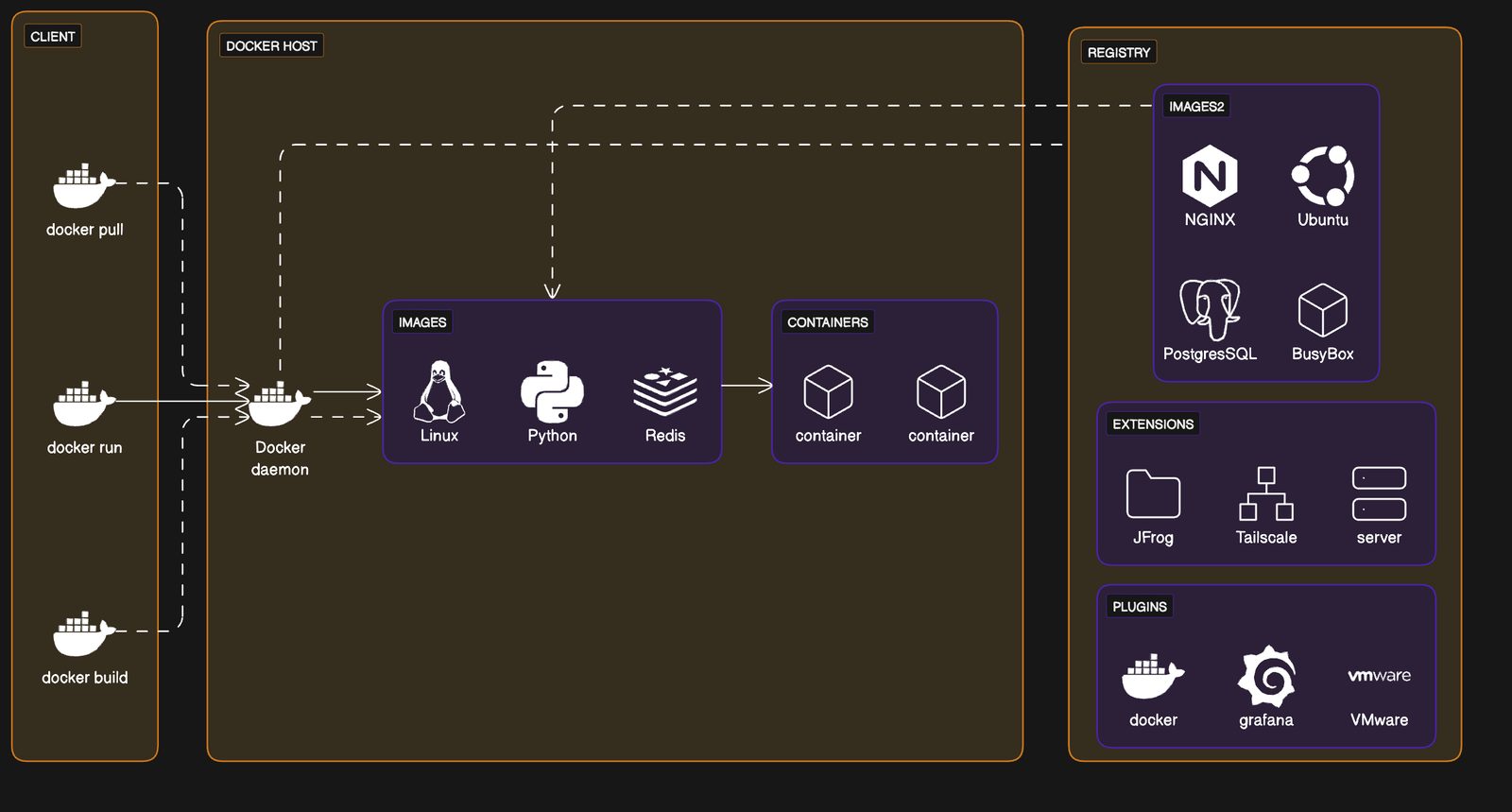
Docker architecture
Streamline your container management with the Docker Architecture example, enhancing your DevOps practices.
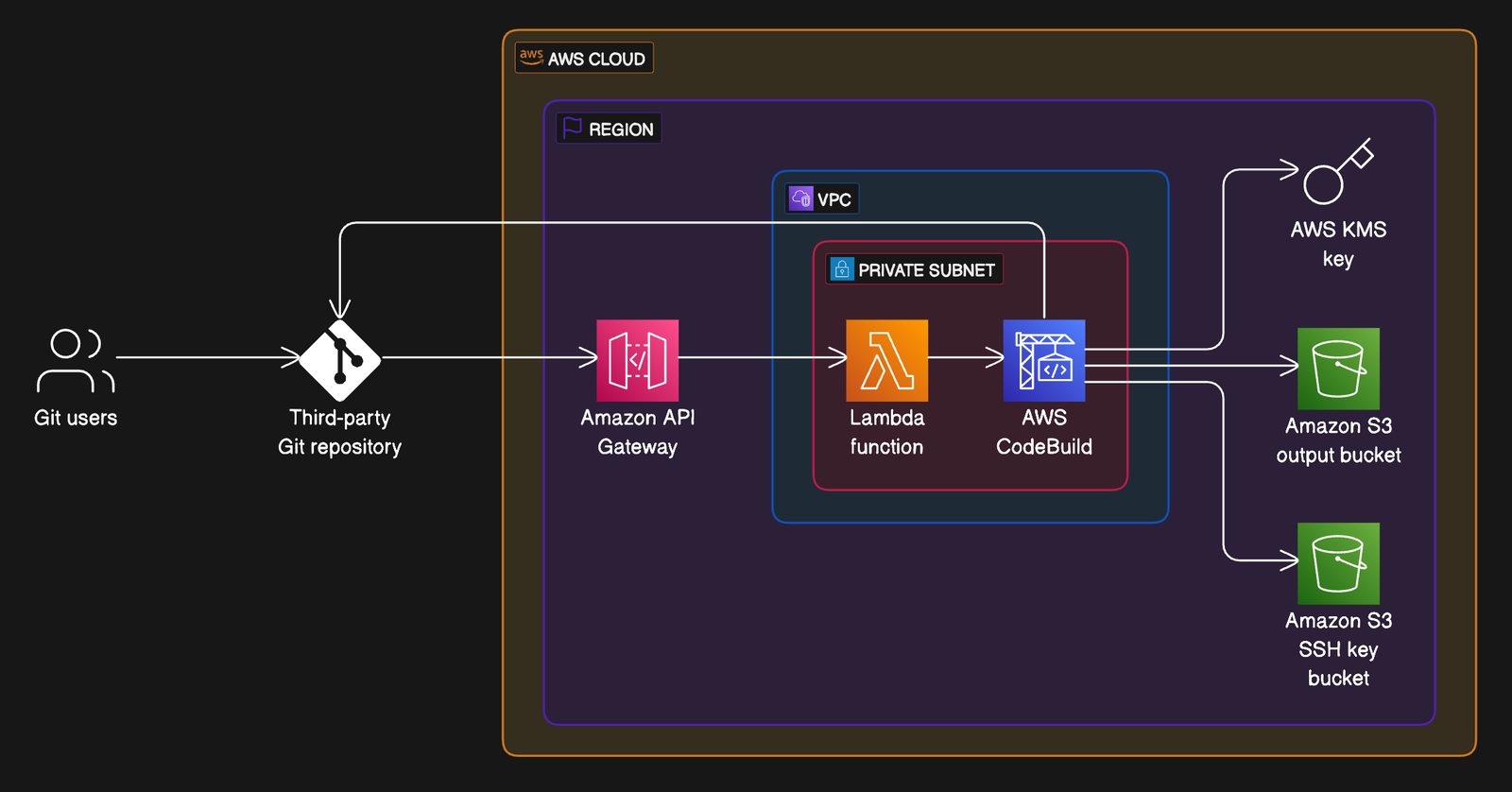
Git to S3 using Webhooks
Visualize your code deployment workflow from Git to S3 using Webhooks with this AWS infrastructure example.
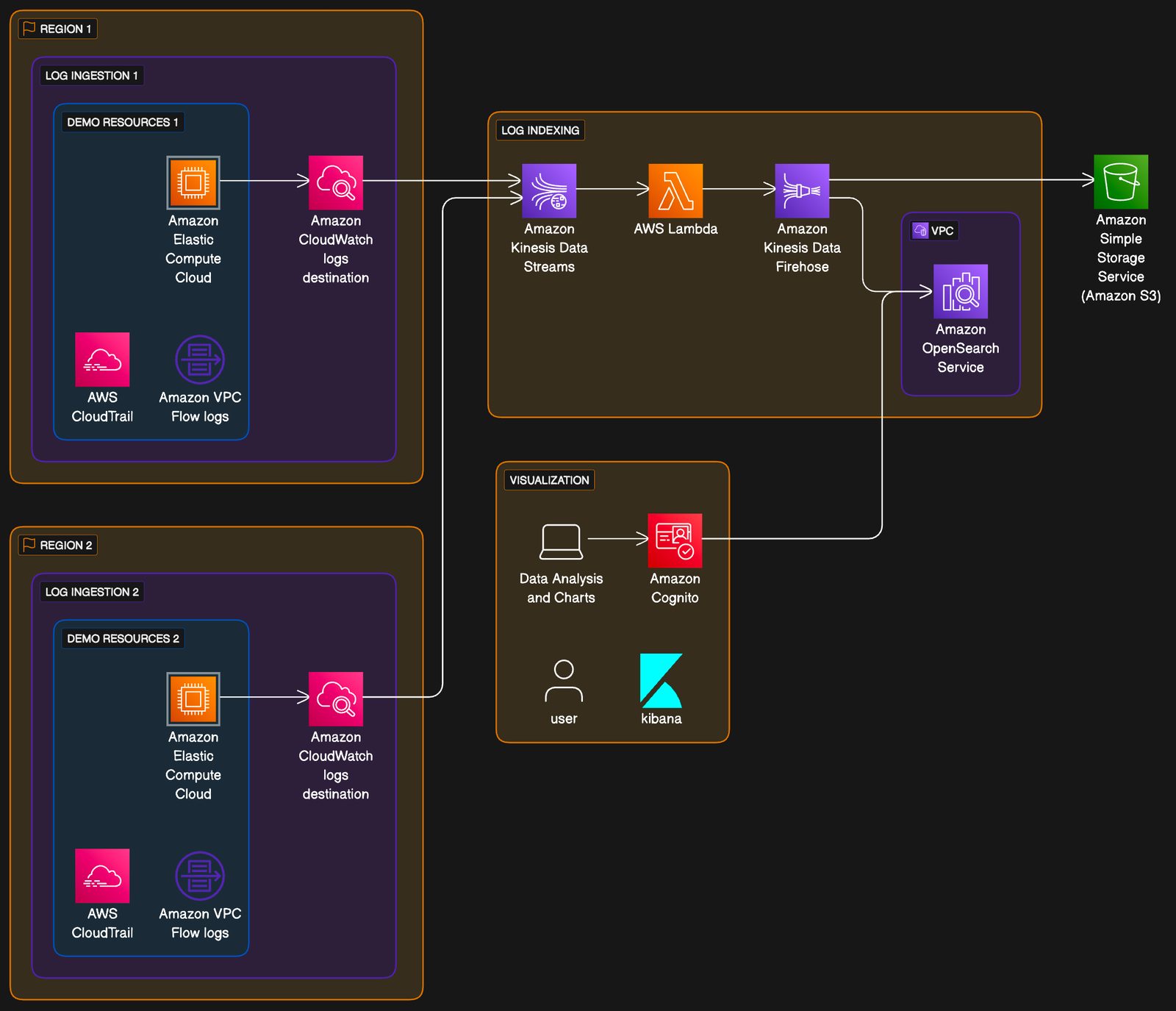
Centralized Logging on AWS
Visualize complex logging workflows with the centralized logging example.
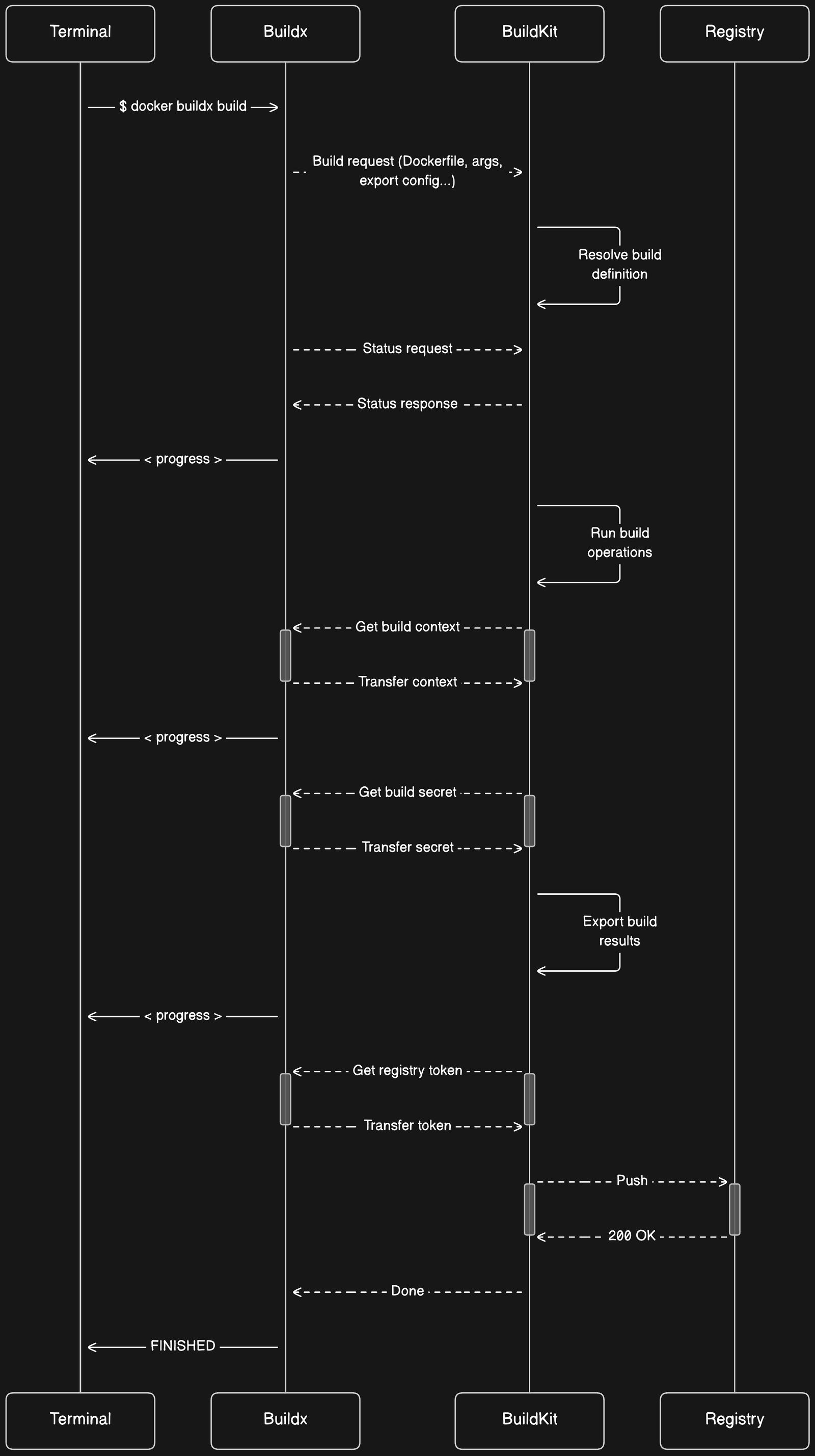
Docker build sequence
Optimize your Docker image creation with the BuildKit example, enhancing efficiency and security in your build process.
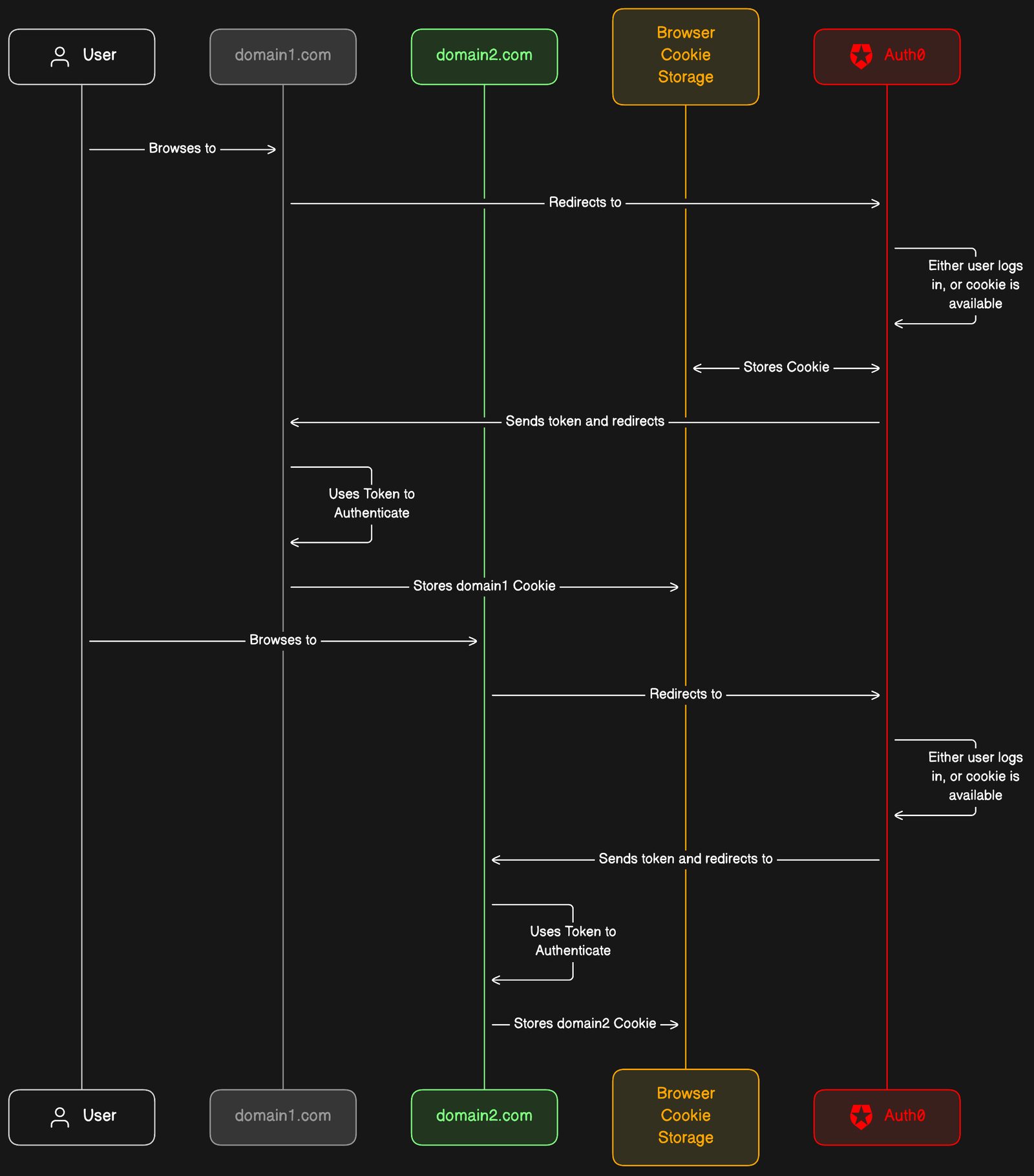
Auth0 SSO
Optimize your cross-domain user authentication experience with the Auth0 integration example.
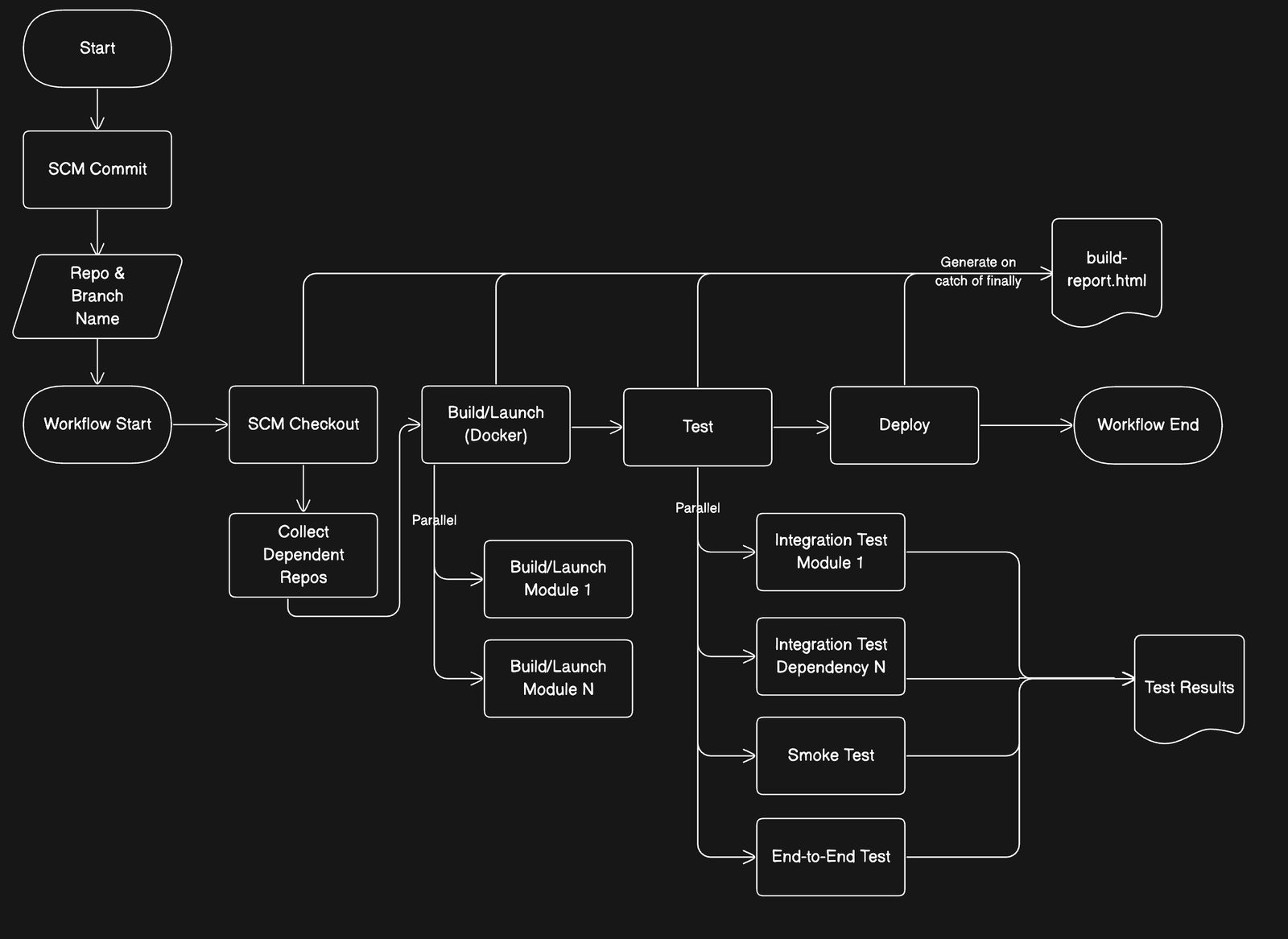
Jenkins CI/CD
Visualize and optimize your software delivery process with the Jenkins CI/CD Pipeline Workflow example.
See you in the canvas
Unlock your team’s collaborative super powers.