Layered network map of a broadcaster
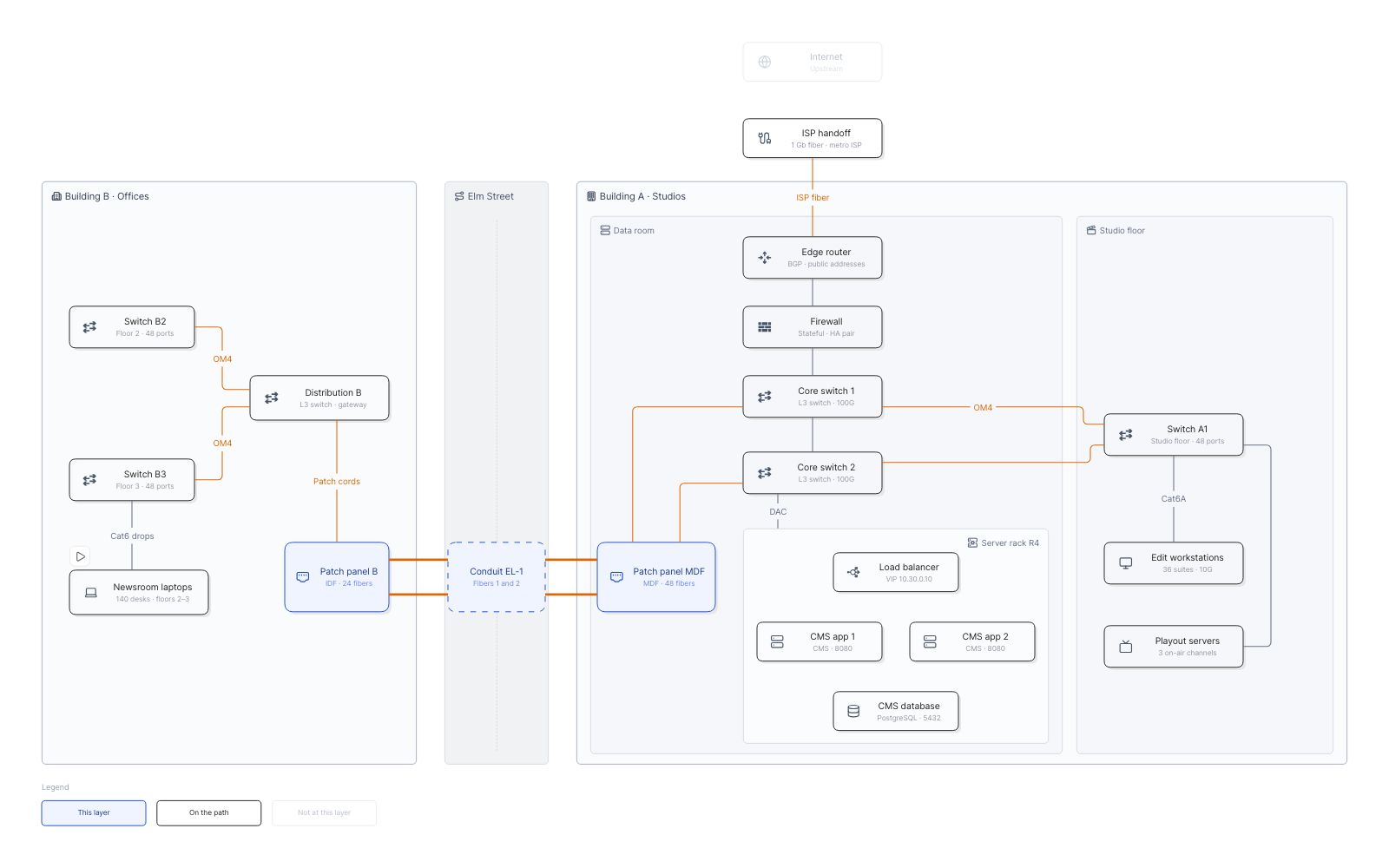
Fieldstone Media’s headquarters network read layer by layer, from cables to ports, and the one conduit both “redundant” uplinks shared when a backhoe hit it.
 Network
  Operations
  Layered network map
  OSI model
  Root cause analysis
  Media
Media Views in this map
- 1 L1 PhysicalThe cables: fiber across Elm Street, the conduit it runs in, patch panels, copper drops.
- 2 L2 SwitchingSwitches, trunks and VLANs. Spanning tree blocks one of the studio switch’s uplinks.
- 3 L3 RoutingSubnets and routes. Building B has two uplinks, one to each core: it looks redundant.
- 4 L4 TransportConnections between services: 443 to the CMS is allowed, 5432 to its database is not.
- 5 Elm Street digOne backhoe, one conduit: both fibers run in it, so both of Building B’s uplinks go down.
L1 Physical ‹ › L2 Switching ‹ › L3 Routing ‹ › L4 Transport ‹ › Elm Street dig
Flows to play
- One web requestA reporter in Building B opens a story in the CMS. In every view, one layer deeper each time: cables, VLANs, routes, then ports. In the dig it never leaves Building B.
- The cutHow a gas main repair took the newsroom offline for five and a half hours. In the Elm Street dig view.
The model behind it
58 records of 11 types. Every box on the map is one of them, so the filters and the record panel read the same data.
-
 Devices 18
 -
 Cables 13
 -
 Sites 6
 -
 VLANs 4
 -
 Subnets 4
 - Conduits 3
-
 Services 3
 -
 4 more types 7
Filters
Building and Device role: pick a value and everything else fades.
More map examples
View all map examples →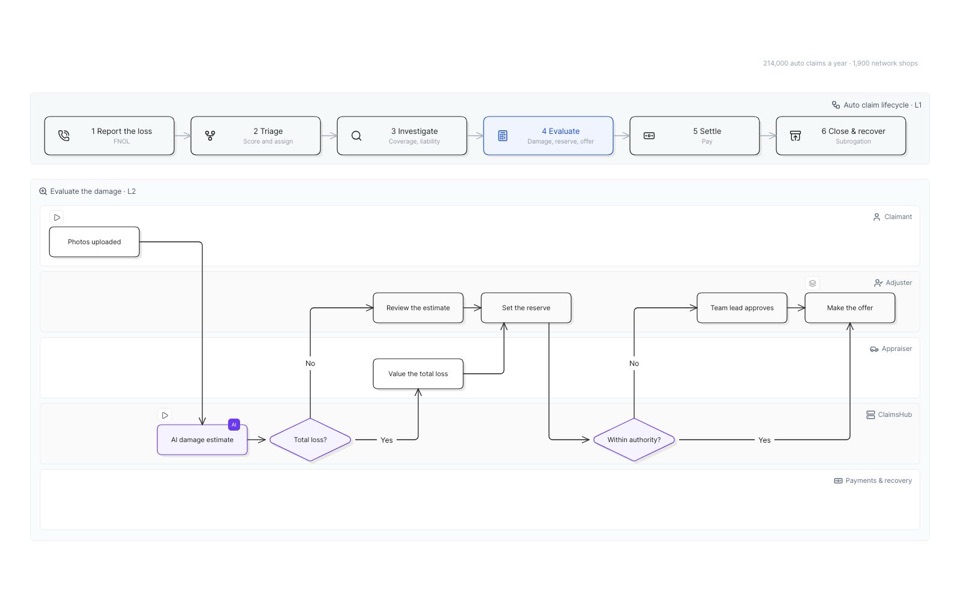
Auto insurance claim process
Six stages from first report to recovery, then down into evaluation and the offer, lane by lane.
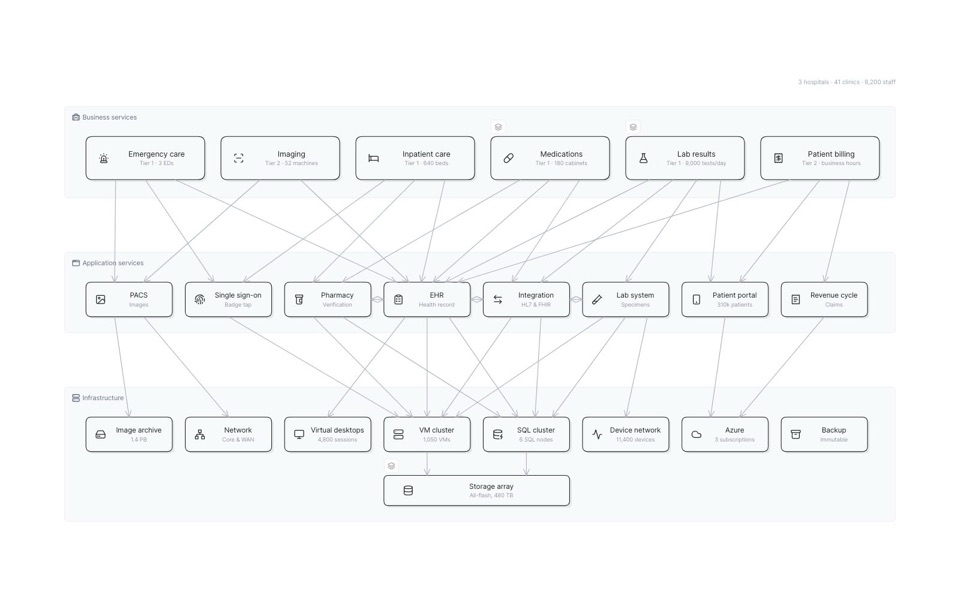
Hospital IT service map
Clinical services down to the apps and infrastructure under them, and what fails when the storage array does.
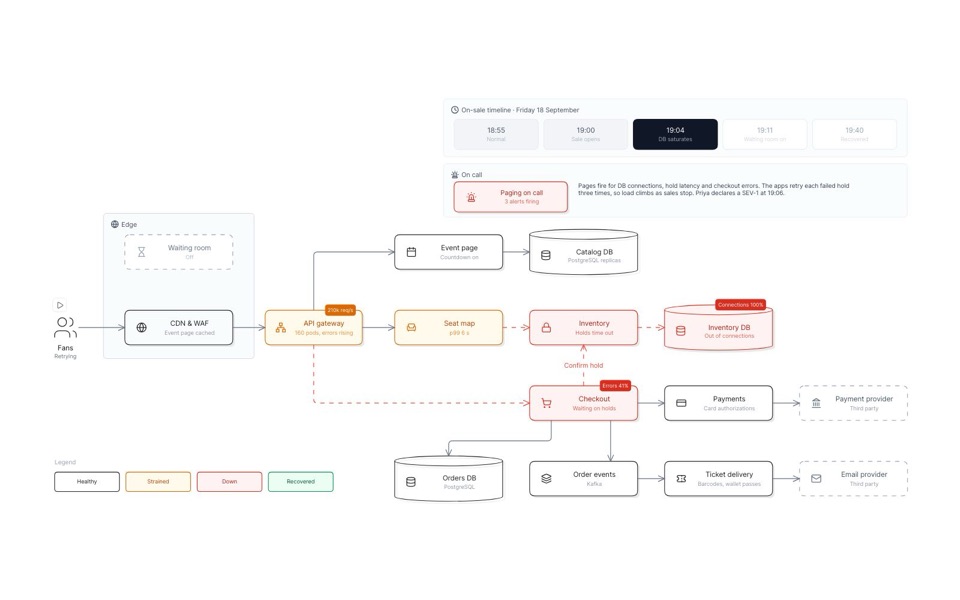
Outage replay of a stadium-tour on-sale
A big on-sale minute by minute: the seat database saturates, a waiting room goes on, and sales recover.
See you in the canvas
Unlock your team’s collaborative super powers.