
Not a diagram.
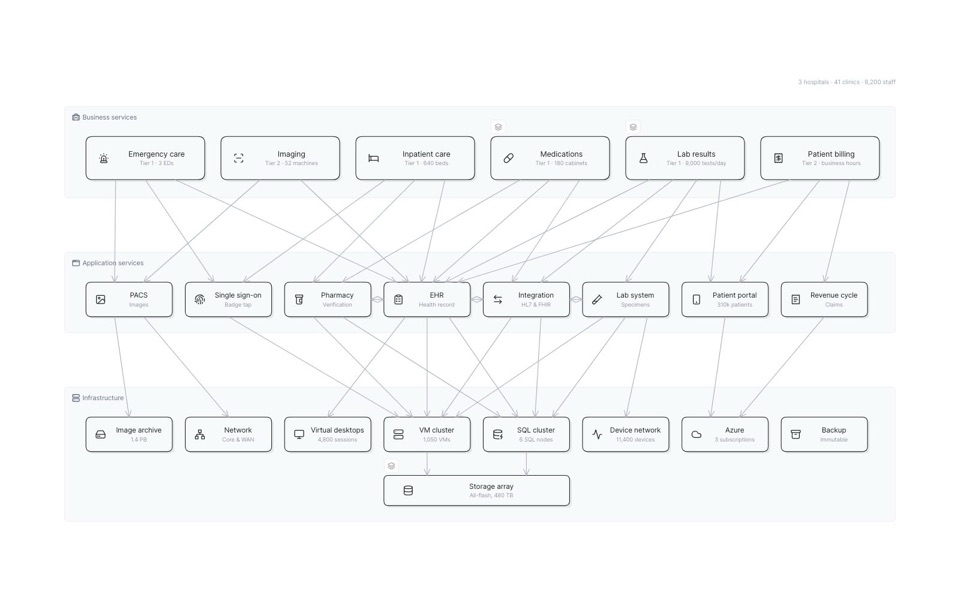
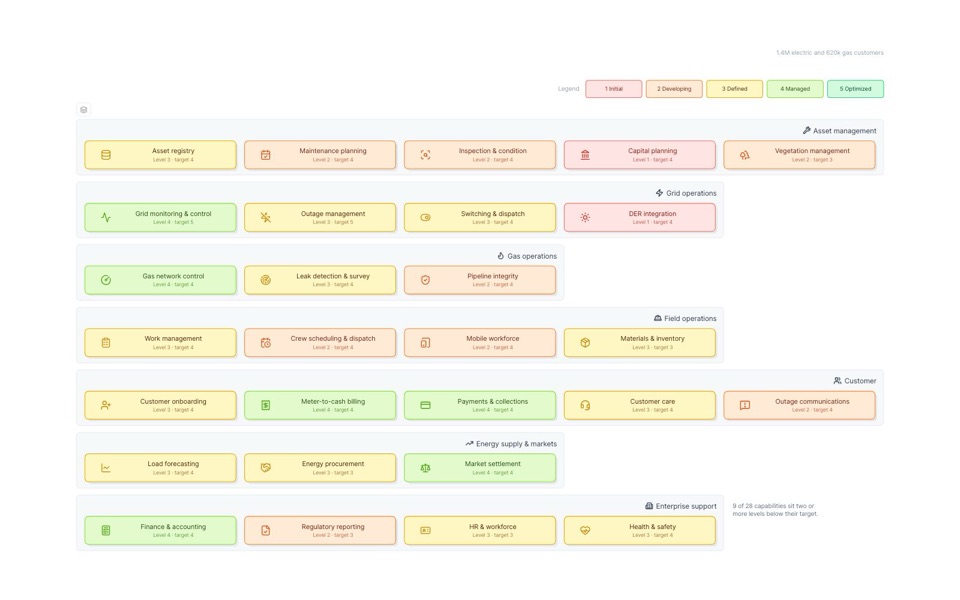
A live map of your architecture.
Eraser AI builds it from your systems of record, in seconds.
Drill in, step through states, and watch it stay current.
Trusted by leading technical teams globally











01Interactive
Not a flat picture.
Every level, every state.
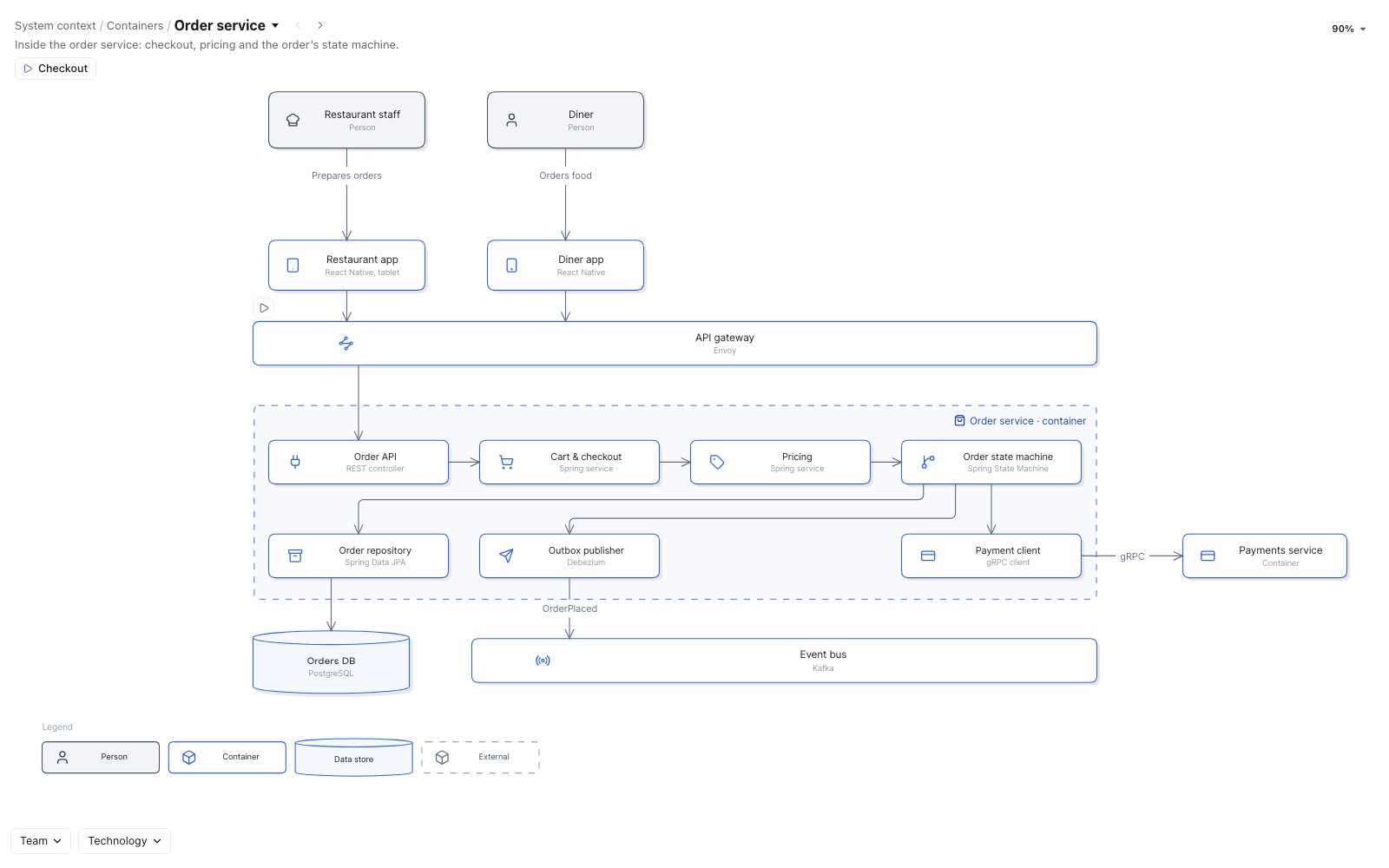
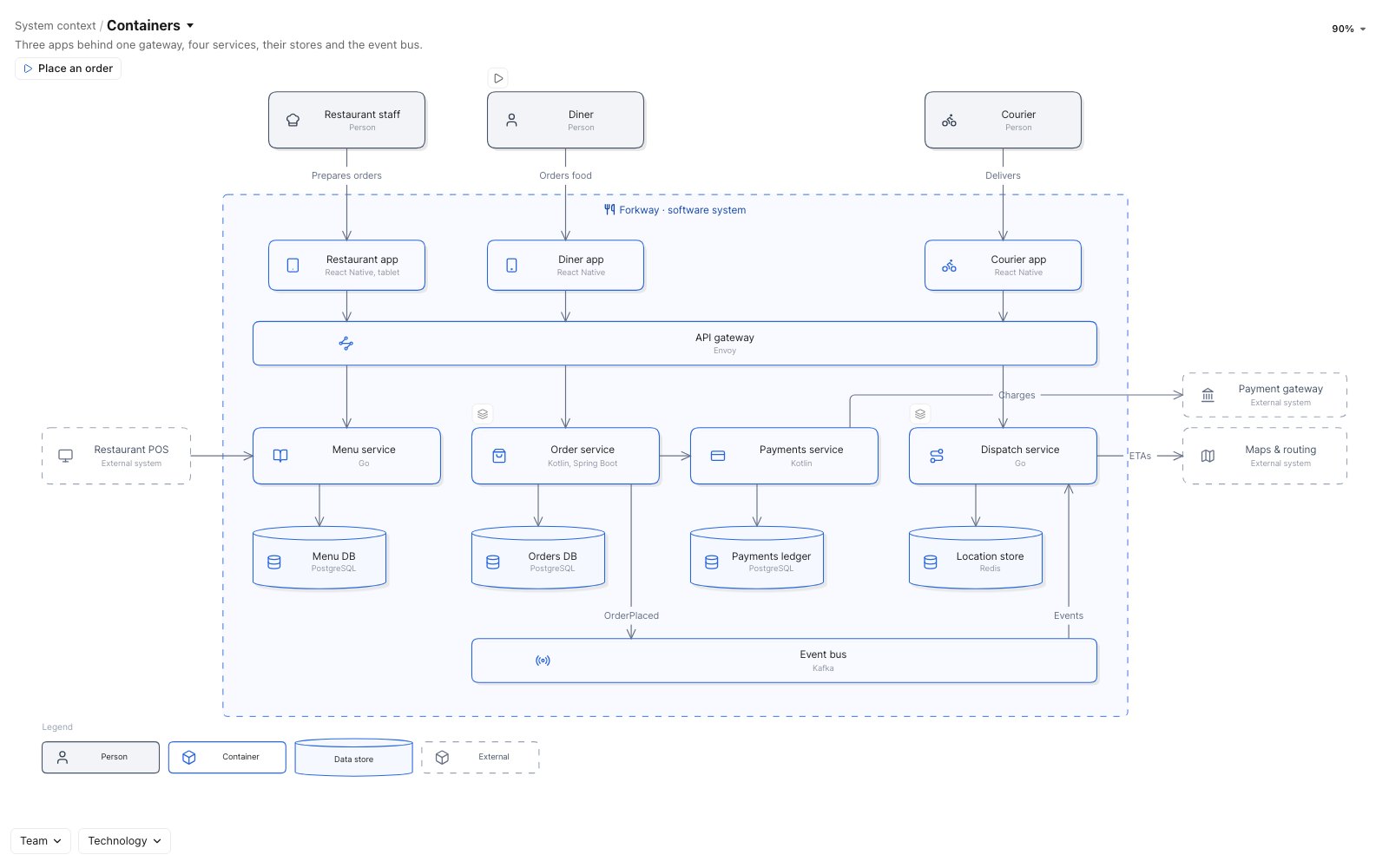
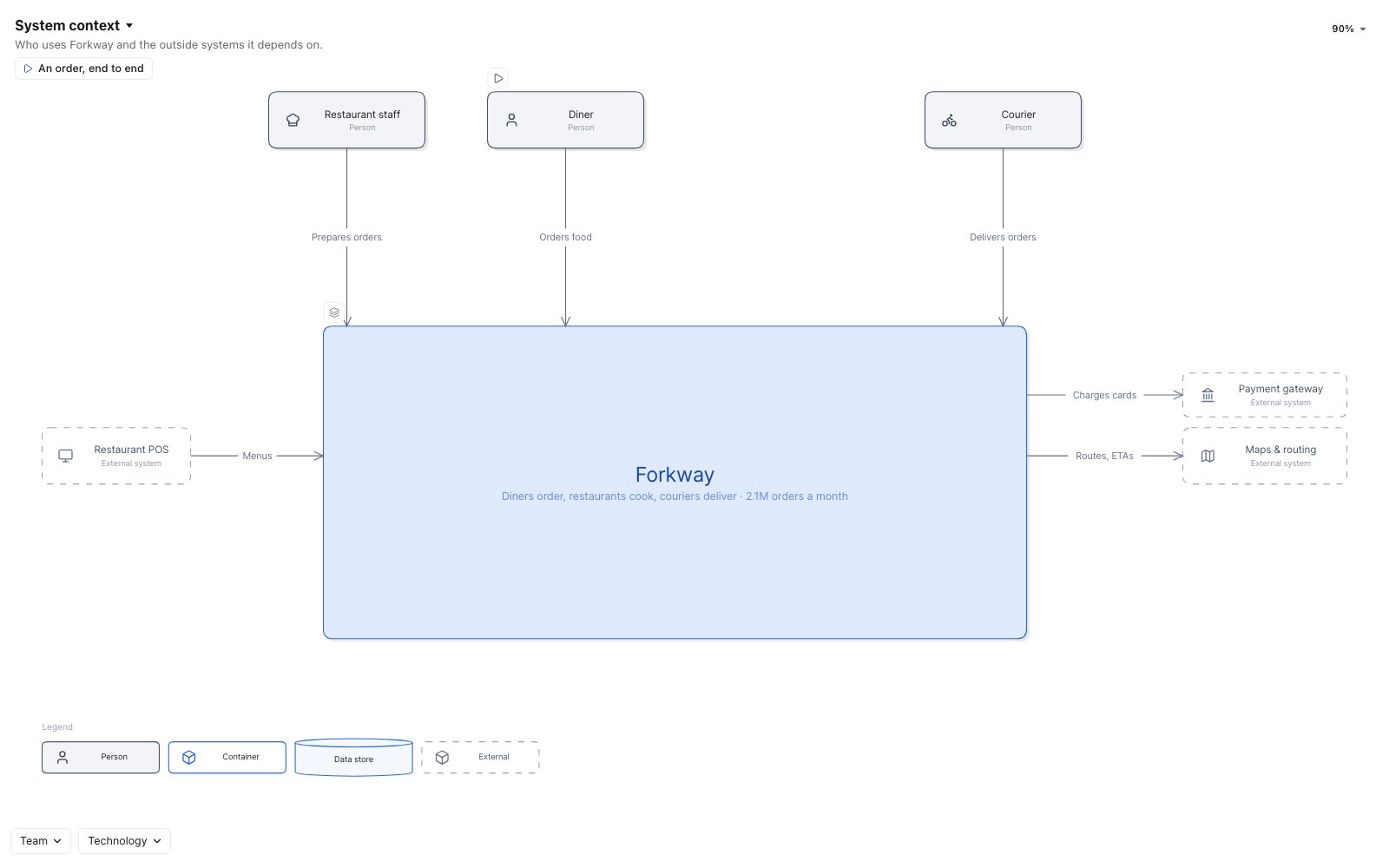
Drill into any box, step from today to the target, filter, or play a request.
Boxes keep their place between views, so nobody gets lost.
-
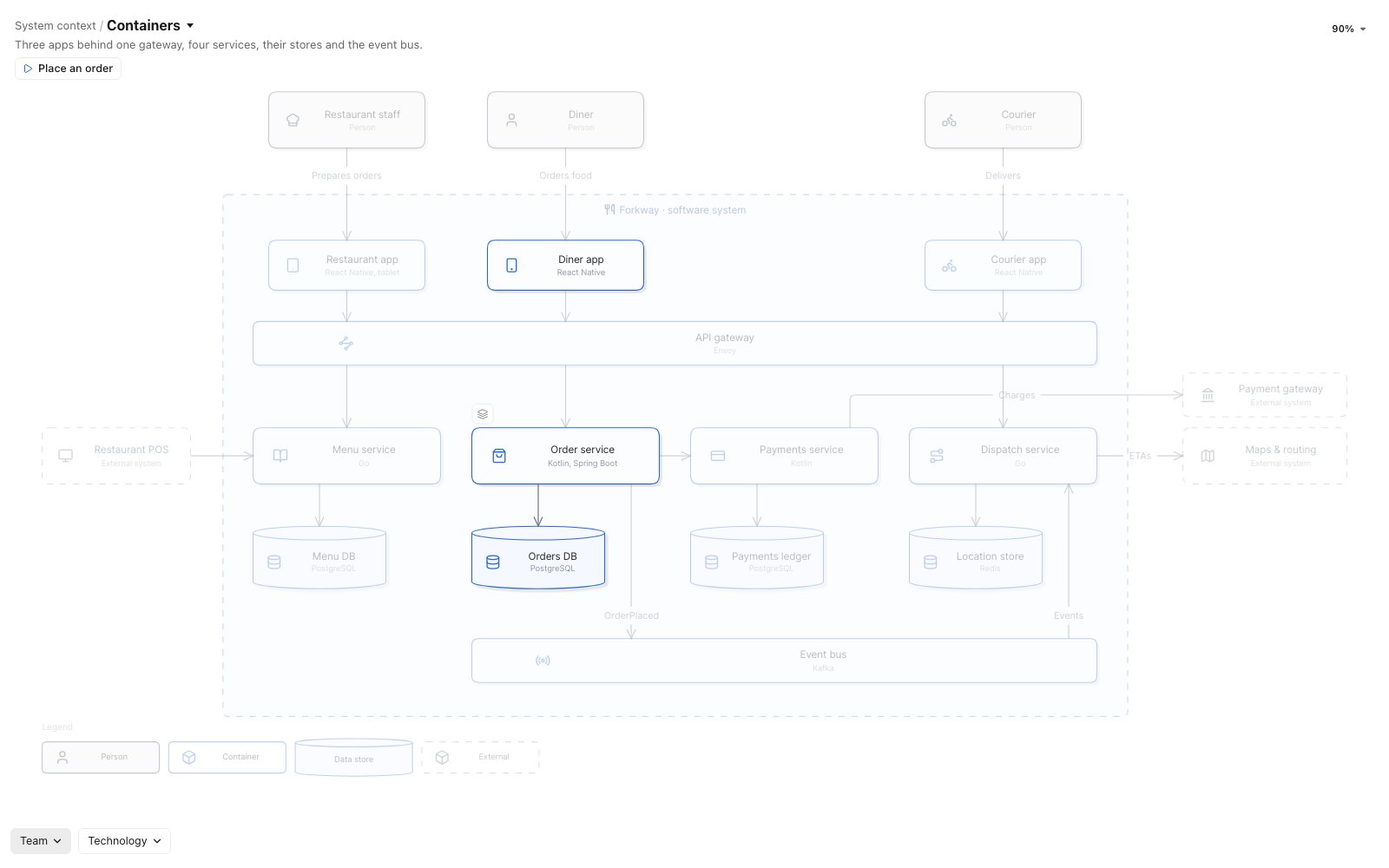
Drill down
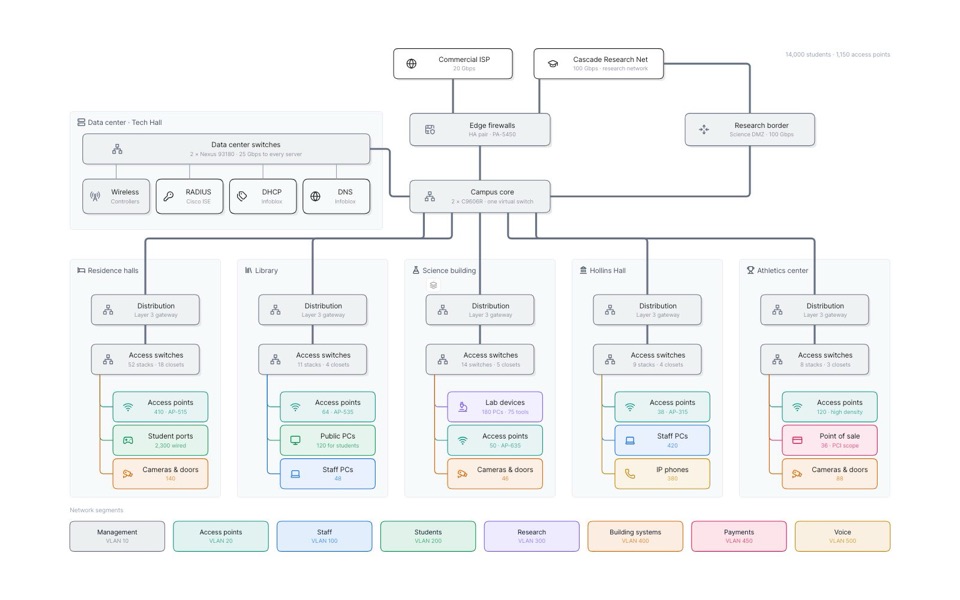
Open any box into its own view.
-
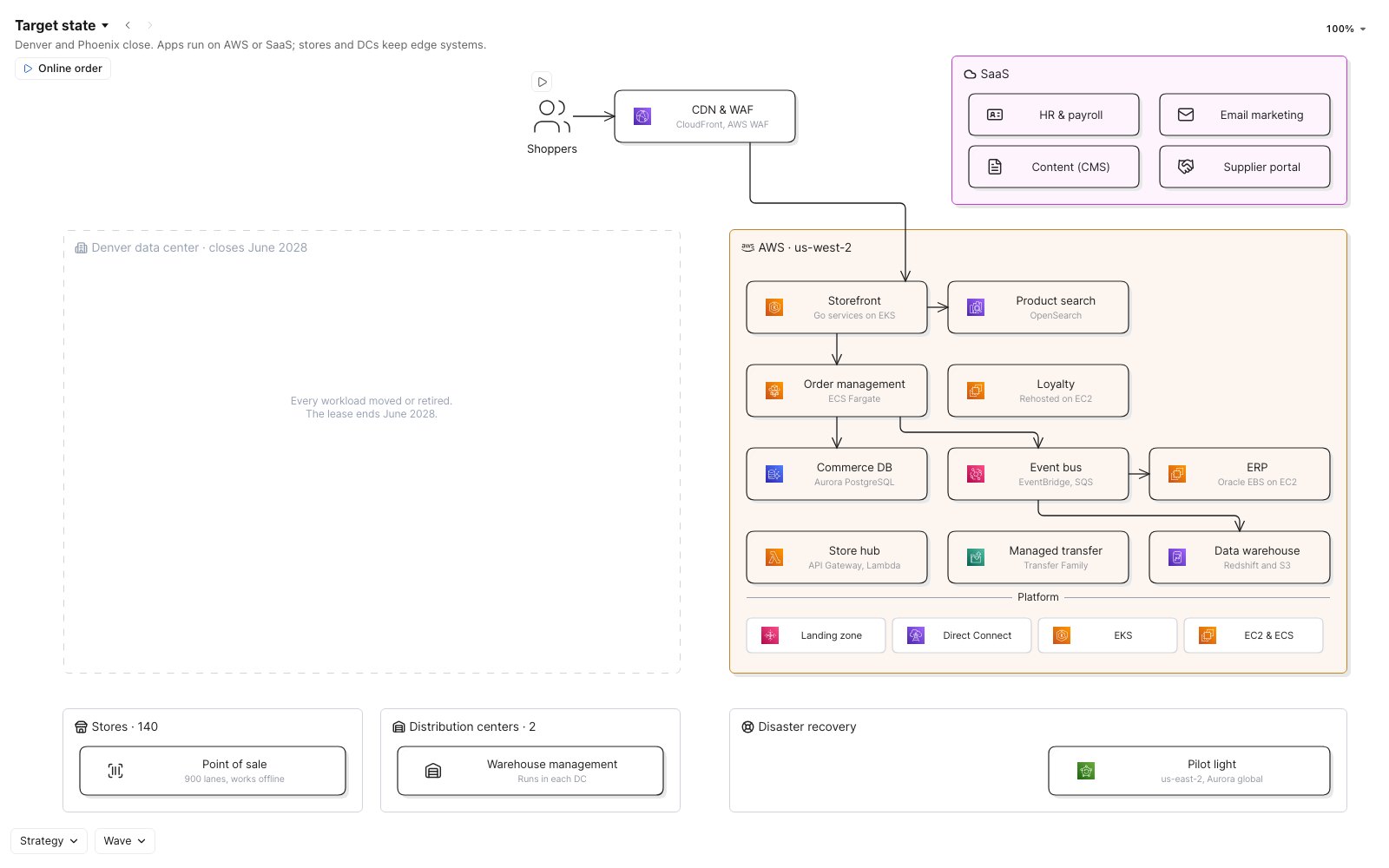
Step through time
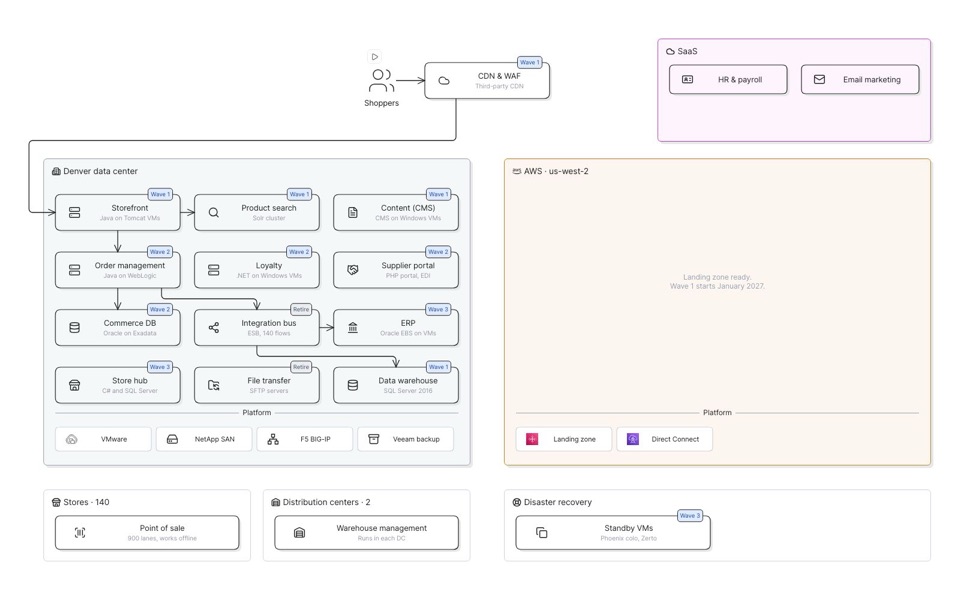
Current state, each wave, the target.
-
Filter
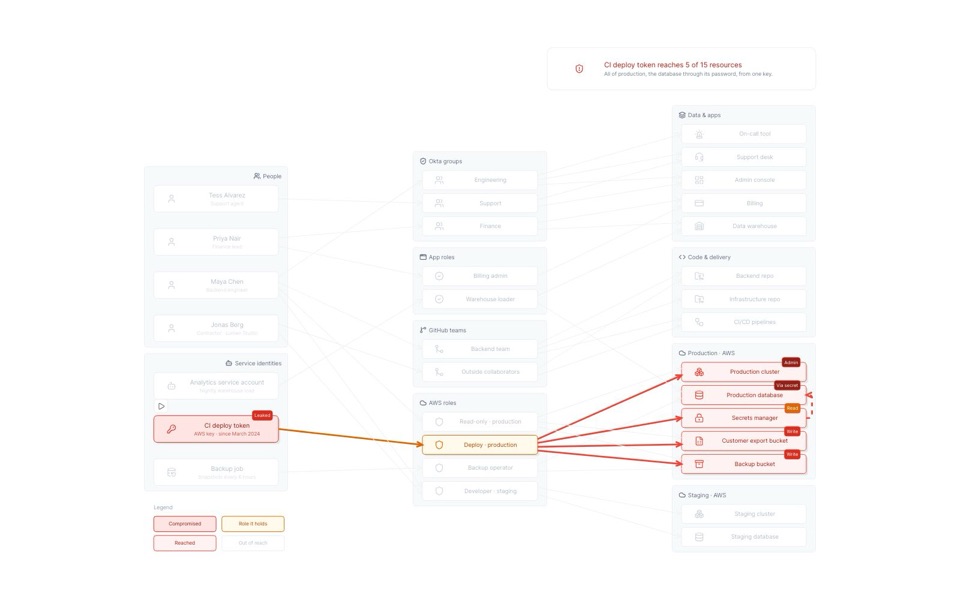
One team, one technology, one risk.
-
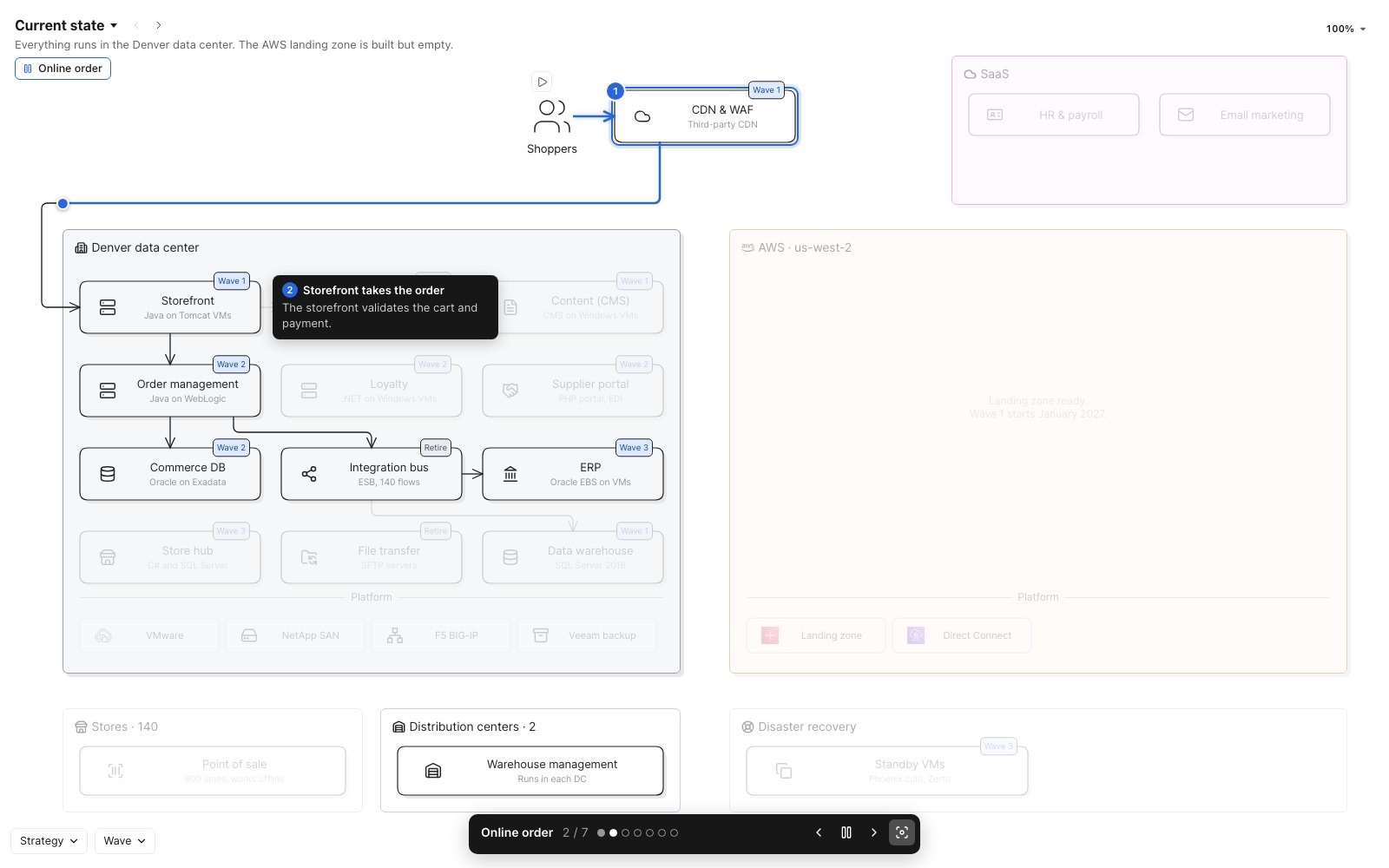
Play a flow
Watch a request move, step by step.
02Live
Connected to your systems of record.
Never out of date.
Built on models of what you actually run, from cloud accounts to your CMDB.
When a source changes, the map shows what moved.
Sources4 connected
-
 AWSkestrel-prod · us-west-2 4 min ago
 -
 VMware vCenterDenver data center 1 h ago
 -
 ServiceNow CMDBApplications and owners 12 min ago
 -
 ExcelMigration waves.xlsx Monday
Model Kestrel Outfitters · 51 records
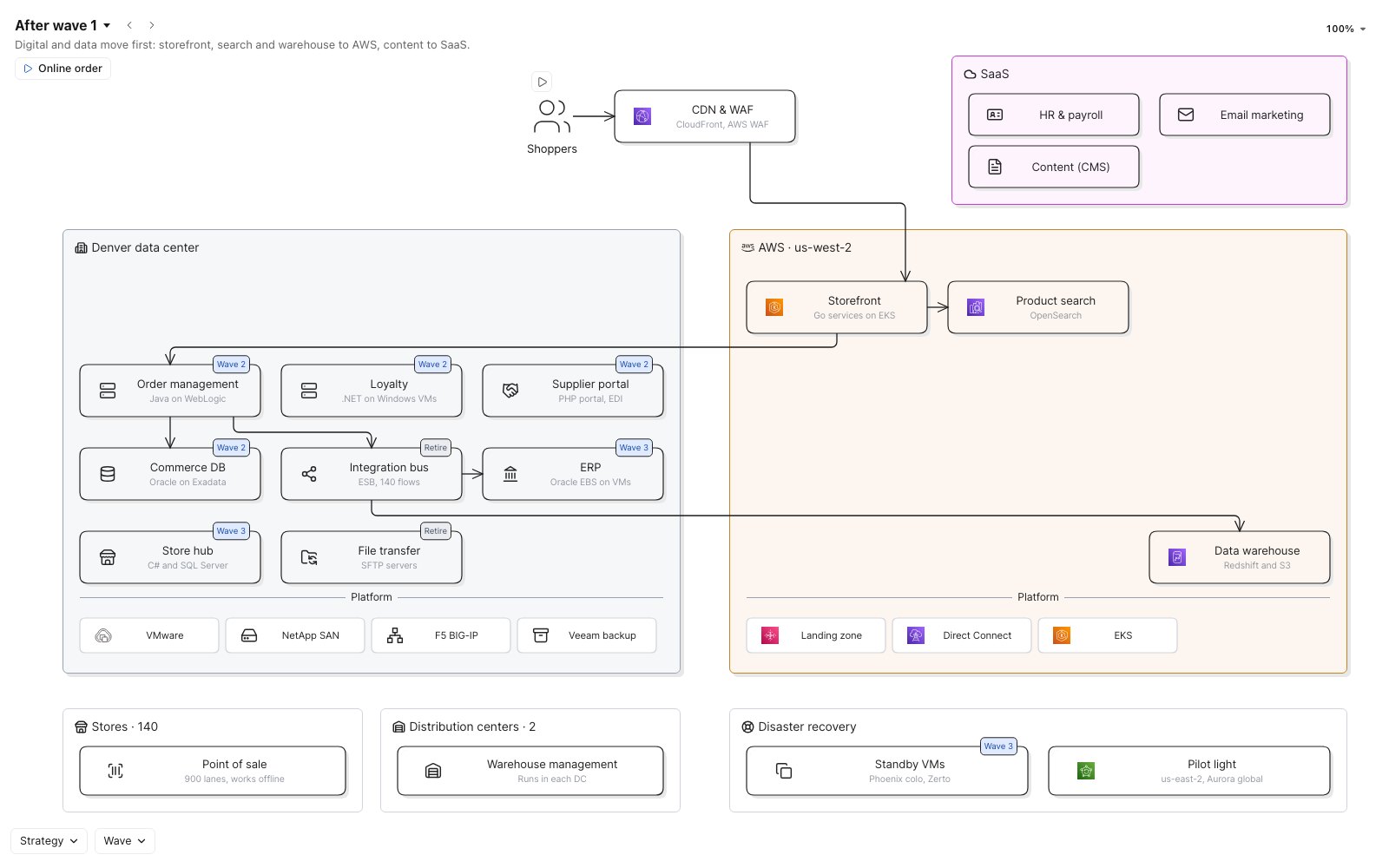 In AWS now
 AWS scan · 4 min ago
Storefront, Product search and Data warehouse now run in us-west-2. The map moved them.
-
Every box is a record
Owners, versions, costs and risks come straight from the source, one click away.
-
Changes land on the map
New, moved and retired systems show up on their own, in every view.
-
One source of truth
The architecture people look at is the architecture you run.
03Made by AI
Describe the map.
Eraser AI builds it in seconds.
Ask in a sentence, answer a question or two, and approve the plan.
Eraser AI draws every view while you watch.
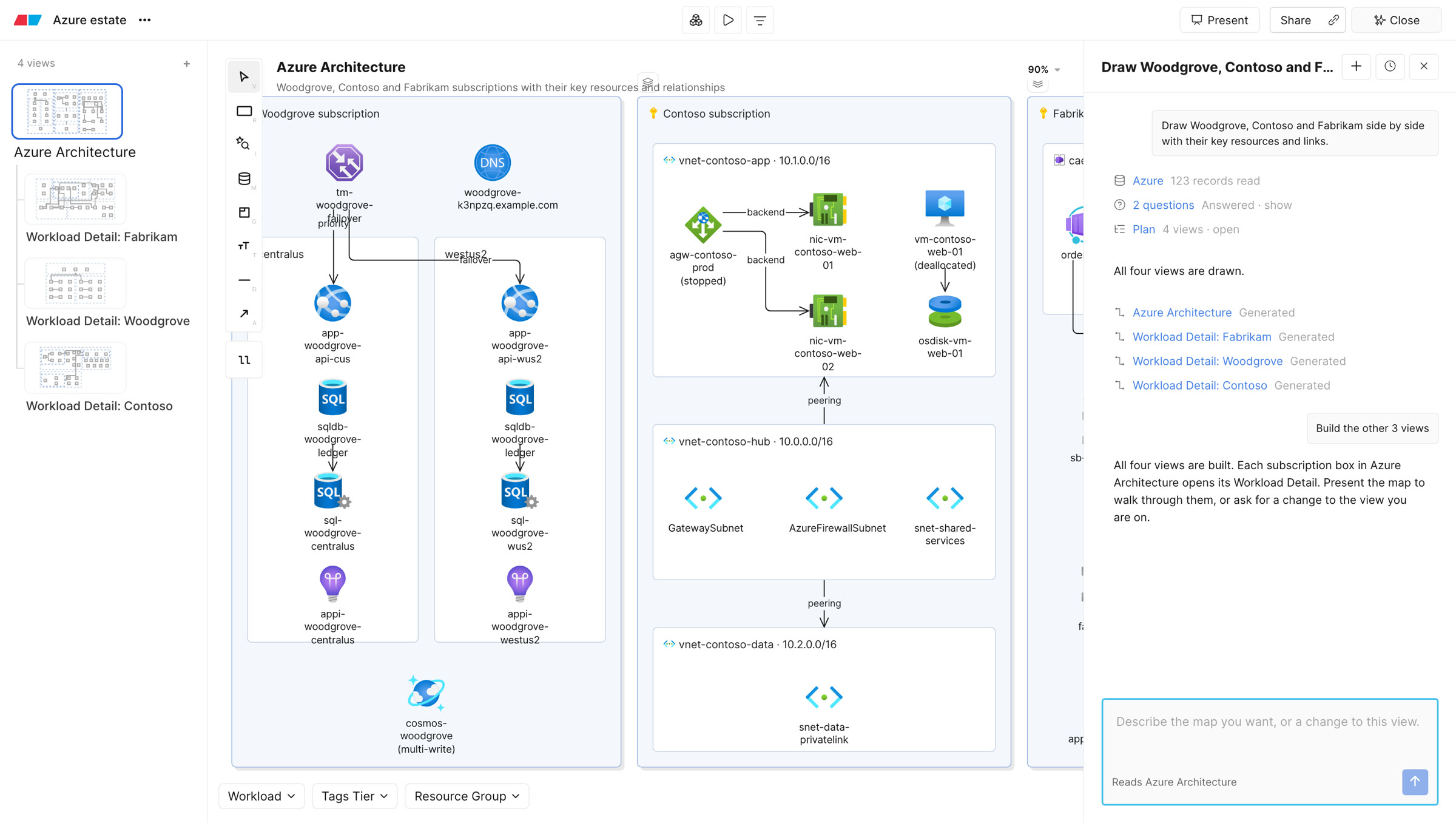
- 1Ask in a sentence
- 2Answer a question or two
- 3Approve the plan
What teams map with Eraser
See all map examples →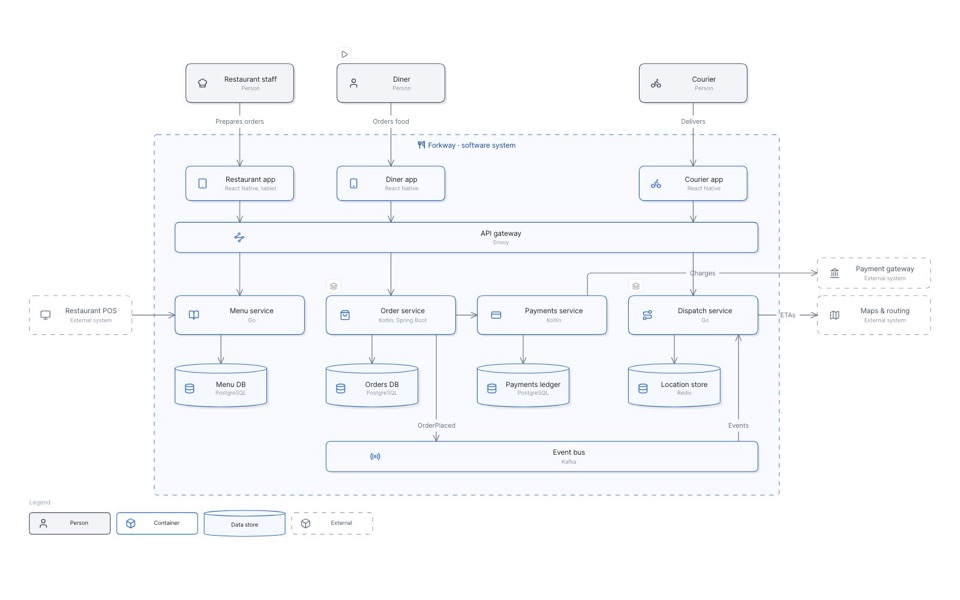
Pulls live data from the systems you already run
Connect once, and Eraser reads each system directly. No exports, no spreadsheets.
- AWS
 Azure
Azure Google Cloud
- ServiceNow
 Ardoq
Ardoq OrbusInfinity
- VMware
 Cisco Meraki
- Catalyst Center
Or start from a file
 Terraform
 Kubernetes
- Excel
- CSV
Frequently asked questions
-
How is a map different from a diagram?
A diagram is one picture. A map is a file of linked views over a model of your systems: you drill in, filter, step through states and play flows, and every box is a record.
-
Where does the data come from?
From models Eraser builds from your sources: the cloud accounts, CMDBs and architecture tools it connects to, or files like Terraform and Excel.
-
How does a map stay up to date?
When a source is scanned again, its model takes the changes, and the maps built on that model show them.
-
Can I change what Eraser AI builds?
Yes. Edit any view by hand, or ask Eraser AI for another view or a flow.
-
Can I use Eraser for free?
Yes, the Free plan is for individuals and small teams who are getting started on Eraser. Free plan teams get a limited number of files and AI credits.
-
Can I trust my data with Eraser?
Eraser is committed to enterprise-grade security. We are SOC II type 2 certified and annually penetration tested. Reach out to hello@eraser.io to receive security documentation. Additionally Eraser will never use user data for training models. Nor will our LLM API provider OpenAI.
See your architecture as a map.
Connect a source, ask in a sentence, and walk through what you run.