Serverless content rendering on Google Cloud
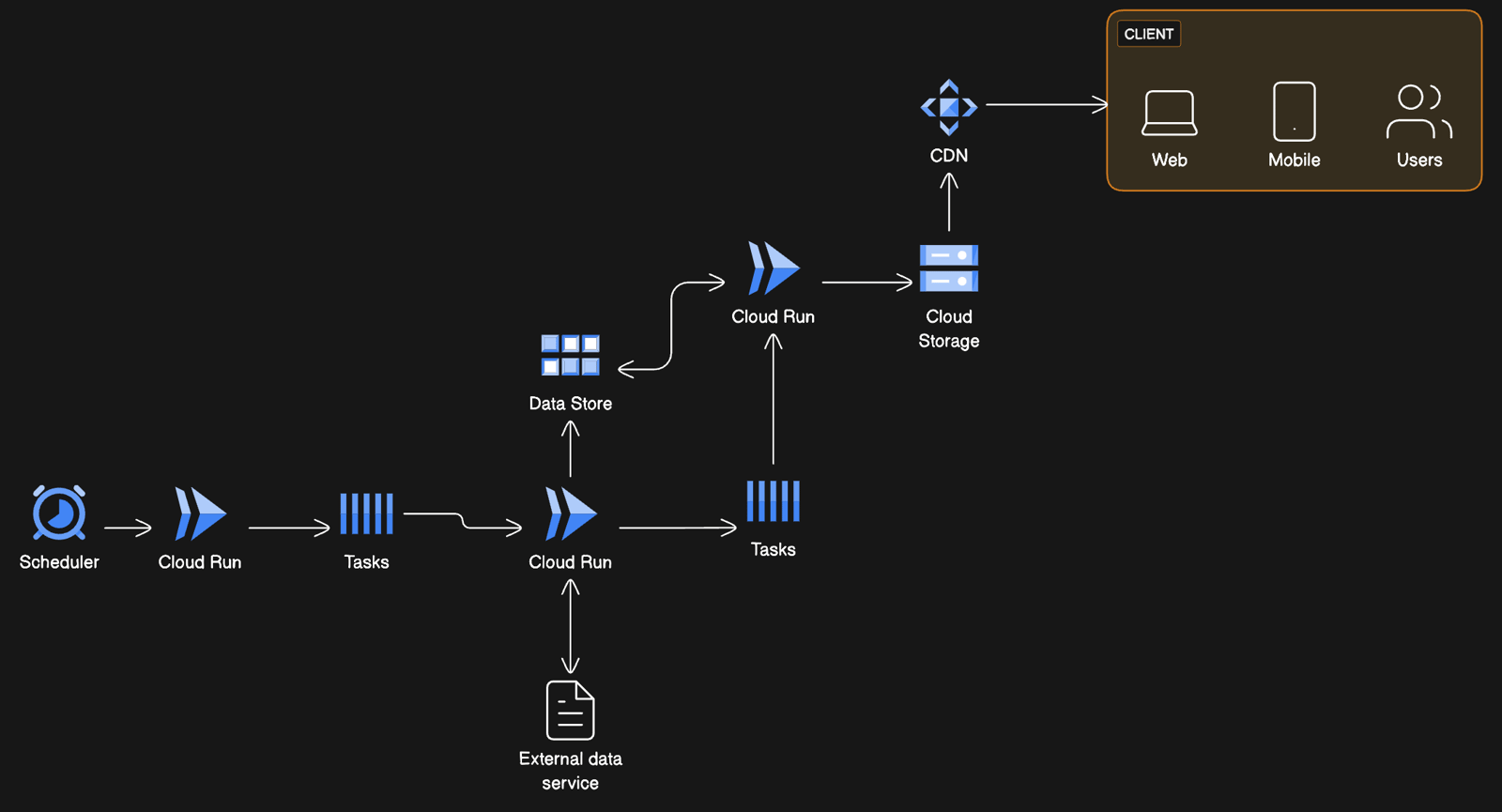
Streamline your serverless architecture design using this example for efficient content rendering on Google Cloud.
 Architecture Diagrams
  Cloud Architecture Diagram
  GCP
GCP About this example
Serverless architectures are revolutionizing how software is built and scaled. This example offers:
- Workflow Automation: Highlights how a scheduler can trigger Cloud Run services to process tasks.
- Data Handling: Shows data flowing from external services to Cloud Storage, with Cloud Run as the processing intermediary.
- Client Distribution: Details content delivery from Cloud Storage to clients via a CDN, catering to web and mobile users.
- Service Integration: Demonstrates the integration of various Google Cloud services to create a serverless ecosystem.
When to use
- Microservice Architecture Planning: When designing microservices that require serverless deployment models.
- Cloud Migration Strategy: For teams transitioning to cloud-native applications with a focus on serverless solutions.
- Scaling Solutions: As a template for projects needing scalable serverless architectures that can handle varying loads without provisioning servers.
How to use
- Start editing: Duplicate the example file and double-click on the diagram.
- Customize diagram: Add/modify nodes, groups, and relationships using a diagram-as-code syntax, tailoring the diagram to specific use cases.
- Customize layout: Drag elements on the diagram directly on the canvas to manipulate the layout.
- Collect feedback: Share the file with collaborators and encourage them to use the comments feature for feedback.
Related Examples
View all examples →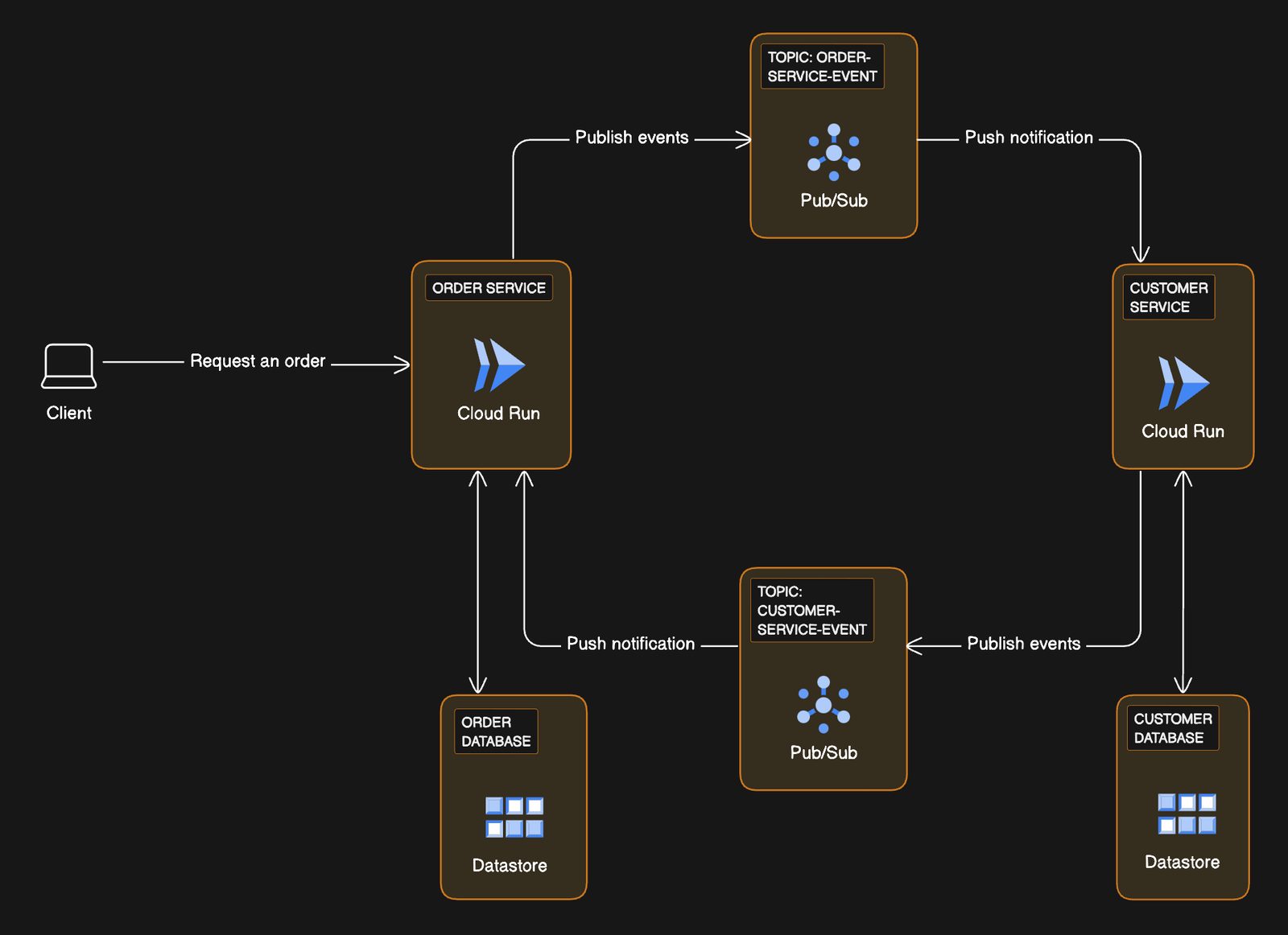
Transactional workflows with microservices on Google Cloud
Visualize optimizing your transactional workflow with this event-driven microservices example on Google Cloud.
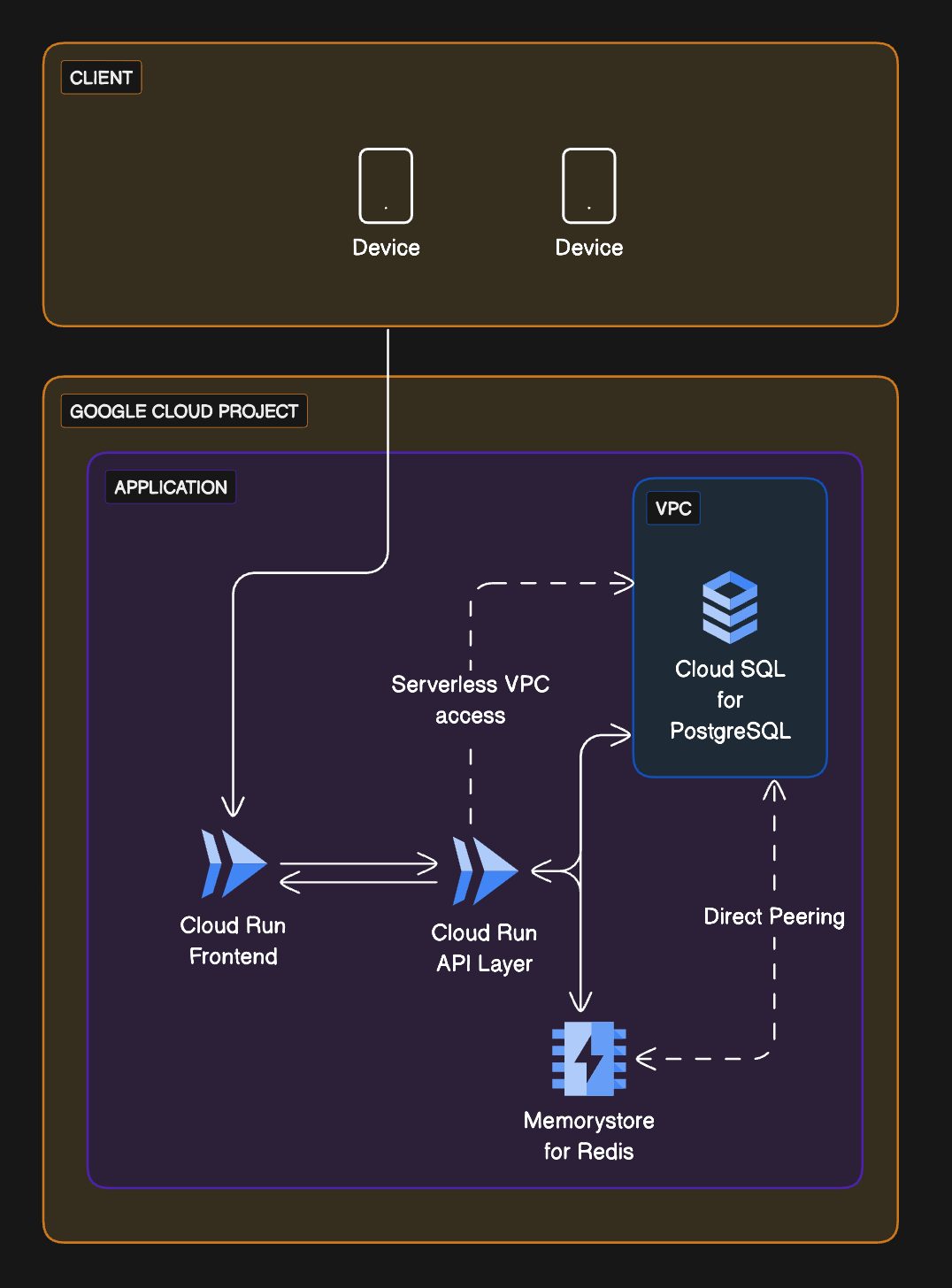
Three-tier web app on Google Cloud
Visualize streamlining your web application infrastructure with this three-tier Google Cloud example.
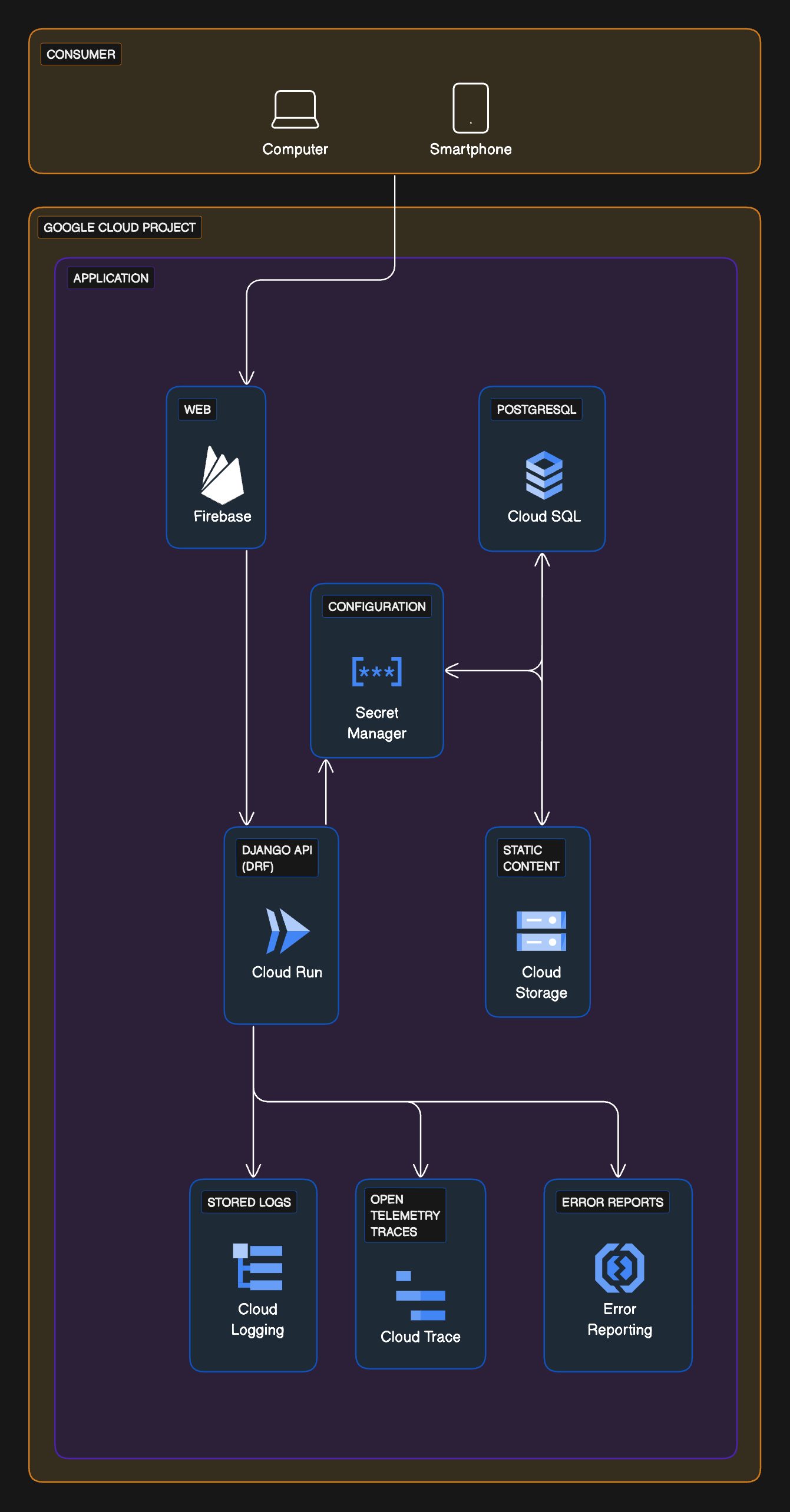
eCommerce serverless architecture with Google Cloud
Visualize streamlining your eCommerce platform with a serverless architecture on Google Cloud.
Website hosting on Google Cloud
Employ this architecture diagram example to visualize and tailor your website hosting solutions on Google Cloud.
Message publishing flow via PubSub proxy with Google Cloud
Visualize secure and scalable message distribution in your mobile applications using PubSub proxy with Google Cloud.
See you in the canvas
Unlock your team’s collaborative super powers.