VDI architecture of a hospital
Fernhollow Medical Center’s Horizon virtual desktops on VMware in two data centers: the session path, pools by role, the 7 a.m. rush and a pod failing.
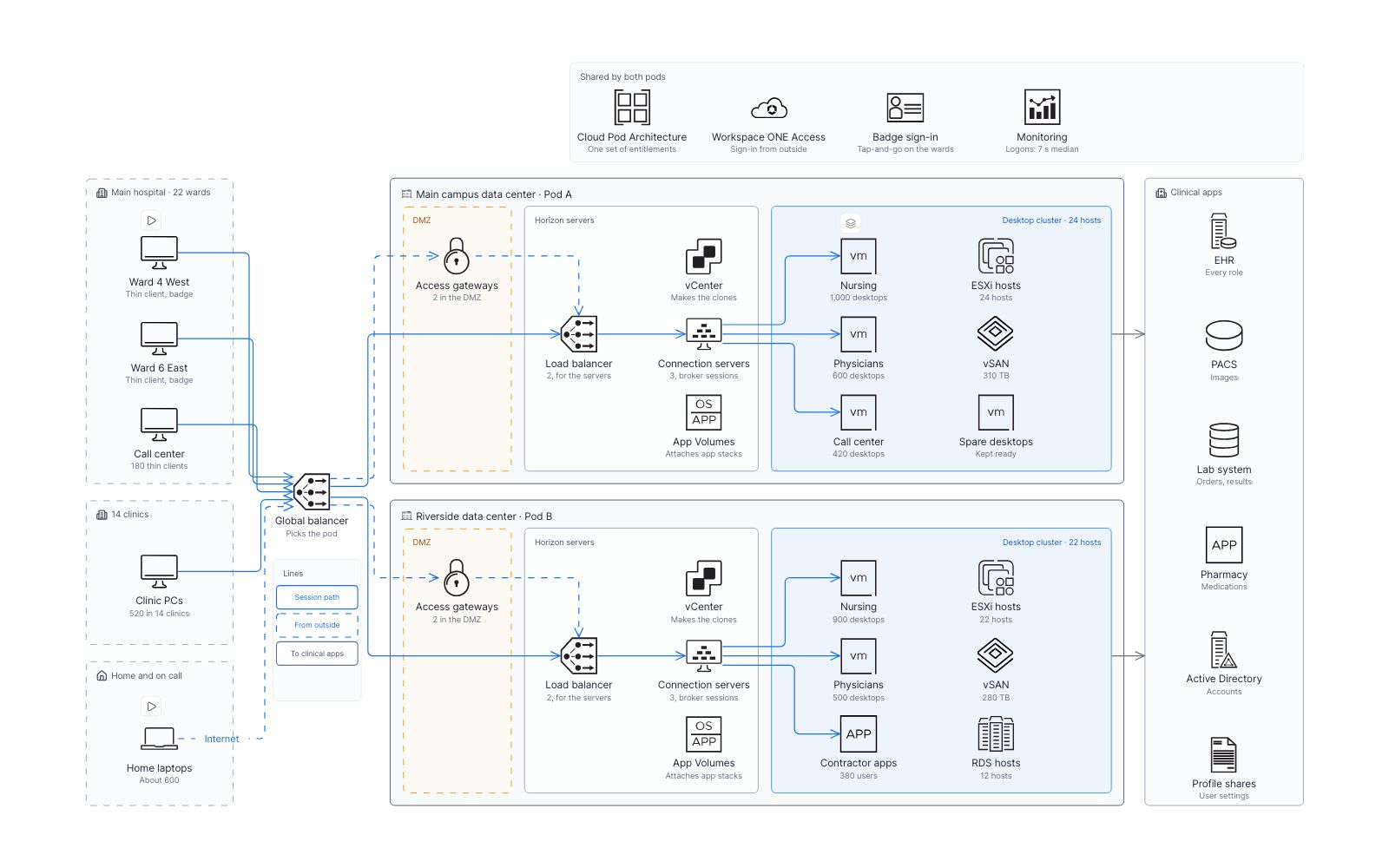
 Architecture
  Operations
  VMware
  Business continuity
  Drill-down
  Healthcare
 Views in this map
- 1 Two pods3,800 clinicians on Horizon desktops in two data centers, each sign-in sent to a pod.
- 2 Pools by roleNurses, physicians, the call center and contractors: who uses which pool, and where.
- 3 7 a.m. shift412 nurses tap in within ten minutes; spare desktops take the rush.
- 4 Pod A failsMain campus goes dark: every sign-in goes to Riverside, but the call center waits.
- 5 Nursing pool1,000 instant clones from one golden image, with apps and settings added at sign-in.
Two pods ‹ › Pools by role ‹ › 7 a.m. shift ‹ › Pod A fails · Two pods ▸ Nursing pool
Flows to play
- A nurse changes wardsTap-and-go: her session follows her from Ward 4 West to Ward 6 East. In the Two pods view.
- A doctor on call from homeFrom her own laptop, through the gateways, to a CT in PACS. In the Two pods view.
- Pod A goes darkA power fault in the main campus data center at 14:20, minute by minute. In the Pod A fails view.
- Ready before she taps inFrom Tuesday’s patch to a nurse’s chart on screen, 7 seconds after her tap. In the Nursing pool view.
The model behind it
54 records of 13 types. Every box on the map is one of them, so the filters and the record panel read the same data.
-
 Servers 8
 -
 Desktop pools 6
 -
 Clinical apps 6
 -
 Images and settings 6
 -
 Sites 5
 -
 Endpoints 5
 -
 Roles 4
 -
 6 more types 14
Filters
Pod and Role: pick a value and everything else fades.
More map examples
View all map examples →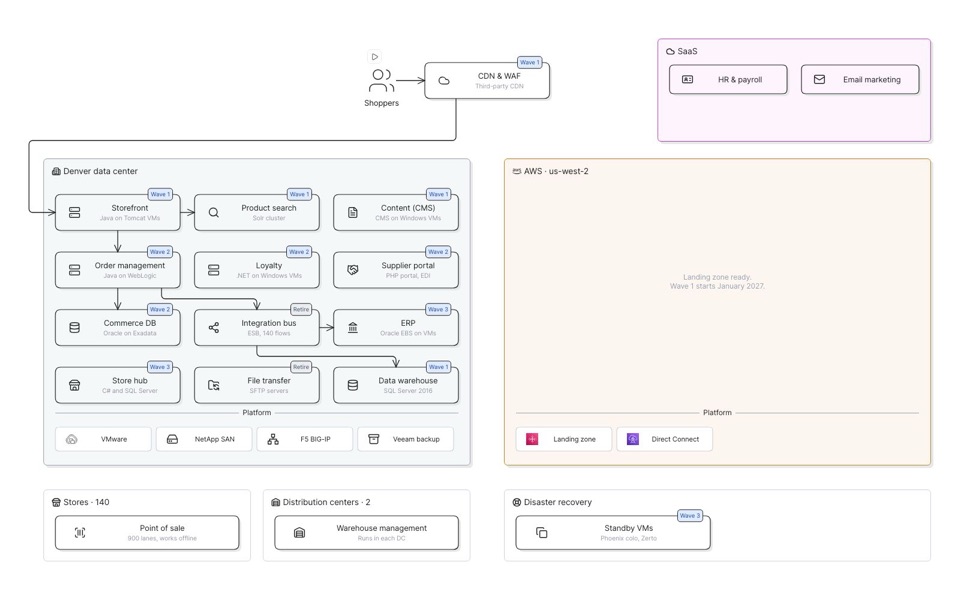
Data center to AWS migration
Three waves move an outdoor retailer’s apps from Denver into AWS. Step through and watch each one cross.
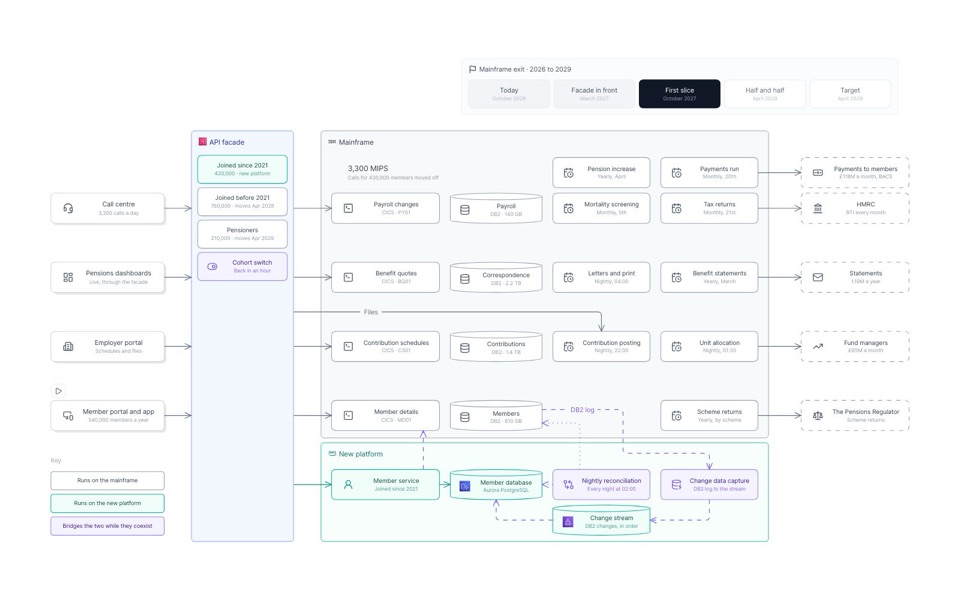
Mainframe modernization of a pension administrator
A facade first, then one domain at a time: 1.4 million pension members move off a mainframe in three cohorts.
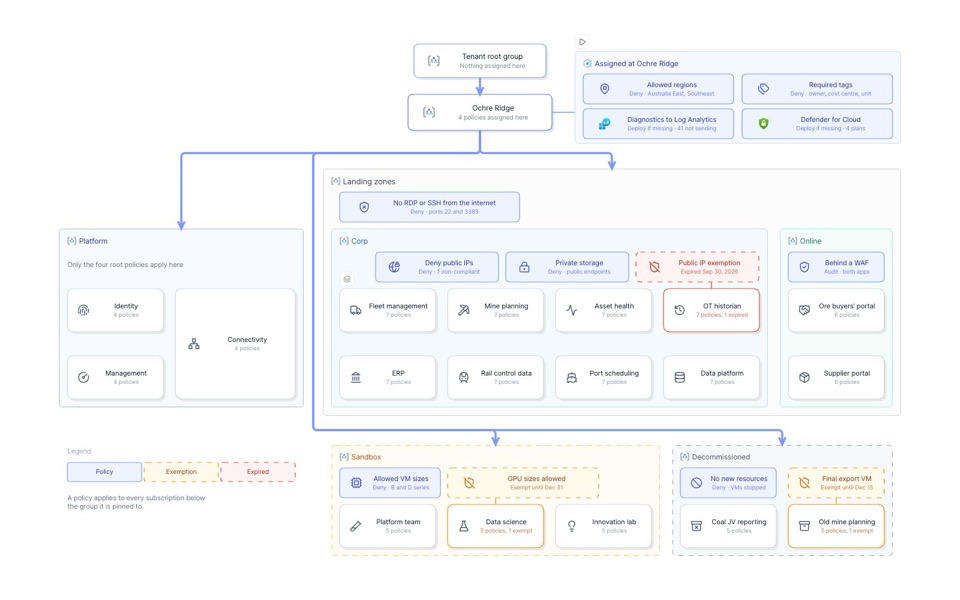
Azure landing zone map of a mining group
An iron ore miner’s Azure estate: guardrails pinned where they apply, owners and cost, and a hub with one bypass.
See you in the canvas
Unlock your team’s collaborative super powers.