Data
Database schema
A database schema is the formal definition of how a database is organized: its tables, columns, data types, keys, constraints and indexes.
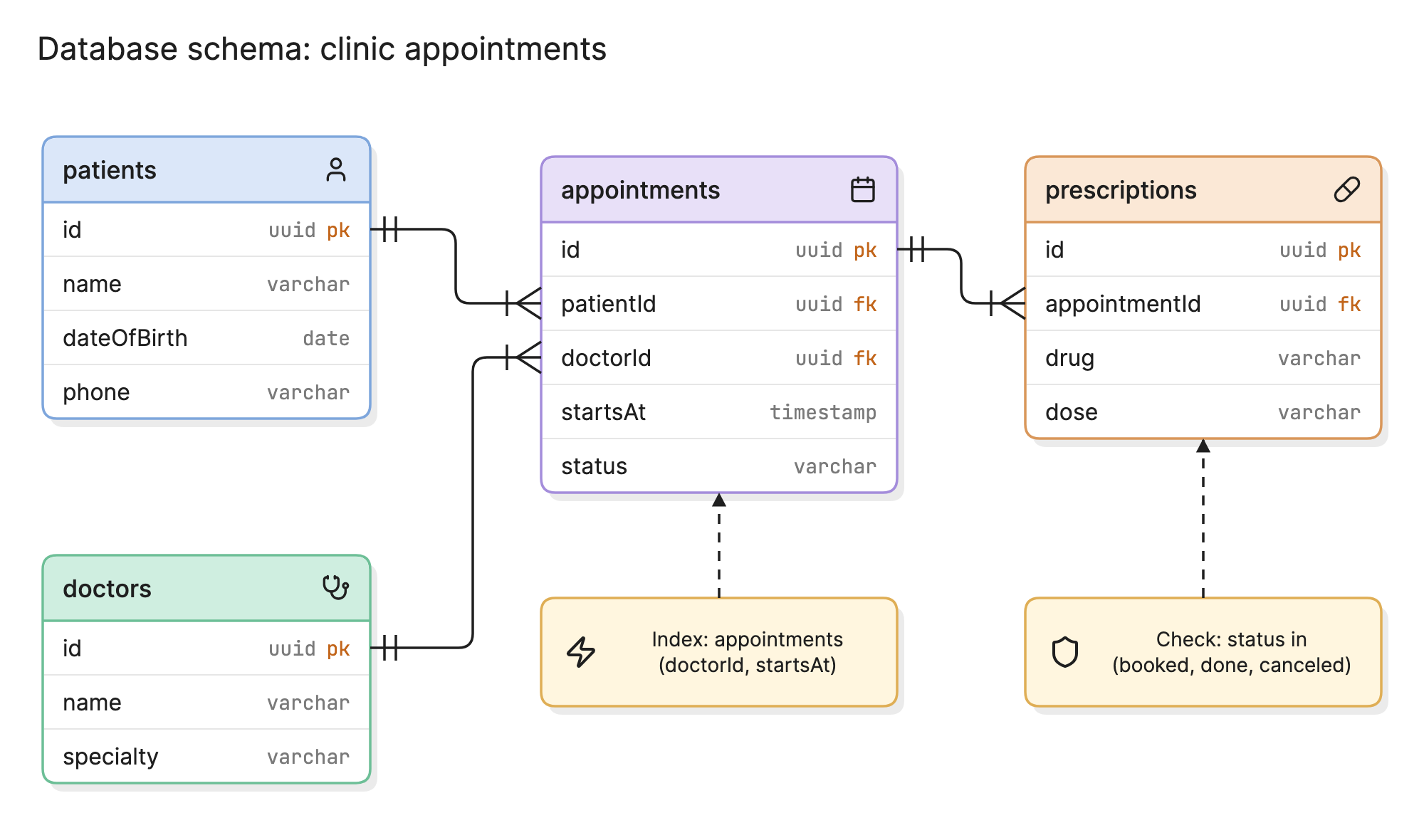
Teams write a schema down before building a database because every table, key and constraint is cheap to change on paper and expensive to change once it holds data. The schema is also the contract that application code, reports and pipelines all depend on.
Why does a database schema matter?
- Integrity. Keys and constraints let the database refuse bad data, so the application does not have to catch every case.
- Performance. Indexes and column types decide which queries are fast. Both live in the schema.
- Shared understanding. Engineers, analysts and the people building the ETL pipeline all read the same definition.
- Change control. When the schema is in version control as migrations, every change is reviewed and every environment matches.
What are the parts of a database schema?
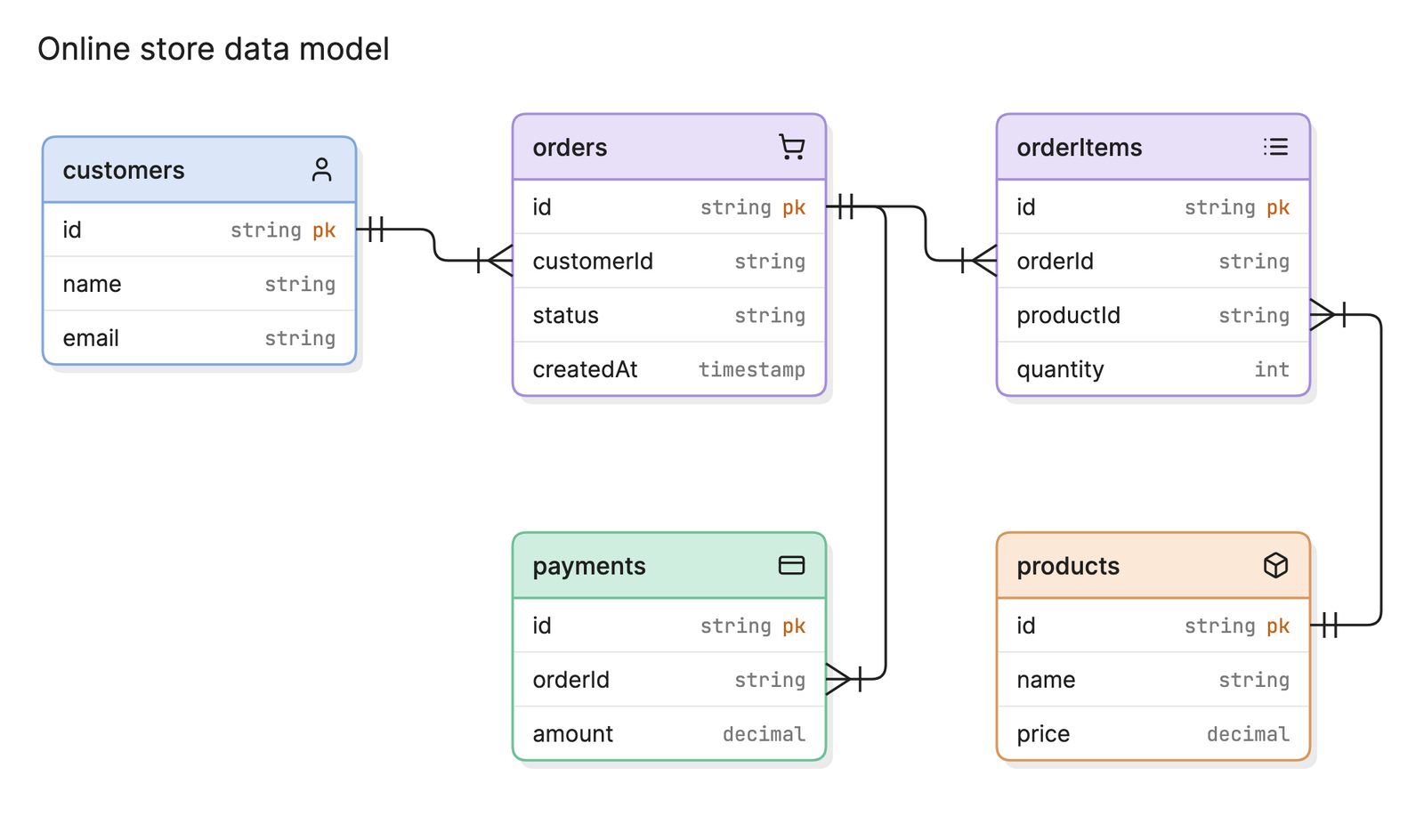
The hero diagram shows the schema for a clinic’s appointment system. The parts are the same in any relational database.
- Tables. One per kind of thing: patients, doctors, appointments, prescriptions. Each row is one instance.
- Columns and types. Each column holds one attribute with a declared type, such as
uuid,varchar,dateortimestamp. The type is the first constraint. - Primary keys. The column that identifies a row, marked
pkin the diagram. Every table has one. - Foreign keys. Columns that hold another table’s primary key, marked
fk.appointments.patientIdreferencespatients.id, and the database rejects an appointment for a patient that does not exist. - Constraints. Rules beyond keys:
NOT NULL,UNIQUEandCHECK. The clinic schema checks thatstatusis one of three allowed values. - Indexes. Extra structures that make lookups on chosen columns fast. The index on
appointments (doctorId, startsAt)serves the most common query, a doctor’s calendar for a day.
What are the types of database schema?
| Level | What it defines | Who uses it |
|---|---|---|
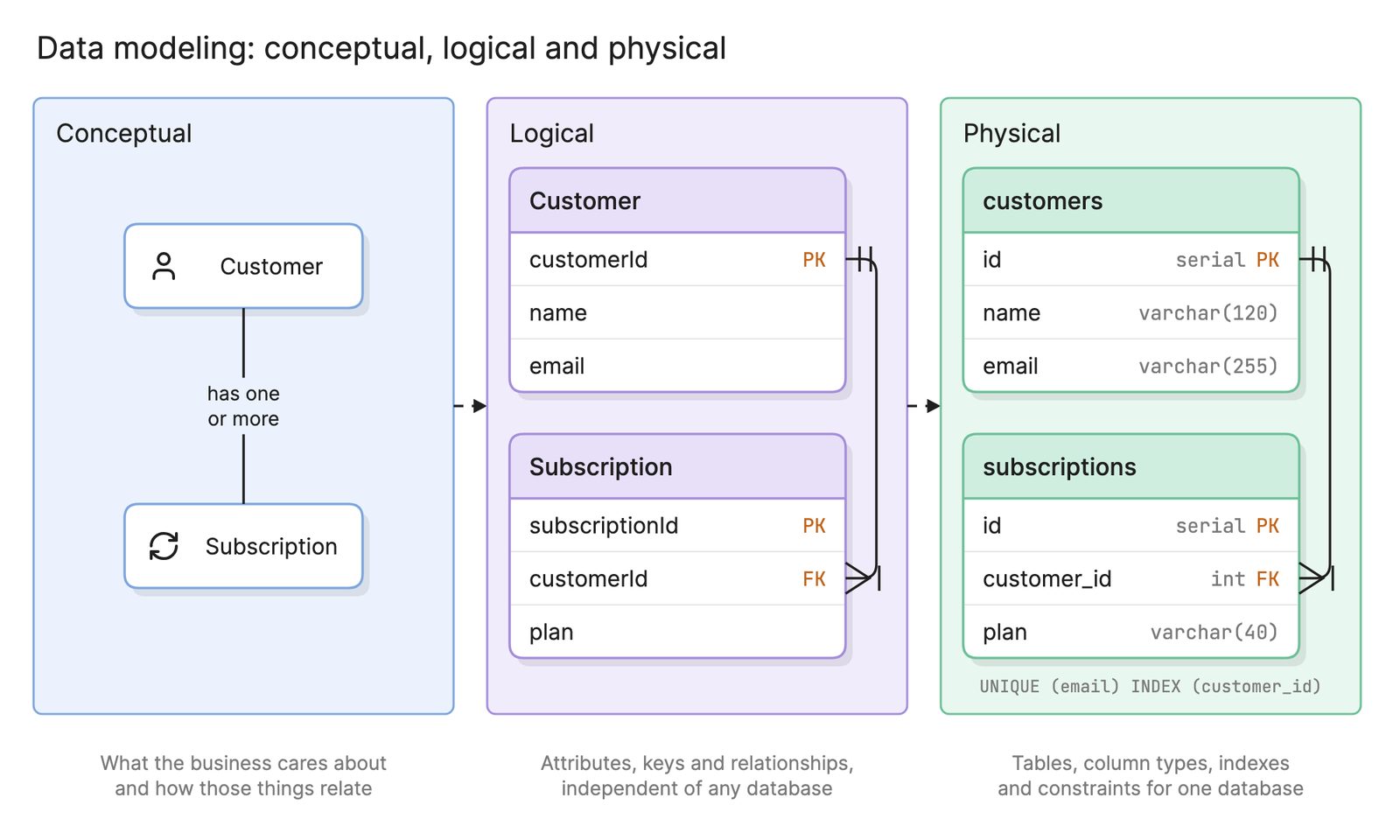
| Conceptual | The things the business cares about and how they relate, with no attributes | Stakeholders, early design |
| Logical | Entities, attributes, keys and relationships, independent of any database product | Architects, data modelers |
| Physical | Tables, column types, indexes, constraints and storage settings for one database | Engineers, DBAs |
The three levels are the output of data modeling. The hero diagram is a physical schema. A logical version of it would drop the types and the index and keep the entities and keys.
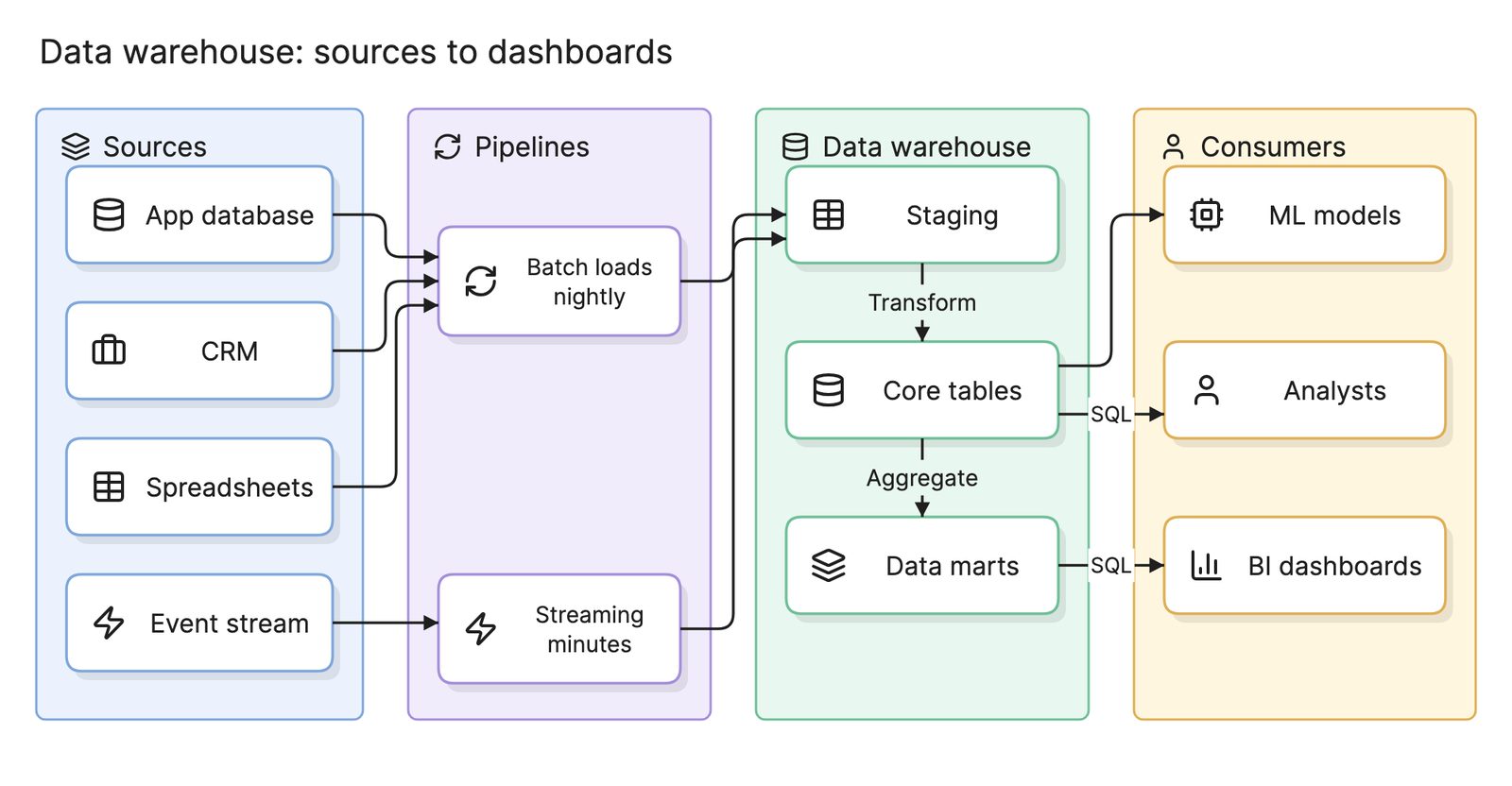
An application schema like the clinic’s is normalized so each fact is stored once. An analytics schema in a data warehouse is usually a star schema, because it is read far more than it is written.
How do you read a database schema diagram?
Start with the table that the business process centers on. In the clinic schema that is appointments, which sits in the middle because everything else connects to it. Its patientId and doctorId columns are foreign keys, and the crow’s foot at the appointments end of each line says that one patient or doctor can have many appointments.
Follow the line to the right. prescriptions.appointmentId references appointments.id, so a prescription belongs to exactly one appointment and an appointment can have several. The two notes record what a table listing would hide: an index chosen for the doctor’s daily calendar query and a check constraint that keeps status to known values. Reading it this way raises the questions a review should ask: should a canceled appointment still allow prescriptions, and does the index also serve the patient’s history query?
How do you create a database schema?
- List the entities. Name the things the system stores, one table each, and give every table a primary key.
- Add the attributes. For each column choose the narrowest type that fits and decide whether it can be null.
- Define the relationships. Add a foreign key for each one-to-many relationship and a join table for each many-to-many.
- Normalize. Put each fact in one place so it cannot disagree with itself. Third normal form is enough for most application schemas; see beyond normalization for when to stop.
- Add constraints. Encode the business rules the database can enforce: unique emails, allowed statuses, dates that must be in order.
- Add indexes for known queries. Index the columns in the
WHEREandJOINclauses of the queries that will run most, and nothing else yet. - Write it as migrations. Put the schema in version control as ordered scripts, so the change history is reviewable and repeatable.
What are common database schema mistakes?
- No foreign keys. Enforcing relationships in application code alone means orphaned rows the moment one code path forgets.
- Over-indexing. Every index slows every write and takes space. Add them for measured queries, not for every column.
- Storing structured data in strings. A comma-separated list in a
varcharcannot be queried, joined or constrained. - Premature denormalization. Copying a column into a second table for speed creates two sources of truth. Do it only with a measured need and a plan to keep them in sync.
How does a database schema compare with related terms?
| Term | What it is | How it relates |
|---|---|---|
| Entity relationship diagram | A drawing of entities and relationships | The picture of a schema, or of one being designed |
| Data modeling | The process of deciding how data is structured | Produces the schema as its final output |
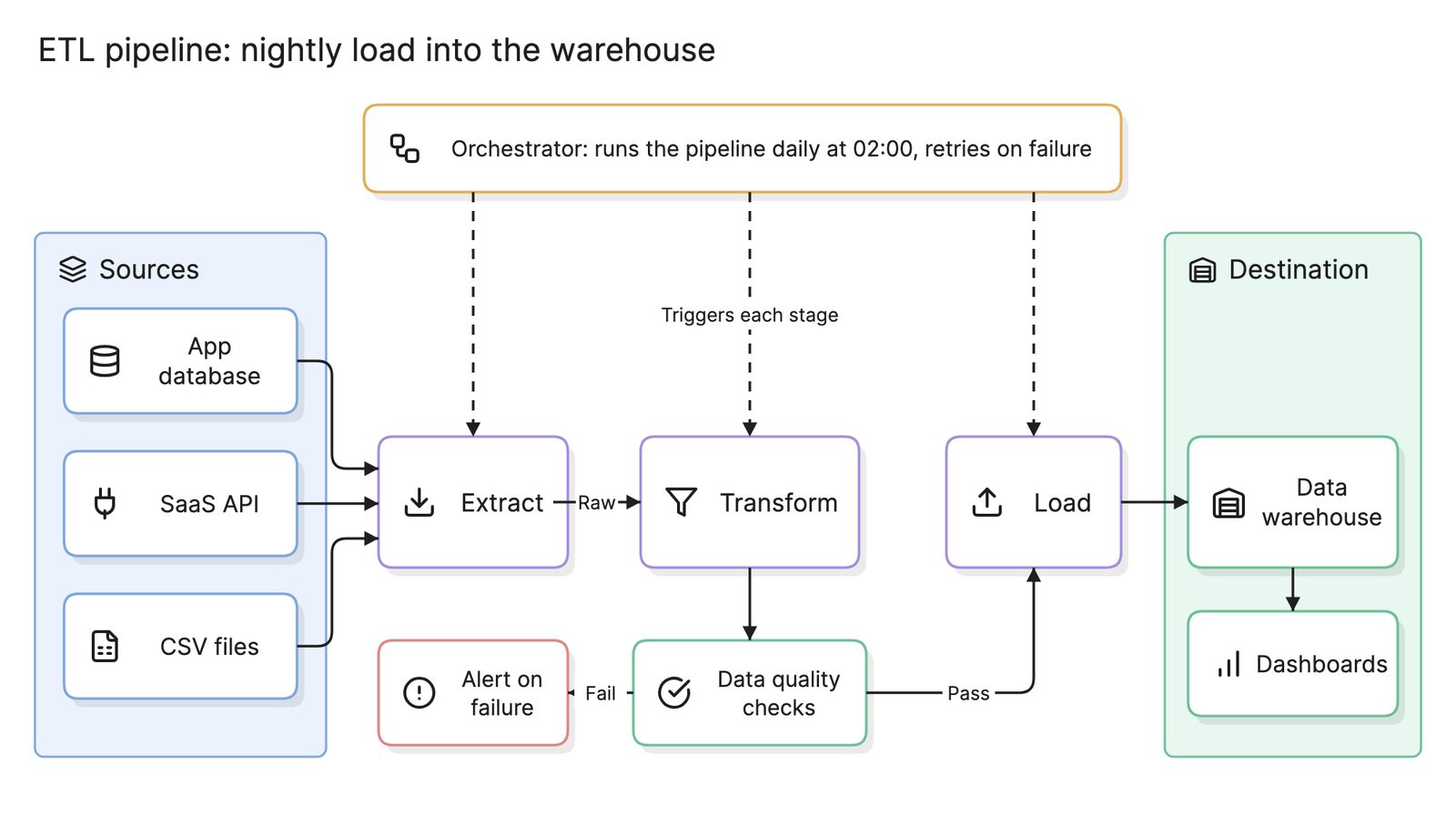
| Data warehouse | A database built for analysis across sources | Has its own schema, usually a star schema fed by an ETL pipeline |
| Data lineage | A record of where each field came from | Tracks how data moves between schemas |
What tools can you use to make a database schema diagram?
- Database administration tools. Most can draw the schema of a live database from its catalog, which is accurate but offers little control over the layout.
- Schema-as-code tools. Migration frameworks and DSLs keep the schema in version control and can generate a diagram from it, so the picture cannot drift from the database.
- AI diagramming tools. Tools like Eraser turn a description or a DDL file into a database schema diagram you can keep editing as text, which is useful when the schema exists only in code and nobody has drawn it yet.
For more on this kind of diagram, see data models.
Frequently asked questions
-
What is the difference between a database schema and an ERD?
The schema is the definition the database actually enforces: tables, columns, types, keys and constraints. An entity relationship diagram is a picture of that structure, or of a planned structure before any database exists. A physical ERD and a schema describe the same thing, one as a drawing and one as DDL.
-
What is the difference between a logical and a physical schema?
A logical schema names the entities, their attributes and the relationships between them without committing to a database product. A physical schema adds what one database needs to run it: column types, indexes, partitions and storage settings. Teams draft the logical schema first and derive the physical one from it.
-
What is a schema migration?
A migration is a versioned script that changes a schema in place, such as adding a column or an index, along with the script that undoes it. Migration tools apply them in order and record which have run, so every environment reaches the same schema the same way and the history is in version control.
-
Can you generate a schema diagram from an existing database?
Yes. Most database tools and many diagramming tools can read the catalog of a live database and draw its tables and foreign keys. The result is accurate for what the database declares, but relationships enforced only in application code will be missing, so review it before treating it as complete.