Cloud and DevOps
Kubernetes architecture
Kubernetes architecture is the structure of a cluster: a control plane that stores and enforces the desired state and worker nodes that run containers in pods.
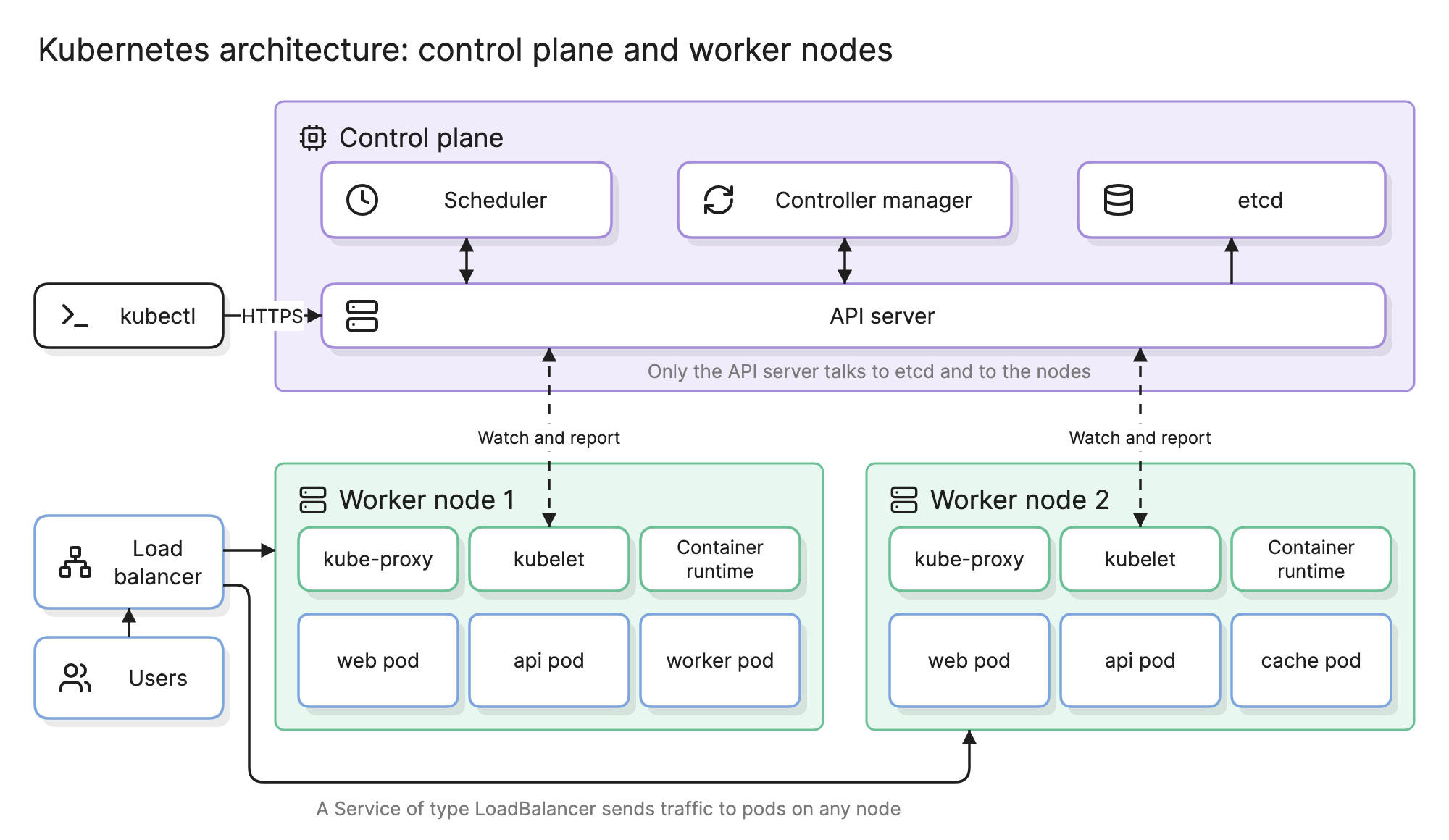
Teams learn Kubernetes architecture because every outage, scaling decision and security review on a cluster comes back to the same handful of components. Know what the API server, the kubelet and a Service do and the rest reads as variations on them.
What are the parts of a Kubernetes cluster?
A cluster is a control plane plus a set of worker nodes. The control plane is the brain and the nodes are the muscle.
Control plane
- API server. The front door. Every component, every
kubectlcommand and every CI pipeline reads and writes cluster state through its REST API, and nothing else talks to etcd or to the nodes. - etcd. A replicated key-value store that holds the desired and observed state of everything in the cluster.
- Scheduler. Watches for pods that have no node yet and picks one from resource requests and placement rules.
- Controller manager. Runs the control loops that compare desired state with actual state and act on the difference.
Worker nodes
- kubelet. The agent on each node. It watches the API server for pods assigned to its node, asks the container runtime to run them and reports their status back.
- Container runtime. The software that pulls images and starts containers, such as containerd or CRI-O.
- kube-proxy. Maintains the network rules that make a Service’s virtual address reach the right pods on any node.
- Pods. The unit of scheduling: one or more containers sharing an IP address and volumes.
What are the core Kubernetes objects?
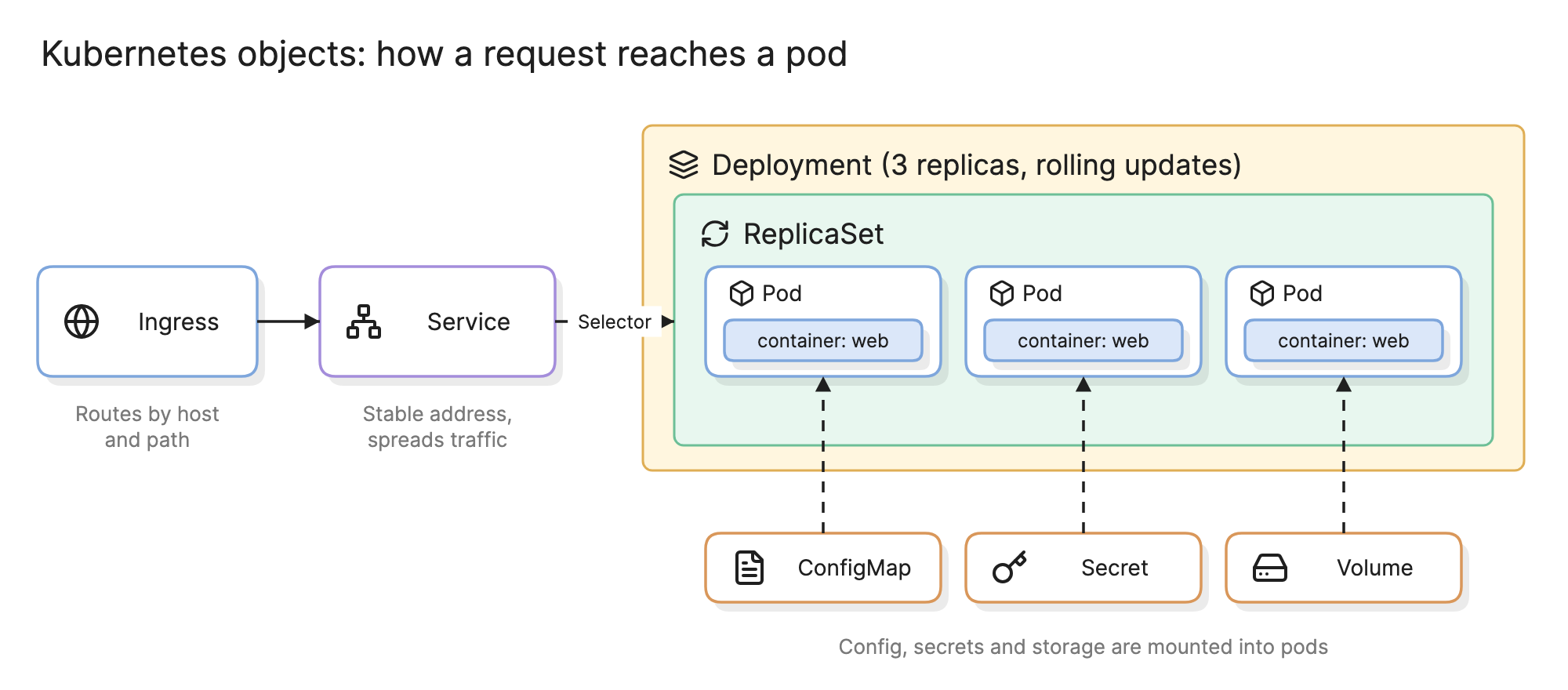
| Object | What it does | Typical use |
|---|---|---|
| Pod | Runs one or more containers that share a network address | Rarely created directly; owned by a controller |
| Deployment | Keeps N identical pods running through a ReplicaSet and rolls out new versions | Stateless services such as web and API servers |
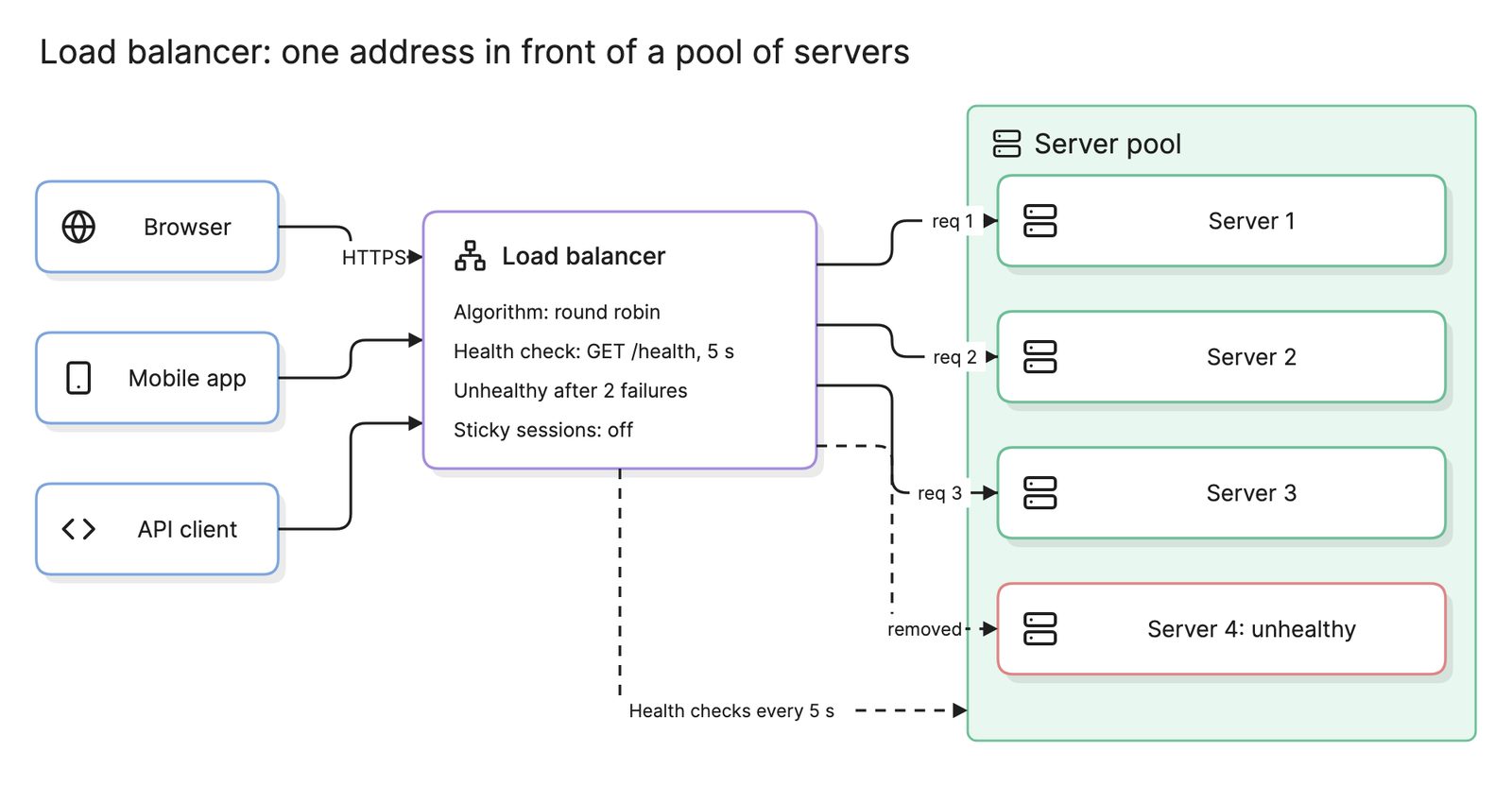
| Service | One stable address that load balances across a set of pods | Every workload other pods or clients call |
| Ingress | Routes HTTP traffic from outside by host and path to Services | Public entry point behind a load balancer |
| ConfigMap and Secret | Configuration and credentials mounted into pods | Environment settings, API keys, certificates |
| PersistentVolumeClaim | A request for storage that outlives a pod | Database data, uploads |
The Deployment and its pods exist to keep the right number of copies running; the Service and Ingress exist to make them reachable.
How do you read a Kubernetes architecture diagram?
Start at the top of the diagram at the top of this page with kubectl. Applying a manifest is an HTTPS request to the API server, which validates it and writes it to etcd. The scheduler notices a pod with no node and chooses one; the controller manager notices a Deployment that wants three pods and has two, and creates the third.
On the worker nodes, every kubelet watches the API server for pods assigned to it, tells the container runtime to start them and reports back whether they are healthy. User traffic takes a separate path: a cloud load balancer sends it to any node, and the Service forwards it to a pod, which may live on another node. Reading it this way raises the right questions: how many replicas of etcd exist, and what happens to traffic when node 2 is drained.
How does Kubernetes handle scaling and failure?
- Horizontal pod autoscaling. A controller watches CPU, memory or custom metrics and adjusts a Deployment’s replica count; see Kubernetes autoscaling on Eraser’s engineering blog.
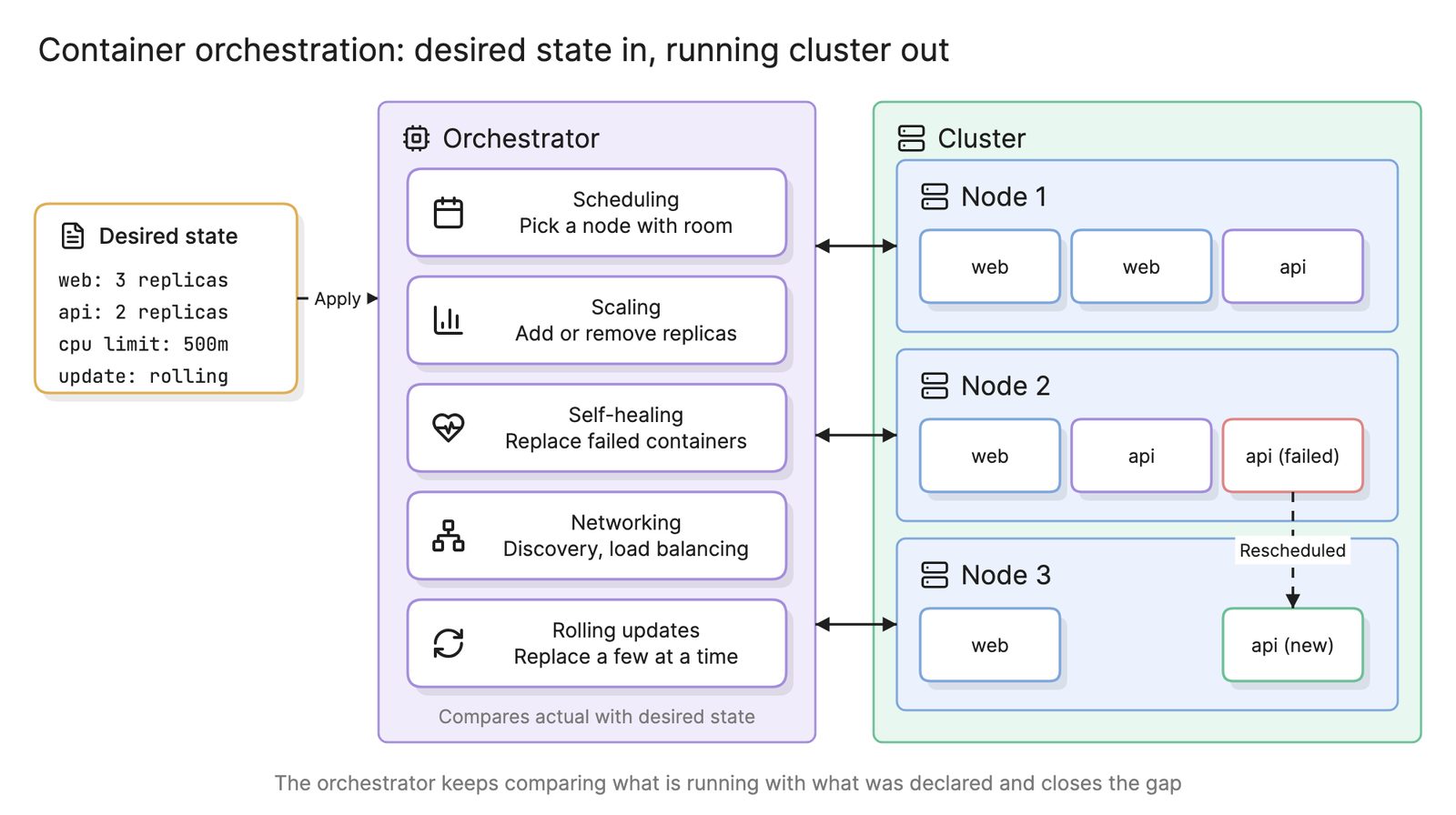
- Self-healing. A crashed container is restarted by its kubelet; a lost node has its pods rescheduled elsewhere.
- Rolling updates. A Deployment replaces pods a few at a time, so a bad image is caught before it reaches every replica.
For high availability, the control plane and etcd must themselves be replicated across zones, which managed services do by default.
How does Kubernetes fit with the rest of the system?
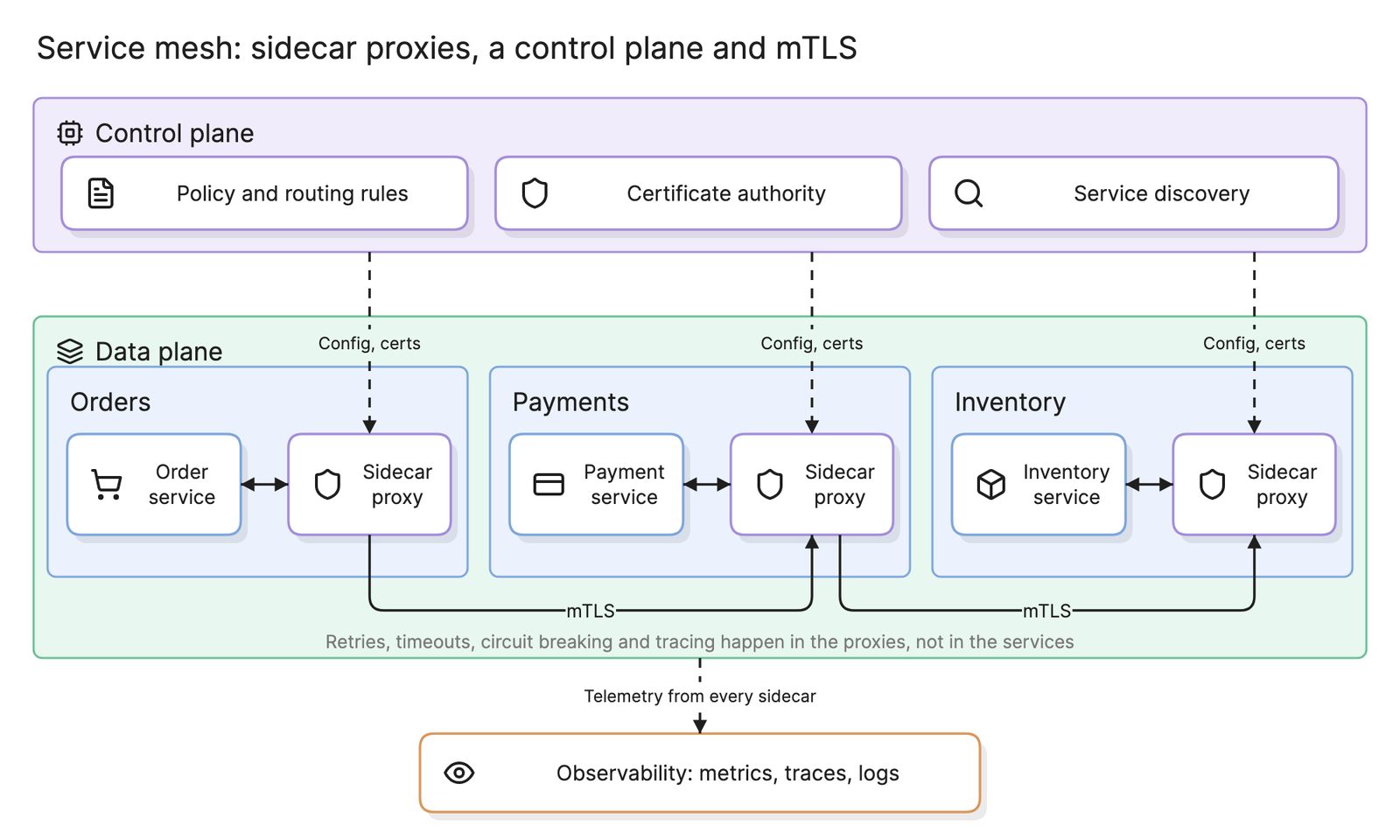
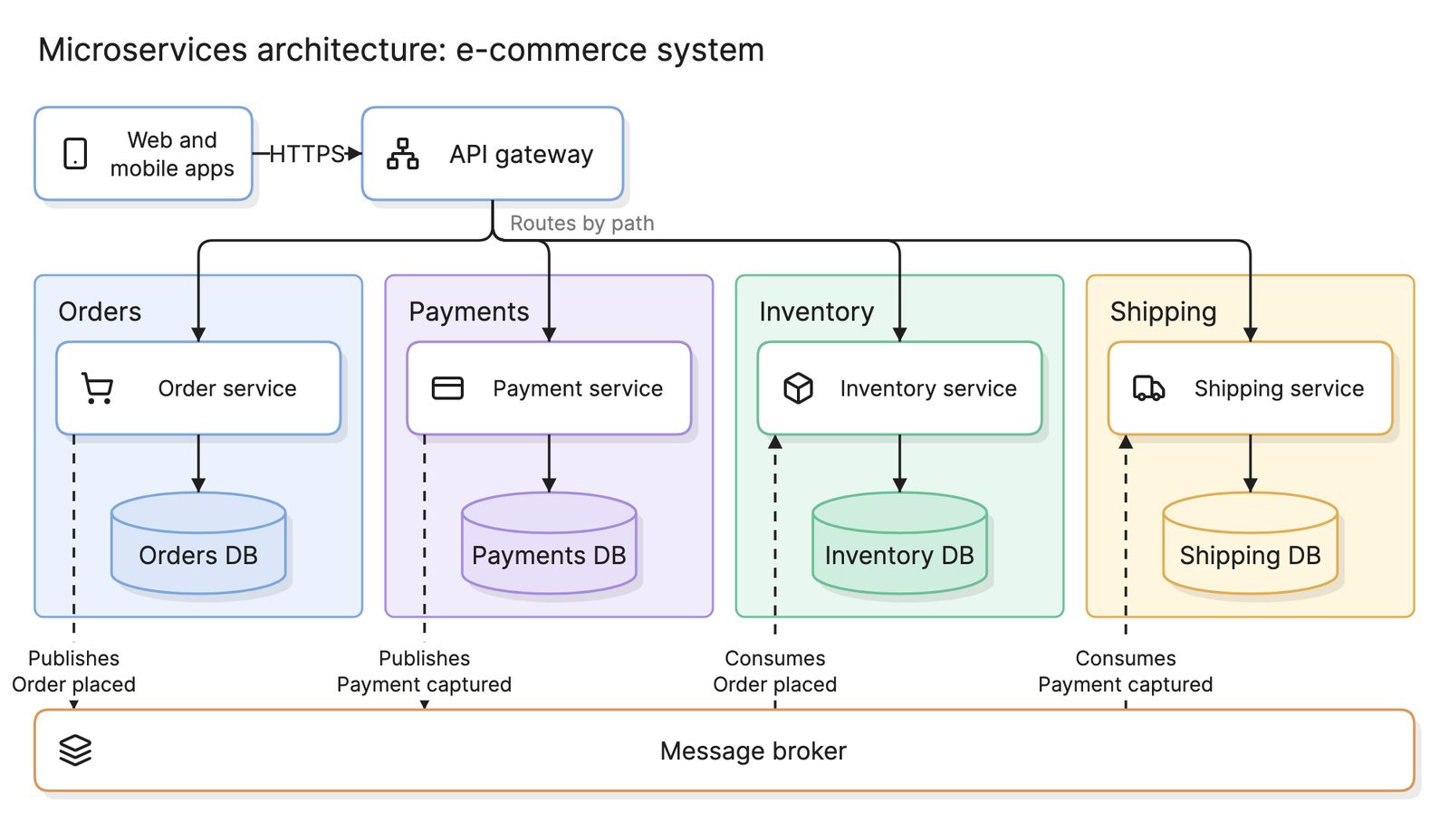
Kubernetes is the most widely used form of container orchestration and the one most microservices architectures land on once they have more than a few services. Around it sit the usual platform pieces: an API gateway or an Ingress reverse proxy at the edge, often a service mesh between services and an observability stack collecting metrics, logs and traces from every pod.
How do you diagram a Kubernetes cluster?
- Decide the level. A cluster overview shows the control plane, nodes and the entry point; a workload diagram shows one application’s objects.
- Draw the boundaries. The cluster, each namespace and each node are groups; the cloud load balancer and external databases sit outside.
- Place the workloads. One box per Deployment showing its replica count and a Service in front of each one that is called.
- Show the entry path. Load balancer, Ingress, Service, pod, with the host and path rules on the Ingress.
- Generate it from the source. Manifests and Helm charts already describe all of this, so a diagram made from them stays current.
What are common Kubernetes architecture mistakes?
- A single control plane node. Fine for development, a single point of failure in production.
- No resource requests and limits. The scheduler cannot place pods well and one noisy pod can starve a node.
- Treating pods as permanent. Pods are replaced constantly, so state belongs in volumes or external databases.
What tools can you use to diagram Kubernetes architecture?
- The cluster itself.
kubectl get all -Aand the Kubernetes dashboard show what is running, as lists rather than a picture. - Drag-and-drop diagramming tools. Kubernetes icon sets exist for most of them, but every change to the cluster is a manual edit.
- AI diagramming tools. Tools like Eraser turn manifests, Helm charts or a description of your cluster into a Kubernetes diagram, and the same tool draws the wider architecture diagram of what sits outside the cluster.
For more on this kind of diagram, see Kubernetes architecture diagrams.
Frequently asked questions
-
What is the difference between the control plane and the worker nodes?
The control plane decides what should run and where; the worker nodes run it. The control plane holds the cluster state in etcd and exposes it through the API server, while a kubelet on every node watches that API and starts the containers assigned to its node. If the control plane goes down, running pods keep running.
-
What is the difference between a pod and a container?
A container is one running process image. A pod is the smallest unit Kubernetes schedules, and it wraps one or more containers that share a network address and storage volumes. Most pods hold one application container, sometimes with a helper such as a log shipper or a service mesh sidecar.
-
Do you have to run the control plane yourself?
No. The managed Kubernetes services from the major cloud providers run the control plane for you, keep it highly available and upgrade it, so you only manage worker nodes and workloads. Self-managed clusters make sense on premises or when you need control over the control plane's configuration, at the cost of operating etcd yourself.
-
What is the difference between a Deployment and a Service?
A Deployment keeps a set number of identical pods running and replaces them in a rolling fashion when the image changes. A Service gives those pods one stable address and spreads traffic across them, because pods come and go and their IP addresses change. You almost always create both.