Cloud and DevOps
Container orchestration
Container orchestration automates placing, scaling, networking, healing and updating containers across a cluster of machines from a declared desired state.
Teams reach for container orchestration when the number of containers, hosts or deployments a day grows past what a person can manage by hand. Orchestration turns “keep these services running” from a runbook into a declaration the platform enforces.
Why do containers need orchestration?
A container packages one process with its dependencies, which solves “it works on my machine”. It does not solve what happens at three in the morning when that process dies, or on launch day when one copy is not enough. Across more than one host, somebody has to decide which machine has room for each container, how many copies to run, how to notice one has failed, how containers find each other after a restart and how to roll out a new image without downtime. An orchestrator answers all of that from one declaration, continuously.
What does a container orchestrator do?
- Scheduling. Picks a node for each container from resource requests, placement rules and what is already running there.
- Scaling. Adds or removes replicas by hand or automatically from metrics and often adds or removes nodes too.
- Self-healing. Restarts crashed containers, replaces unhealthy ones and reschedules everything from a node that disappears.
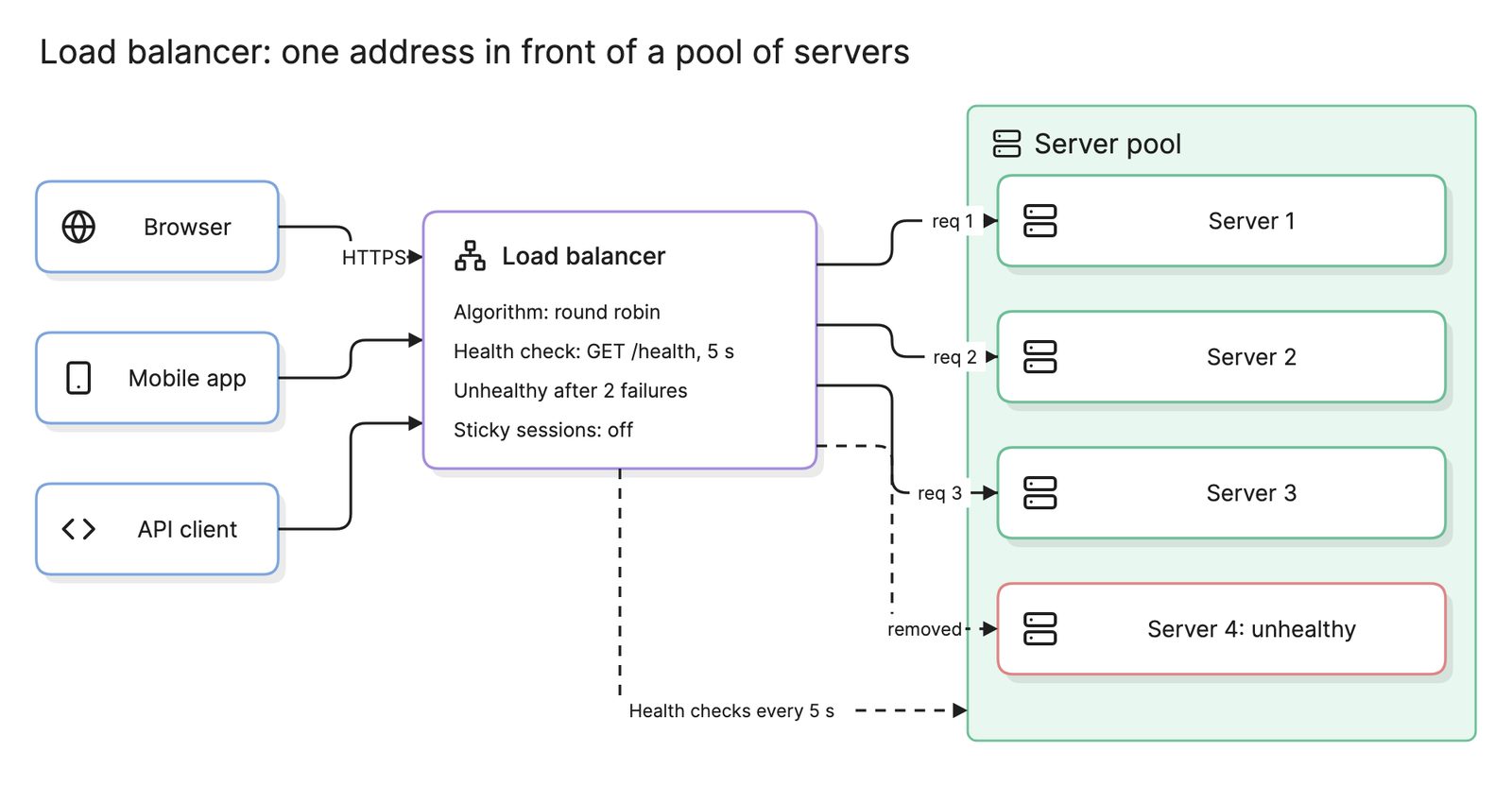
- Service discovery and load balancing. Gives a set of replicas one stable name and spreads traffic across them like a load balancer.
- Rolling updates and rollbacks. Replaces replicas a few at a time and reverses the change if the new ones fail their health checks.
- Configuration, secrets and storage. Mounts settings, credentials and persistent volumes into containers without baking them into images.
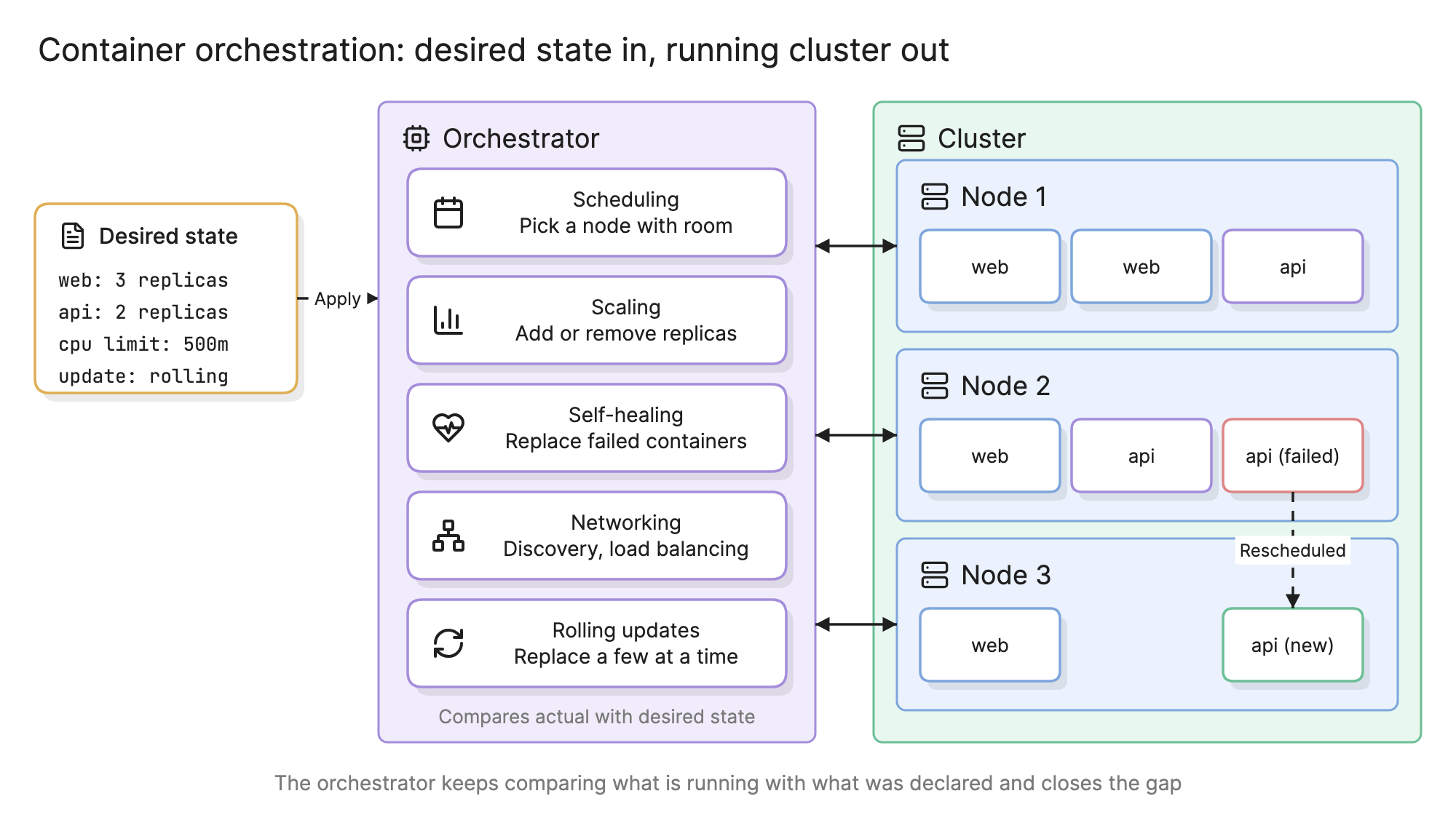
What makes all of this possible is the desired-state model. You declare what should exist; control loops inside the orchestrator compare that declaration with reality and act on the difference, forever.
How does container orchestration work?
Follow the diagram at the top of this page from left to right. The desired state file says the cluster should run three web replicas and two api replicas, each with a CPU limit, updated by rolling replacement. Applying it hands the declaration to the orchestrator as the target.
The orchestrator’s control loops then run. The scheduler places five containers across the three nodes. When the api container on node 2 fails its health check, the self-healing loop sees two api replicas declared and one running, so the scheduler places a replacement on node 3 and the api name now resolves to the new container. If the api image were changed in the declaration, the rolling update loop would replace the two api containers one at a time. Nobody issued a “start container” command at any point, which is the difference between orchestration and a deployment script.
When is a single host enough?
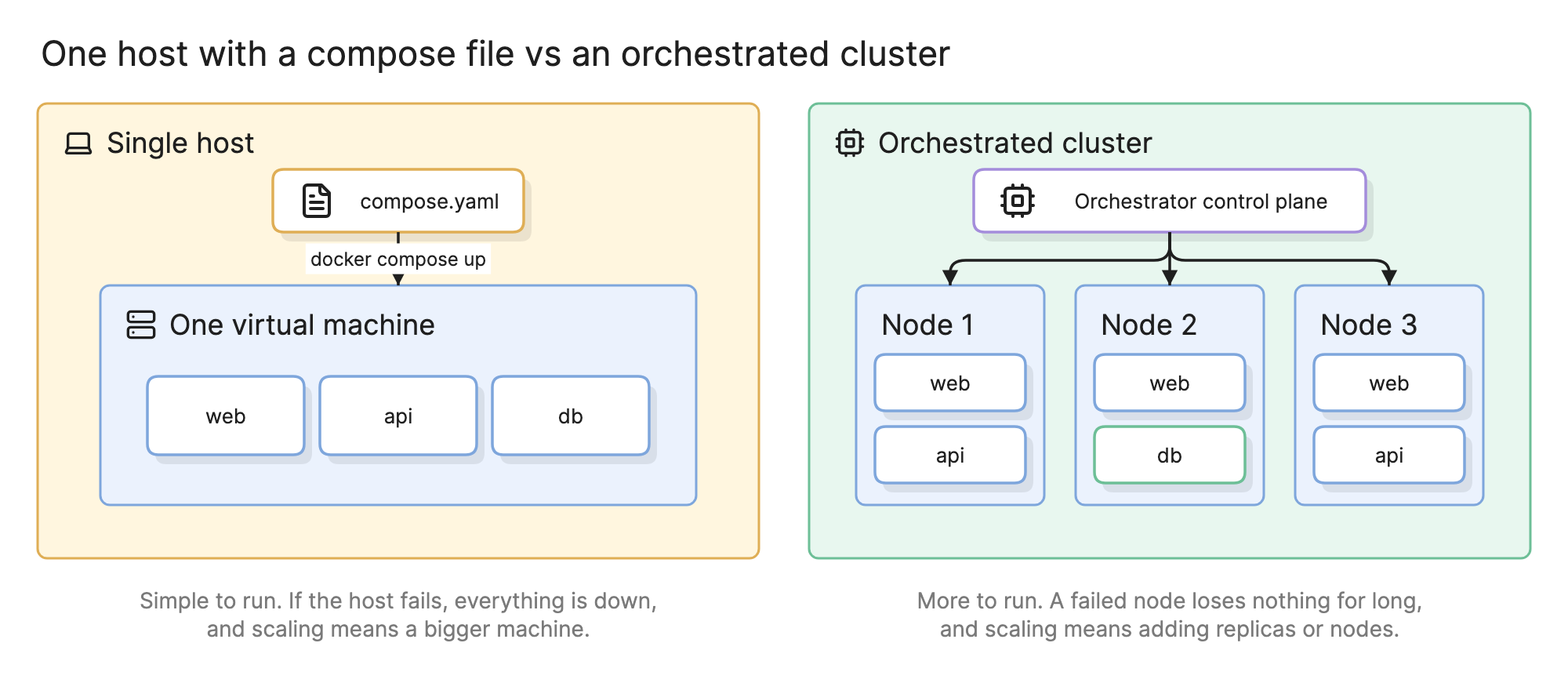
| Situation | Single host with a compose file | Orchestrated cluster |
|---|---|---|
| Development and test environments | Yes | Overkill |
| Internal tool with a few users | Yes, if brief downtime on deploy is fine | Only if the team already runs one |
| Customer-facing product with uptime targets | Risky: one host is one failure | Yes |
| Several services from several teams | Hard to coordinate | Yes |
A compose file is itself a small desired-state declaration, so the step up is less of a rewrite than it looks.
What are the orchestration options?
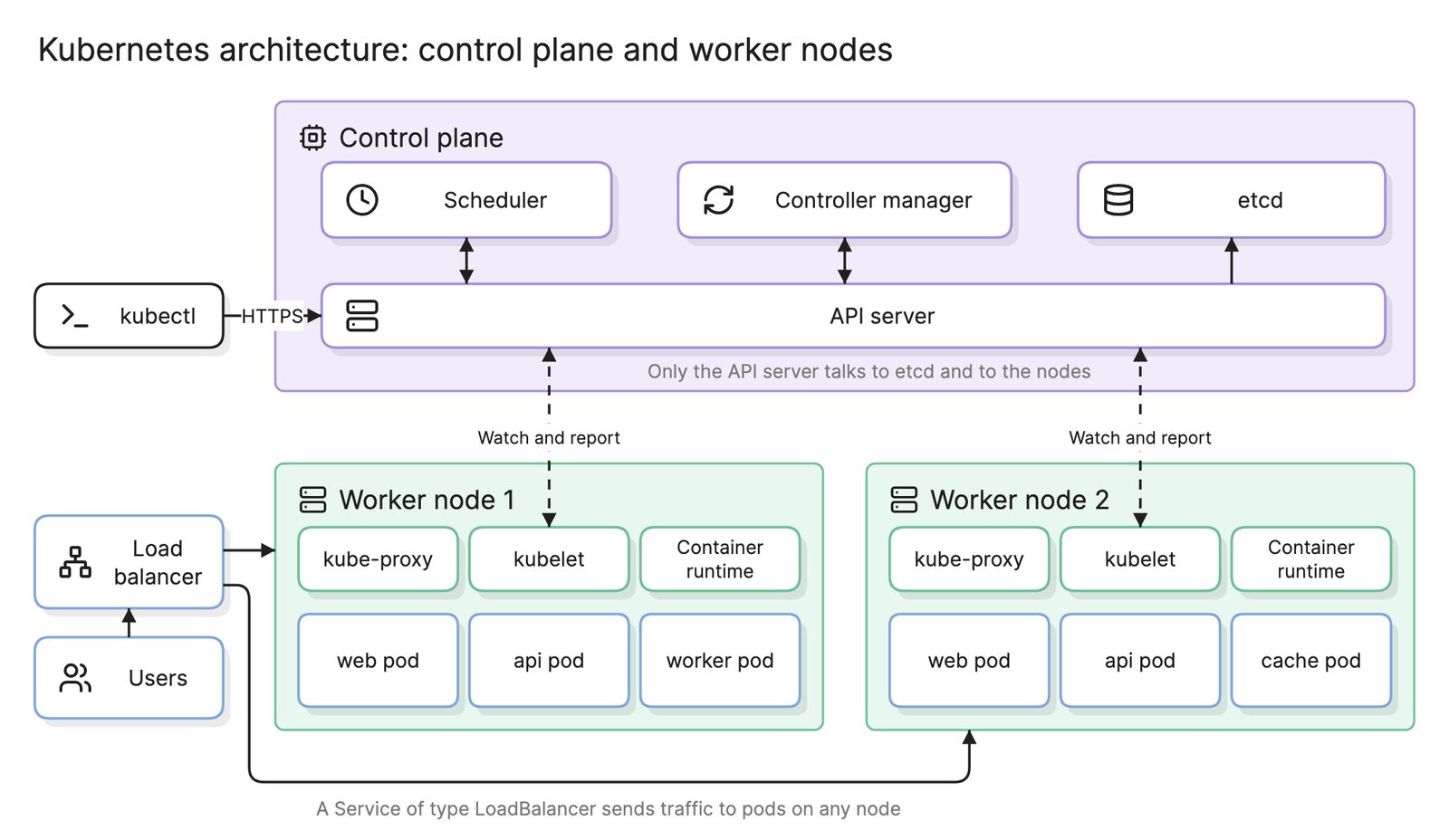
- Kubernetes. The common standard, with the largest ecosystem and the most concepts to learn. See Kubernetes architecture for how its control plane and nodes fit together.
- Managed Kubernetes. The cloud providers run the control plane and upgrades; you manage nodes and workloads.
- Managed container services without Kubernetes. Cloud services that take an image and a replica count and handle the rest. Less to learn, less portable.
- Lightweight orchestrators. Docker Swarm and Nomad cover the basics with far fewer concepts.
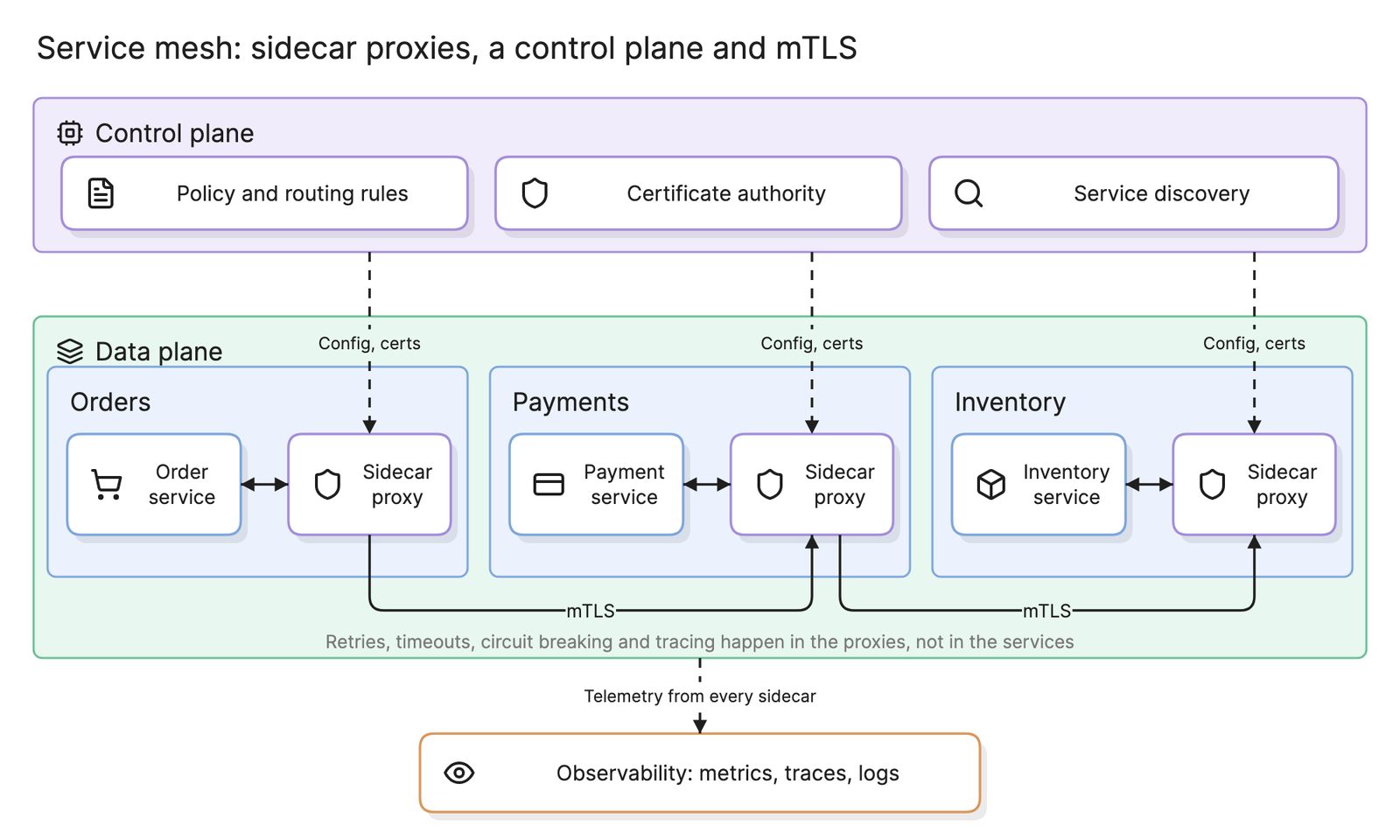
Whichever you pick, the architecture around it is similar: an API gateway, reverse proxy or load balancer at the edge, often a service mesh for traffic between services and an observability stack that collects metrics, logs and traces from every container.
How do you adopt container orchestration?
- Containerize and declare. Get every service into an image with health endpoints, resource limits and configuration from the environment.
- Start with a managed cluster. Operating a control plane is a separate skill; defer it until you need it.
- Move one stateless service first. Watch it through a few deploys and a forced failure before moving the rest.
- Add the platform pieces. Ingress, secrets management, monitoring and a CI/CD pipeline.
- Move stateful services last. Databases need persistent volumes and careful scheduling; many teams keep them on managed database services instead.
- Diagram the result. An architecture diagram of the cluster, its entry points and its external dependencies is what the on-call engineer reaches for first.
What are common container orchestration mistakes?
- No health checks. The orchestrator cannot heal what it cannot see. Every container needs a liveness and a readiness check.
- No resource limits. One container can consume a node and take its neighbors down with it.
- State in the container. Files written inside a container vanish when it is replaced. Use volumes or external stores.
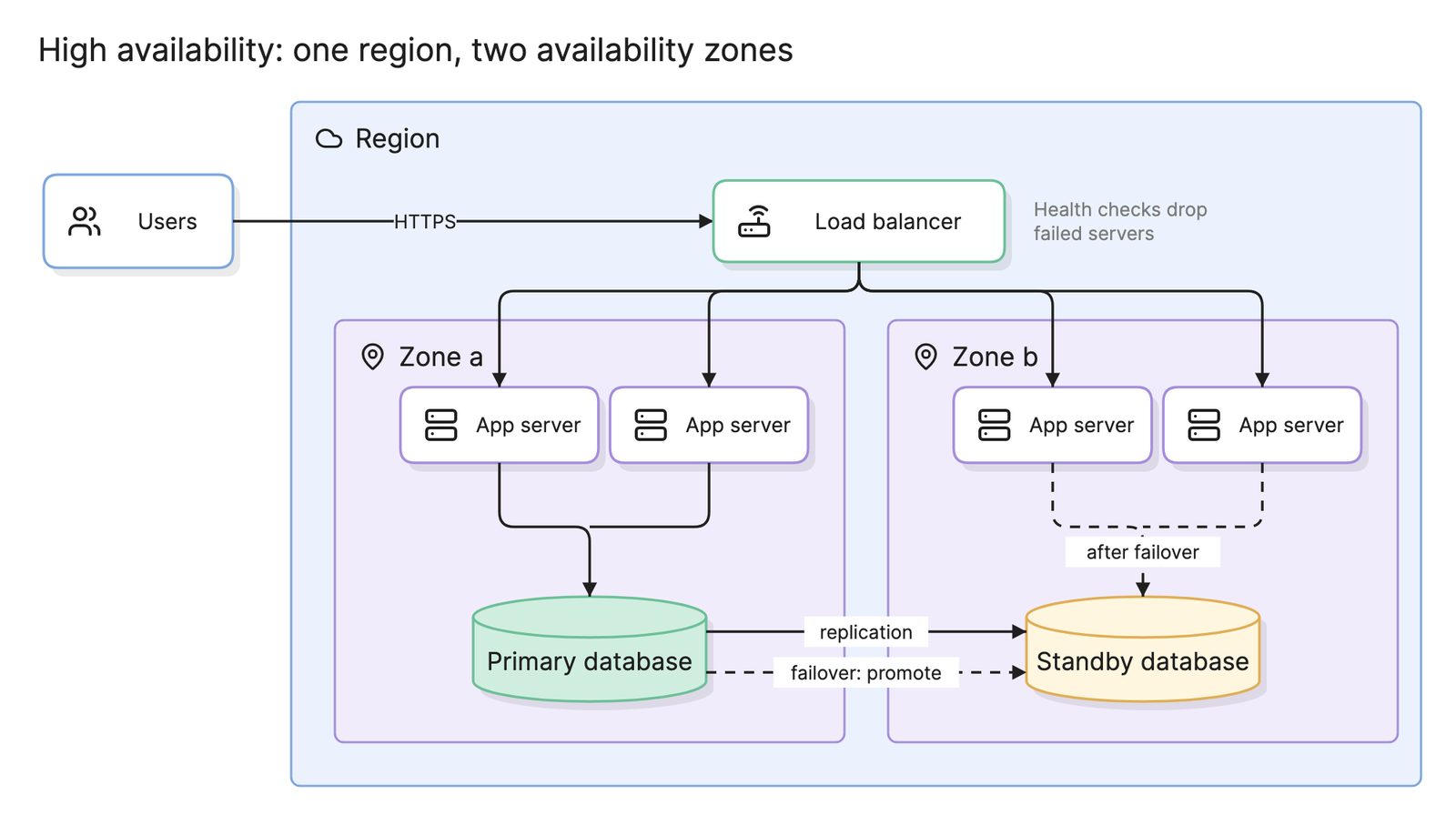
- A single control plane node. It turns the thing meant to provide high availability into the outage.
What tools help with container orchestration?
- The orchestrator’s own CLI and dashboards. These show what is running and where, as lists and tables rather than a picture.
- Drag-and-drop diagramming tools. Good for a one-off cluster picture, but the cluster changes every deploy and the picture does not.
- AI diagramming tools. Tools like Eraser turn manifests, compose files or a description of the cluster into a Kubernetes diagram or a wider architecture diagram that you can keep editing as services are added.
For more on this kind of diagram, see DevOps diagrams.
Frequently asked questions
-
What is the difference between container orchestration and Kubernetes?
Container orchestration is the job; Kubernetes is the most widely used tool that does it. Other orchestrators include Docker Swarm, HashiCorp Nomad and the managed container services that cloud providers offer without exposing Kubernetes. All of them accept a desired state and keep a cluster matching it, but they differ in features, portability and how much you operate yourself.
-
Do I need container orchestration?
Not if one host can run your containers and a short outage during restarts or deployments is acceptable. A compose file on one machine covers development environments, internal tools and many small products. You need an orchestrator once you need more than one host, zero-downtime deployments, automatic replacement of failed containers or scaling without hand-editing a server.
-
What is desired state in container orchestration?
Desired state is a declaration of what should be running, such as three replicas of the web image with a given CPU limit, applied to the cluster as a file. The orchestrator stores it and runs control loops that compare it with what is actually running. You never tell it to start a container; you change the declaration and it closes the gap.
-
How does container orchestration relate to microservices?
A microservices architecture produces dozens of small deployable units that must be placed, scaled, discovered and updated independently. Doing that by hand across a fleet of hosts does not scale, which is why most microservice systems run on an orchestrator. A monolith in one container can also benefit, mainly from rolling updates and self-healing.