Cloud and DevOps
CI/CD pipeline
A CI/CD pipeline automatically builds, tests and deploys every code change through fixed stages from commit to production, with a check at each step.
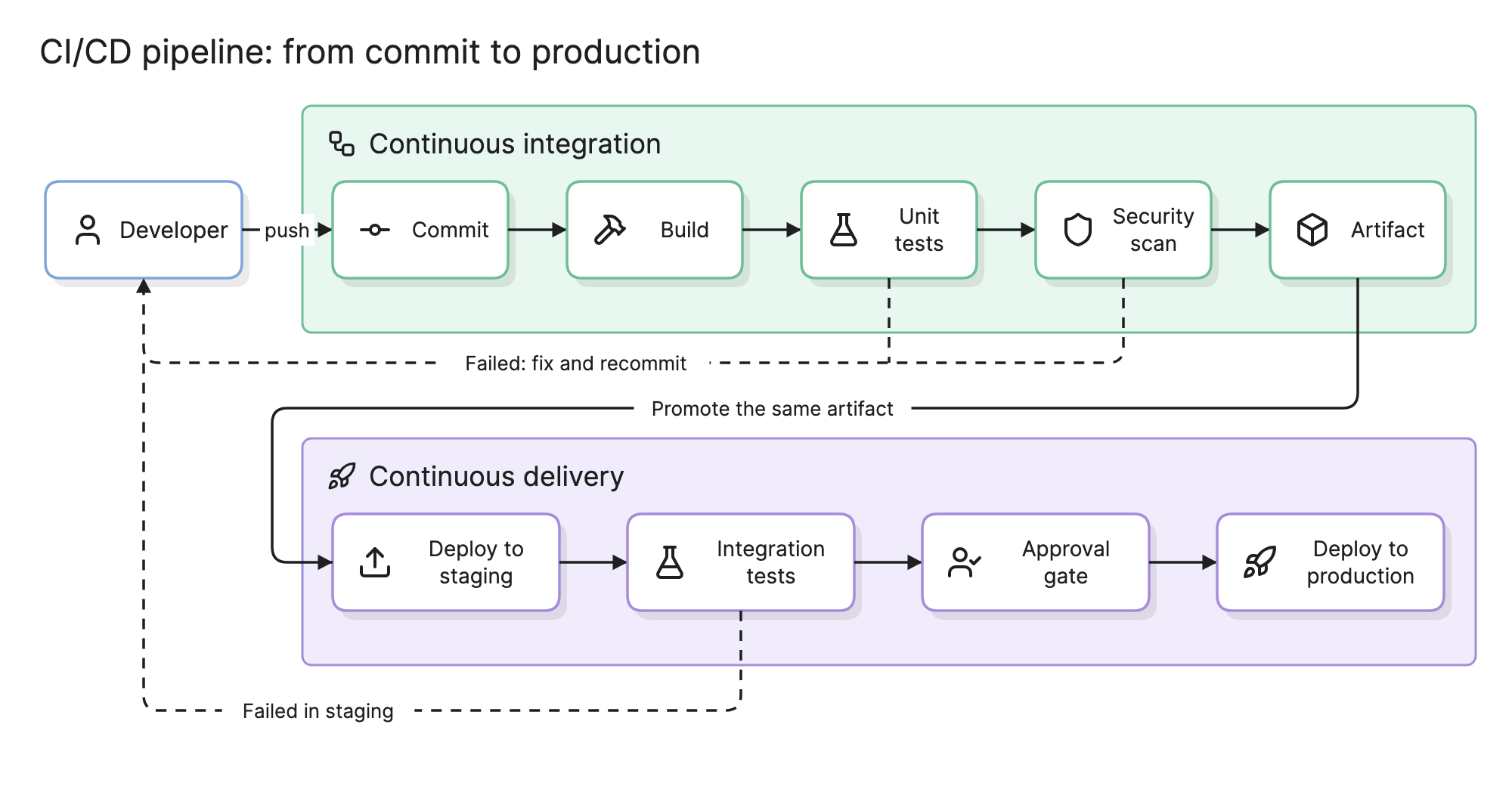
Teams build a CI/CD pipeline so that shipping a change is routine rather than a weekend. Every commit goes through the same stages in the same order, and the pipeline, not a person, decides whether it moves on.
What do CI and CD mean?
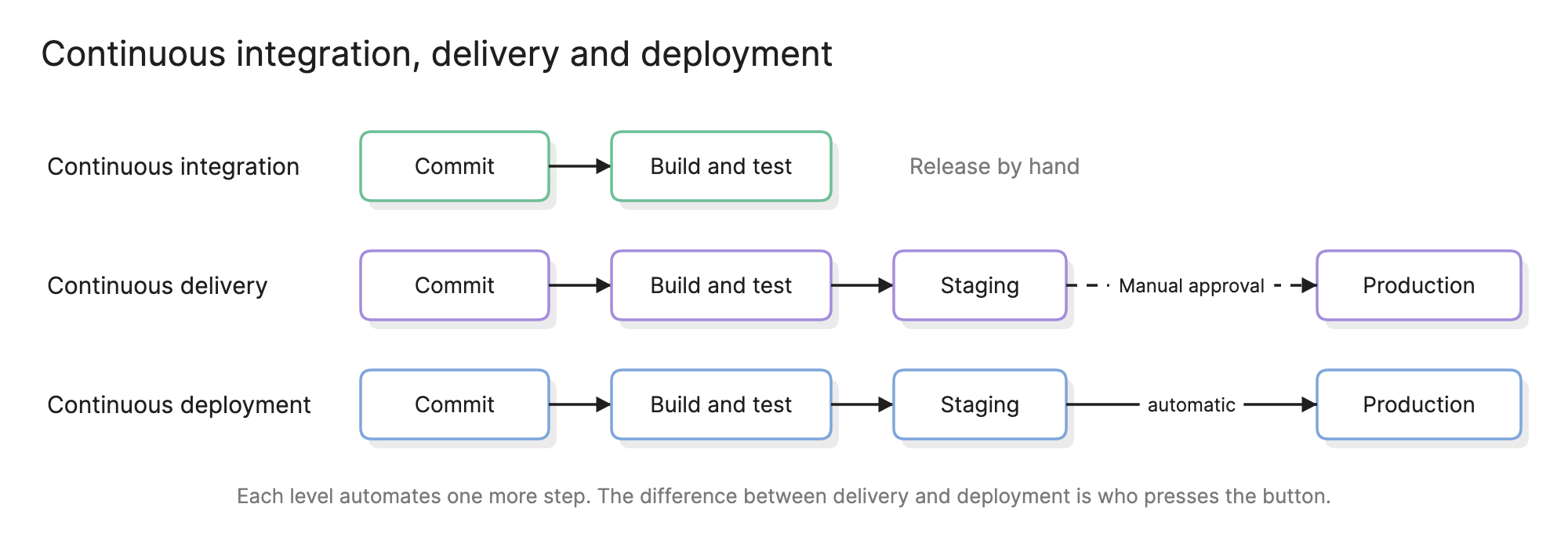
- Continuous integration (CI). Every change is merged to the main branch often, and each merge triggers an automated build and test run. The goal is to find conflicts and breakage within minutes of the commit.
- Continuous delivery (CD). Every change that passes CI is deployed to a staging environment and made ready for production, with a manual approval before the final step.
- Continuous deployment. The same, with the manual approval removed. Every passing change goes to production on its own.
CI is the foundation; the two CDs are what you build on it.
What are the stages of a CI/CD pipeline?
- Commit. A push or a merged pull request triggers the run.
- Build. Compile the code, resolve dependencies and produce a deployable unit, usually a container image.
- Unit tests. Fast tests that run in isolation and finish in minutes.
- Security scan. Linters, dependency vulnerability scans and secret detection.
- Artifact. Publish the build output to a registry, tagged with the commit. Everything downstream uses it and never rebuilds.
- Deploy to staging. Roll the artifact out to an environment that mirrors production.
- Integration and end-to-end tests. Exercise the system with real dependencies: database, queue, third-party sandboxes.
- Approval gate. A person, or a policy such as “no deploys on Friday afternoon,” decides whether to proceed.
- Deploy to production. A rolling, blue-green or canary rollout, followed by a smoke test and automatic rollback if it fails.
How do you read a CI/CD pipeline diagram?
Follow the arrows from the developer. In the example at the top of this page the commit enters the continuous integration group, where it is built, unit tested, scanned and packaged as an artifact. The solid line from the artifact drops into the continuous delivery group, which deploys it to staging, runs integration tests, waits at the approval gate and deploys it to production.
The dashed lines are the failure paths. A failed unit test, security scan or integration test goes straight back to the developer, who fixes it and pushes again. Nothing moves right past a failed stage, and the artifact that reaches production is the exact one that passed every test.
What environments does a pipeline deploy to?
| Environment | Purpose |
|---|---|
| Staging | A production mirror for integration tests and final checks |
| Production | Live traffic |
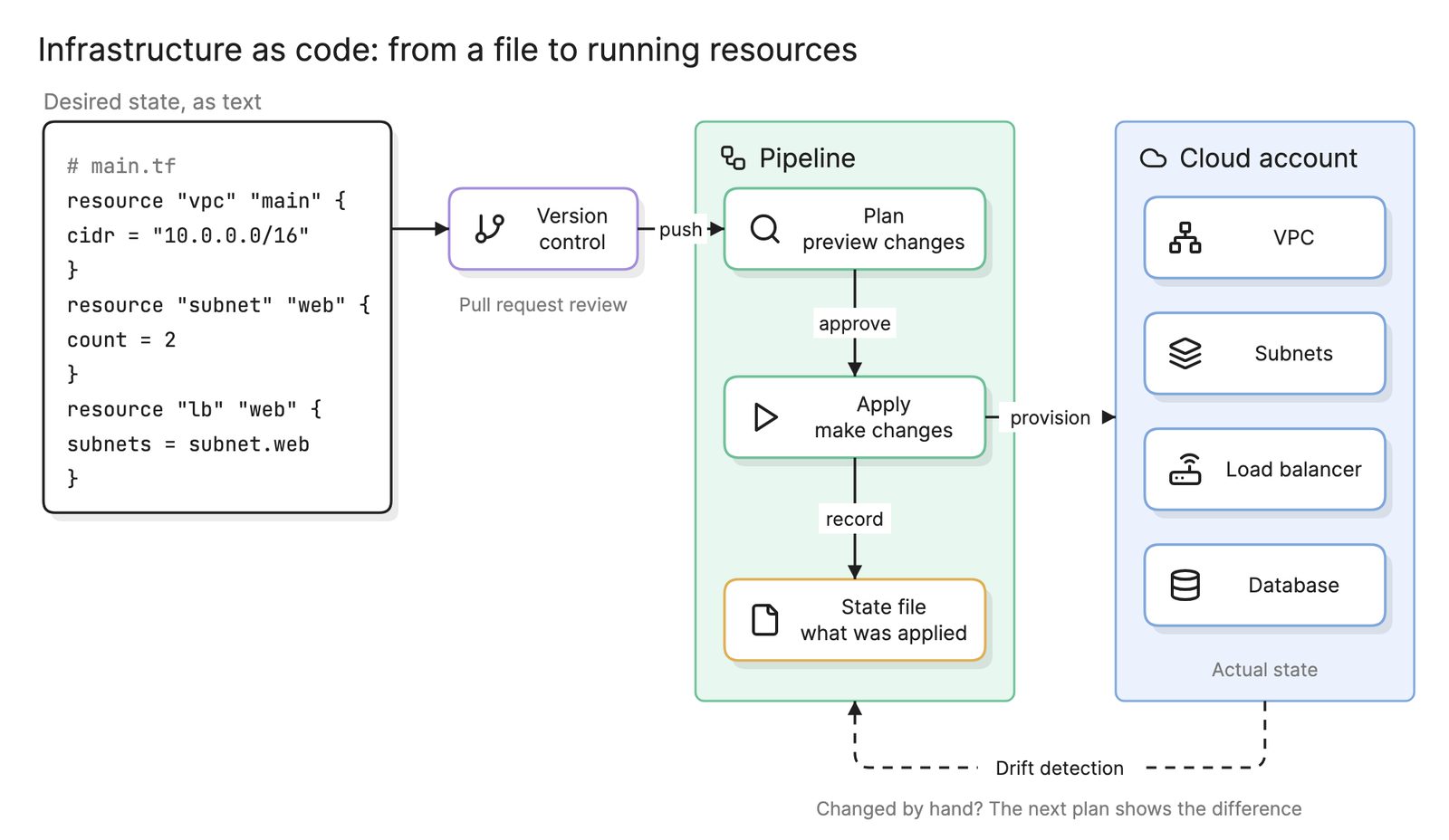
Environments are why pipelines and infrastructure as code go together: if staging is the same files as production with different variables, the pipeline can trust that staging is representative.
What gates and controls does a pipeline need?
- Quality gates. Minimum test coverage, no high-severity vulnerabilities, no failing lints.
- Approval gates. A named person or group signs off before production.
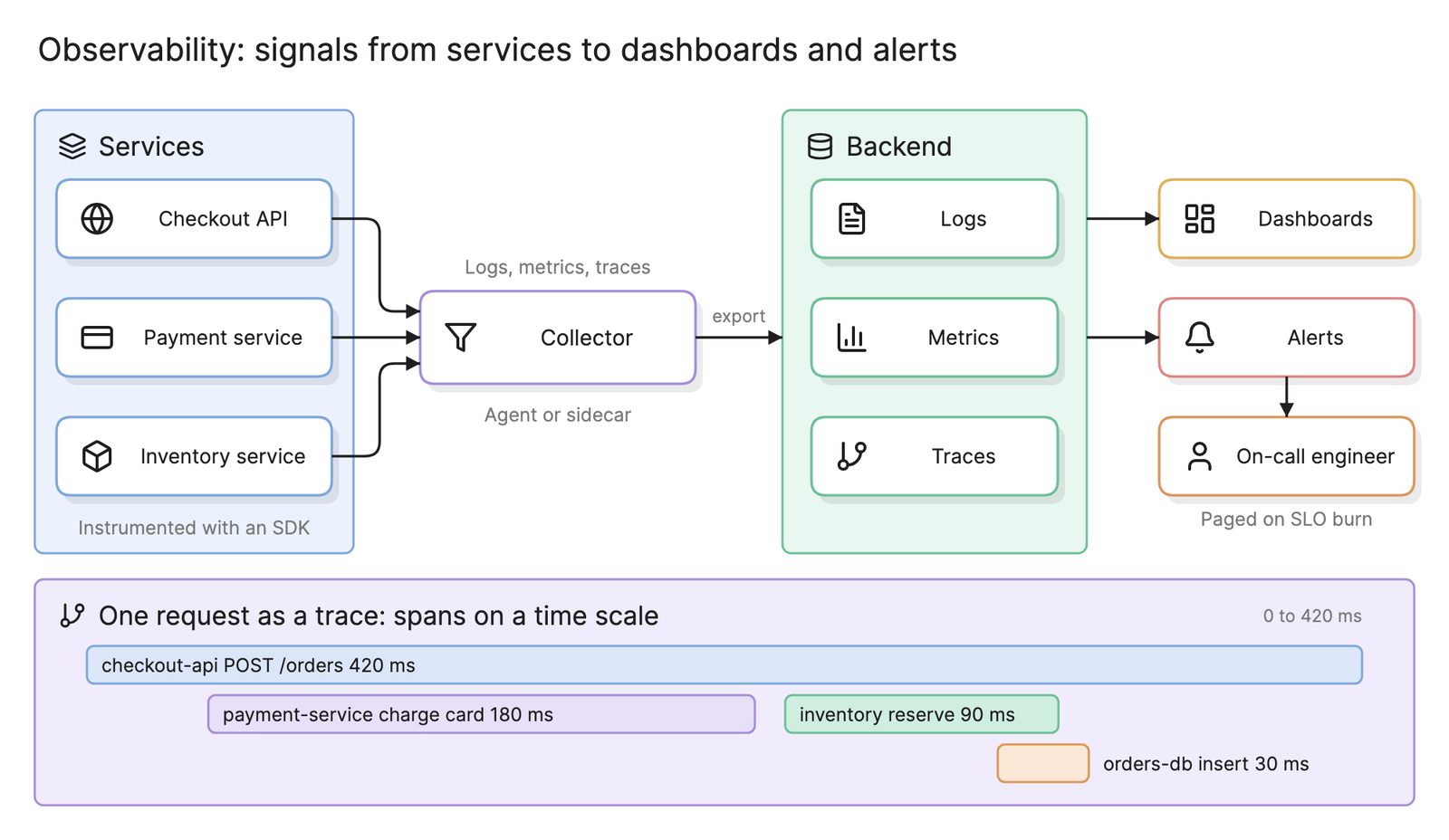
- Progressive rollout. Canary a small percentage of traffic, watch the error rate from your observability stack, then continue or roll back.
- Rollback. Redeploying the previous artifact should be one click.
How do you measure a pipeline?
The four metrics most teams track:
| Metric | What it measures | Healthy range |
|---|---|---|
| Deployment frequency | How often production changes | Daily or more |
| Lead time for changes | Commit to running in production | Under a day |
| Change failure rate | Share of deploys that cause an incident or rollback | Under 15 percent |
| Time to restore | How long an incident lasts | Under an hour |
Pipeline duration matters too: a slow pipeline trains developers to batch changes.
How do you build a CI/CD pipeline?
- Automate the build and unit tests on every commit. This alone is CI.
- Produce an immutable artifact and tag it with the commit.
- Deploy that artifact to staging automatically and run integration tests there.
- Add the security scan, quality gates, an approval gate and a production deploy with a smoke test and rollback.
- Draw it. An architecture diagram of the pipeline with stages, environments, gates and failure paths is the fastest way to review the design and onboard new engineers.
- Remove the approval gate when the team trusts the tests, and you have continuous deployment.
What are common CI/CD pipeline mistakes?
- Rebuilding per environment. What you tested is not what you shipped.
- Slow pipelines. Serial stages that could run in parallel and end-to-end tests on every commit when they belong after the artifact step.
- Flaky tests. A test that fails randomly gets retried until it passes, and soon real failures do too.
- No rollback path. The first bad deploy becomes an outage instead of a two-minute revert.
How does a CI/CD pipeline relate to other concepts?
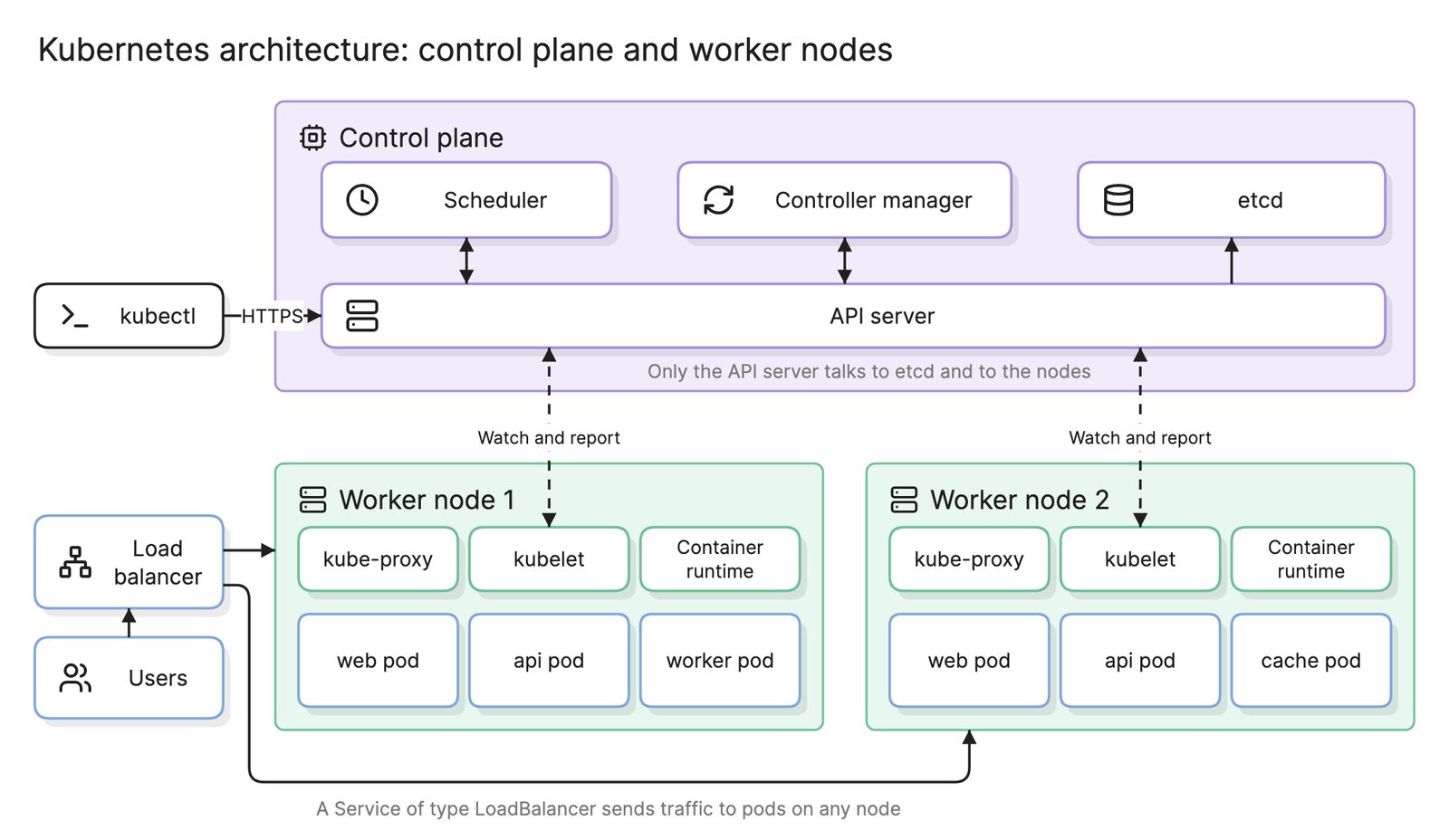
A pipeline deploys to a cloud computing architecture that infrastructure as code provisions, often a Kubernetes architecture running a microservices architecture where each service has its own pipeline. Its production stage depends on observability to judge a canary and on high availability patterns such as rolling updates behind a load balancer so that deploys cause no downtime.
What tools can you use to make a CI/CD pipeline?
- Hosted CI/CD services. Pipeline runners built into the major code hosting platforms and cloud providers, configured with a YAML file in the repository.
- Self-hosted automation servers and GitOps controllers. A build server you run yourself, or a controller in the cluster that pulls the desired state from a repository and reconciles it.
- AI diagramming tools. Tools like Eraser turn a description of your stages, or the pipeline configuration file itself, into a diagram with a CI/CD pipeline diagram generator that you can keep editing as the pipeline grows.
For more on this kind of diagram, see CI/CD diagrams.
Frequently asked questions
-
What is the difference between continuous delivery and continuous deployment?
Both automate everything up to production. Continuous delivery stops at an approval gate, so every passing build could be released but a person decides when. Continuous deployment removes the gate and ships every passing build automatically. Teams usually start with delivery and move to deployment once their tests and rollback are trusted.
-
What stages should a CI/CD pipeline have?
At minimum: build, automated tests and a deploy. Most production pipelines add a security scan, an artifact publish step, a deploy to a staging environment, integration or end-to-end tests there, an approval gate and a production deploy with a smoke test. Each stage should fail fast and stop the pipeline so a broken change never moves forward.
-
Why should a pipeline build the artifact only once?
If staging and production each build from source, they can differ by a dependency version or a build flag, and what you tested is not what you shipped. Building one immutable artifact, such as a container image tagged with the commit, and promoting that same artifact through every environment guarantees production runs exactly what passed the tests.
-
How do you diagram a CI/CD pipeline?
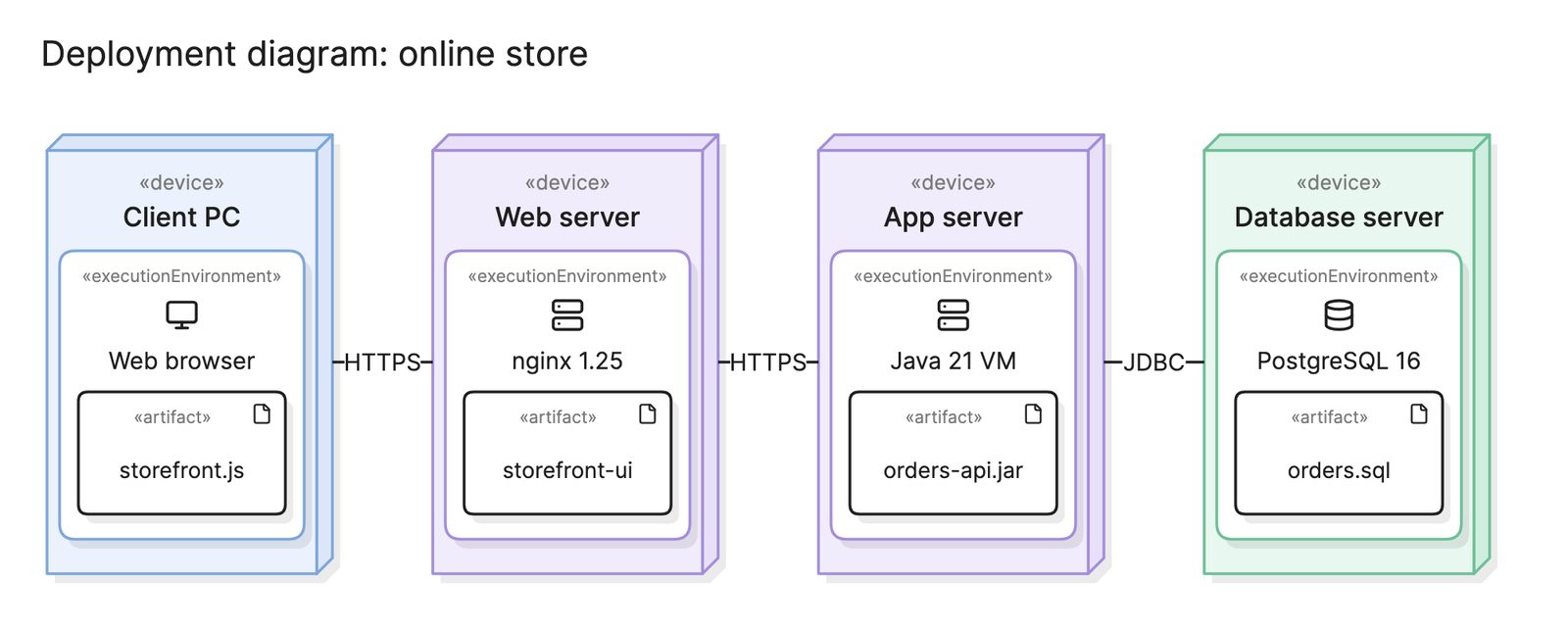
Draw the stages left to right as boxes, group them into the CI and CD halves, mark environments and gates and add the failure paths back to the developer. The diagram at the top of this page is the usual shape. A deployment diagram then shows where the artifact lands in each environment.