Cloud and DevOps
Reverse proxy
A reverse proxy is a server in front of backend servers that accepts client requests, terminates TLS, caches responses and routes each request by host or path.
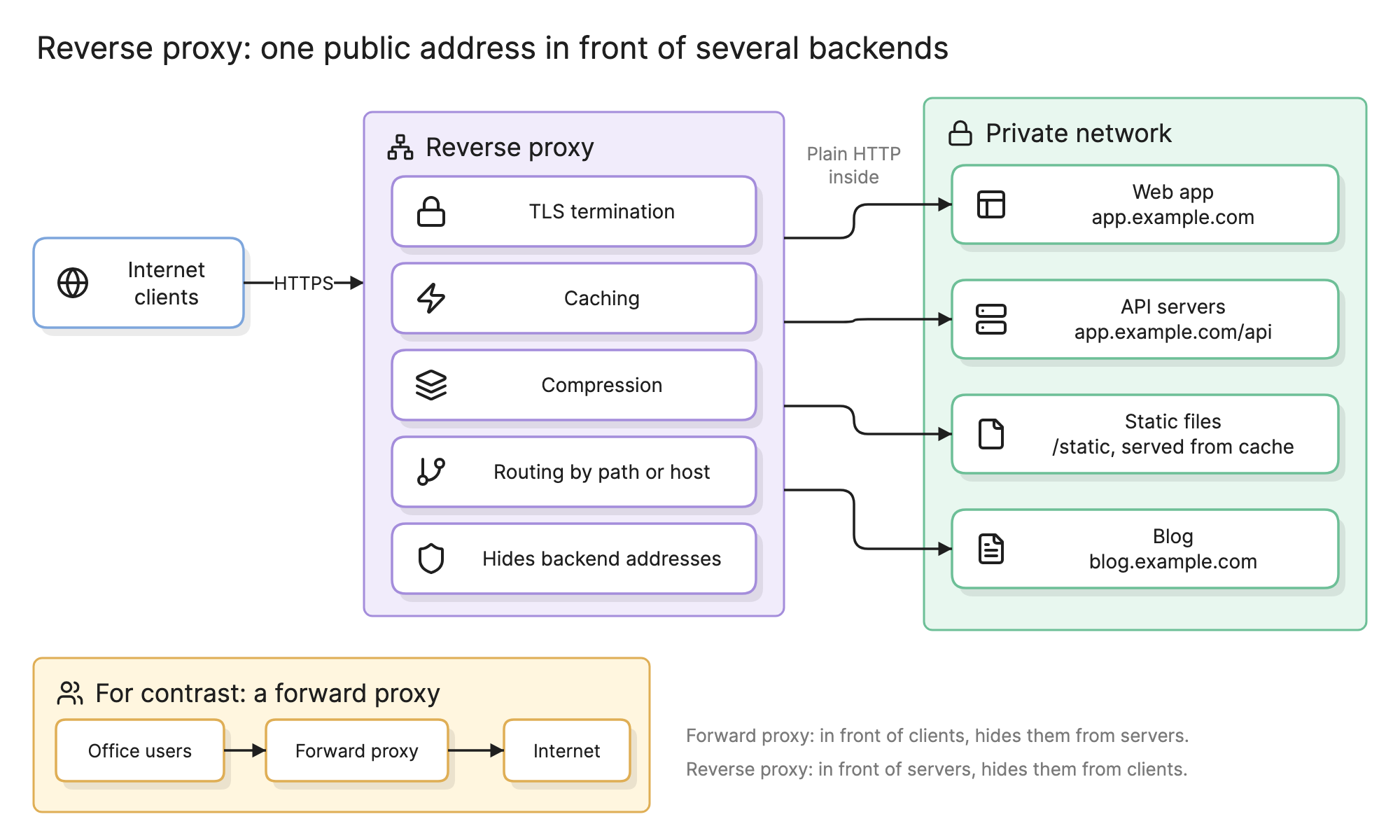
Teams put a reverse proxy in front of their servers so that the public sees one address and one certificate while the backends behind it can be swapped, split and moved without anyone noticing. It is the oldest piece of web infrastructure still drawn on every new architecture diagram.
When should you use a reverse proxy?
- Several backends on one domain. A web app, an API and a blog on different servers all answer from one host name.
- TLS in one place. Certificates are managed on the proxy, and the backends speak plain HTTP on a private network.
- Migrations. Route one path at a time to a new system while the old one serves the rest, as in parallel paths.
What does a reverse proxy do?
- TLS termination. Decrypts HTTPS from clients, so certificates, protocol versions and ciphers are configured once.
- Routing by host or path. Sends
blog.example.comto one backend andapp.example.com/apito another, with path rewriting where needed. - Caching. Stores responses and serves repeats from memory or disk, honoring cache headers.
- Compression. Compresses responses on the way out so backends do not have to.
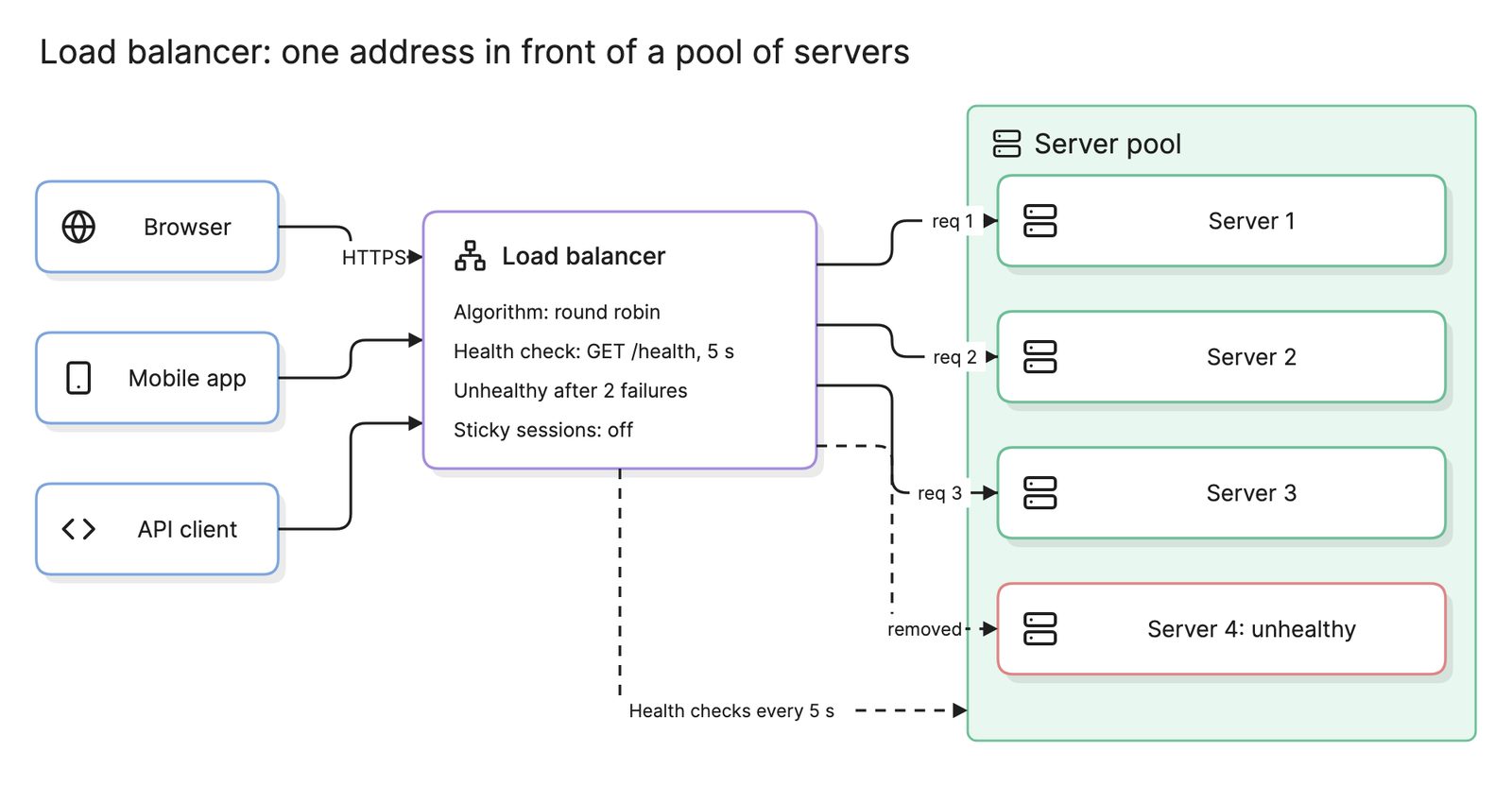
- Load balancing. Spreads requests across several instances of a backend, which is where it overlaps with a load balancer.
- Security and shaping. Hides backend addresses, blocks bad requests, limits request size and rate and adds or strips headers.
How does a forward proxy differ from a reverse proxy?
The inset in the diagram above shows the contrast. A forward proxy serves clients: an office network sends every outbound request through it so that policy can be applied and the client’s address hidden from the destination. A reverse proxy serves servers: the internet sends every inbound request through it so that the servers’ addresses stay hidden from the client. The software can be the same; the direction of trust is reversed. A client configures a forward proxy and never knows a reverse proxy exists.
How do you read a reverse proxy diagram?
Follow a request in the diagram at the top of this page. Internet clients connect over HTTPS to one public address, which is the proxy. Inside its box are the jobs it does for every request: it terminates TLS, checks its cache, decides whether to compress the response and matches the host and path against its routing rules.
The rules decide where the request goes. app.example.com reaches the web app; app.example.com/api reaches the API servers; /static is usually answered from the proxy’s cache and only reaches the file server on a miss; blog.example.com reaches the blog. All of those backends live on a private network and speak plain HTTP, because the proxy is the only thing a client can reach. Reading it this way raises the right questions: which paths are safe to cache, and what happens when the API servers are slow and the proxy’s connections fill up.
How does a reverse proxy compare with a load balancer, API gateway and CDN?
| Component | Where it sits | Defined by | Typical product |
|---|---|---|---|
| Reverse proxy | In front of one or more servers | Terminating TLS, caching, routing by content | Nginx, Caddy, HAProxy, Traefik |
| Load balancer | In front of a pool of identical servers | Spreading traffic and routing around failures | Cloud load balancers, HAProxy |
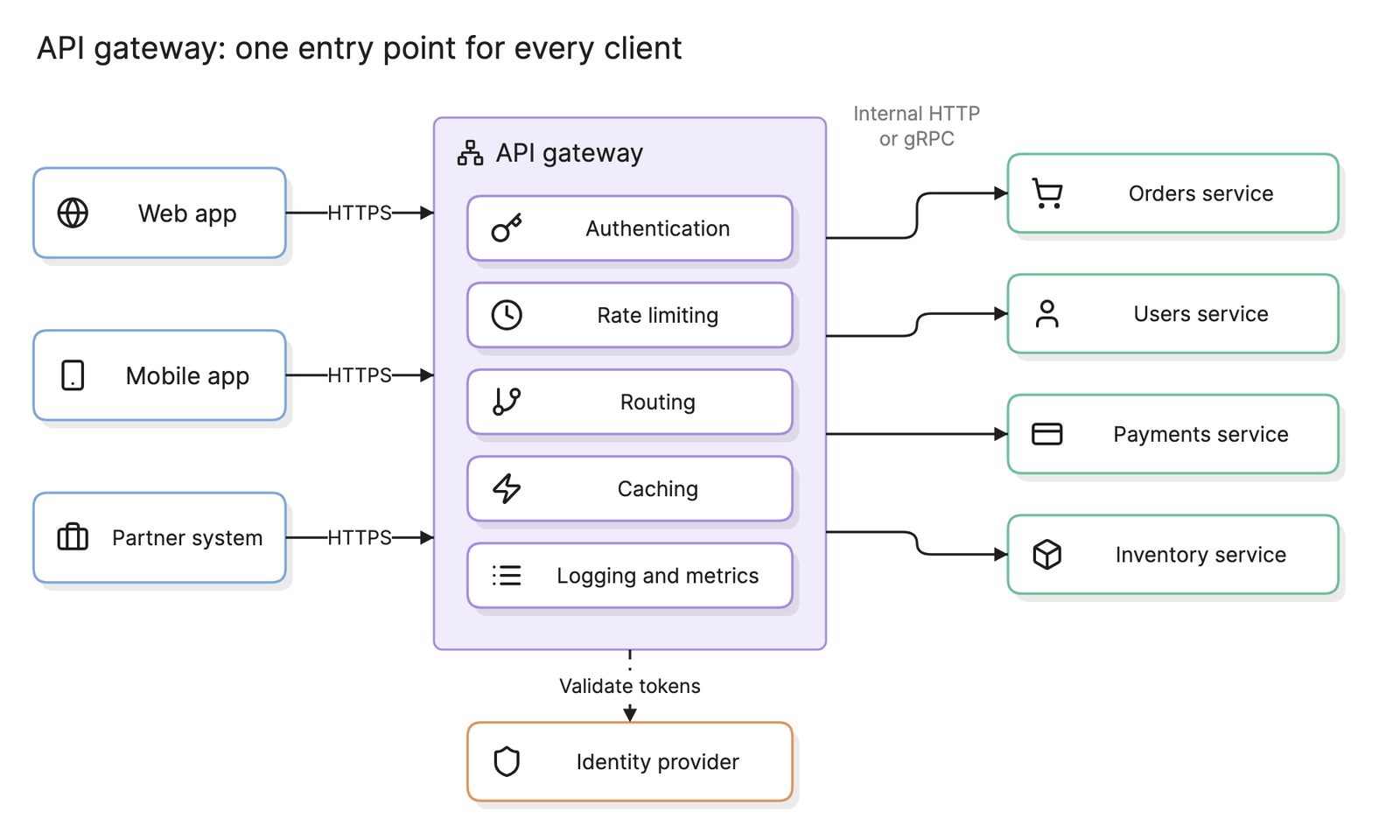
| API gateway | At the edge of an API | Authentication, rate limits, API routing | Kong, cloud API gateways |
| CDN | At the network edge near users | Global caching and TLS close to clients | Commercial CDNs |
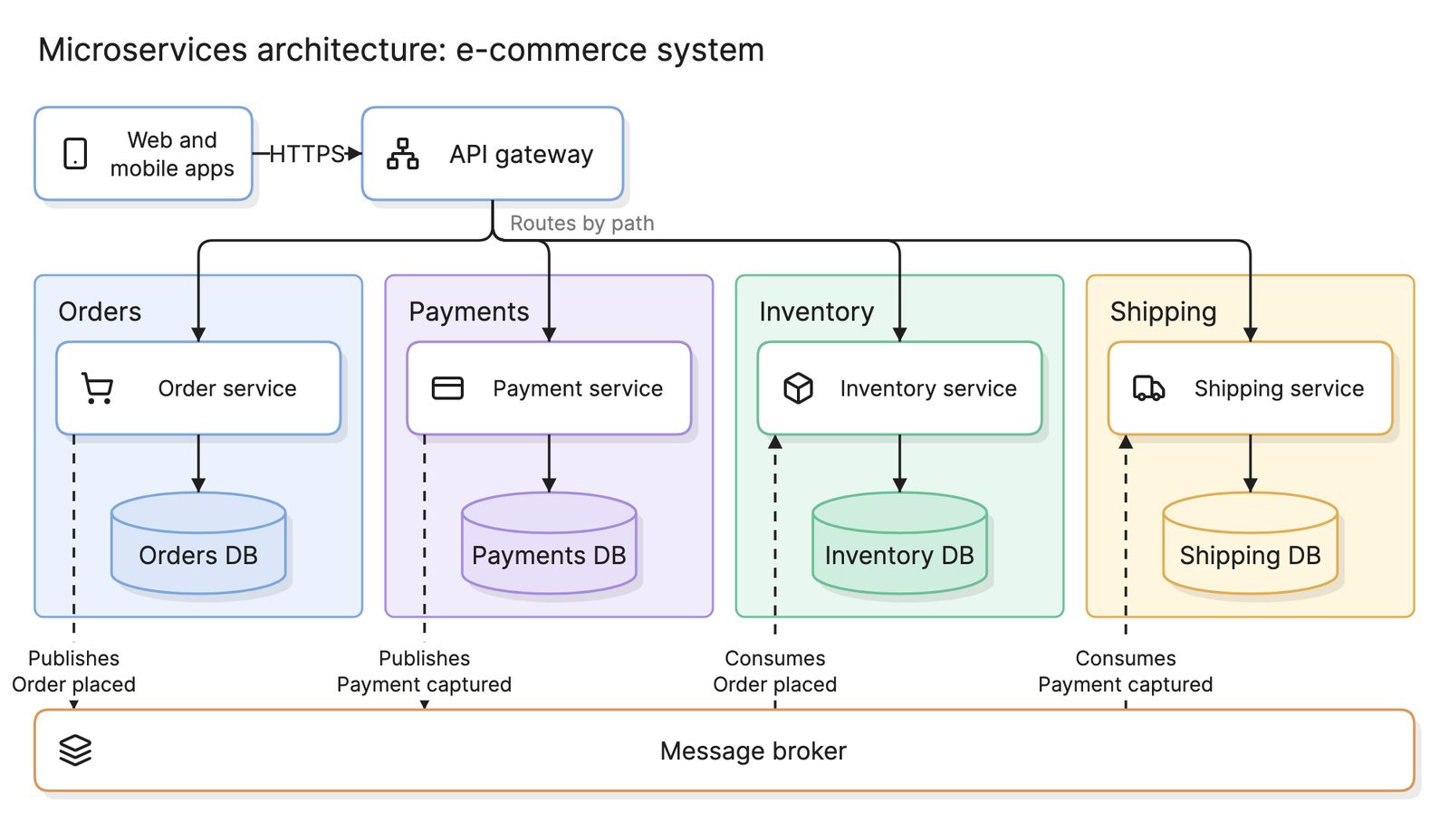
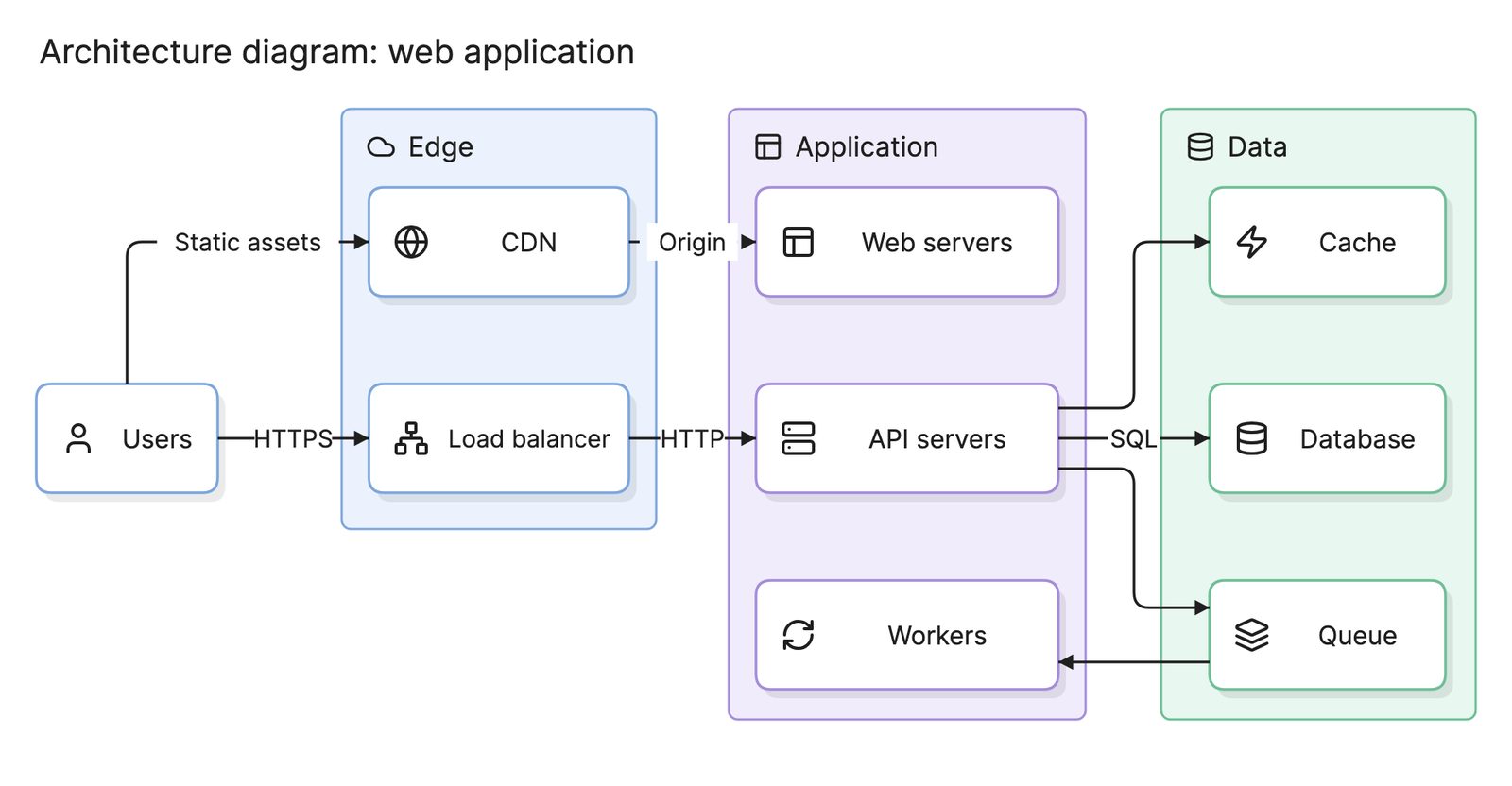
These are layers more than alternatives. A common production path is CDN, then load balancer, then reverse proxy or gateway, then the services of a microservices architecture, with a service mesh handling calls between those services. On container orchestration platforms such as a Kubernetes architecture, the Ingress controller is a reverse proxy configured from Ingress objects.
How do you set up a reverse proxy?
- List the backends and rules. Every host and path the public should reach, and which server answers it.
- Put the proxy on the only public address. Give the backends private addresses and firewall them so only the proxy can connect.
- Terminate TLS at the proxy. Automate certificate renewal; backends can use plain HTTP inside the private network.
- Add caching and compression rule by rule. Cache only responses that are safe to share between users.
- Set timeouts and limits. Connection, read and send timeouts, maximum body size and a rate limit.
- Diagram it. The routing rules are the part of the system nobody can see from the code, so put them on the architecture diagram.
What are common reverse proxy mistakes?
- Caching personalized responses. One user’s account page served to another is the classic reverse proxy incident.
- Trusting forwarded headers blindly. Only the proxy should set the headers that carry the client’s address.
- Backends still reachable from outside. The proxy’s protections mean nothing if a server also has a public address.
- No timeouts. A slow backend ties up proxy connections until every client waits.
- A single proxy. Run at least two behind a floating address, or the proxy becomes the outage. See high availability.
- Logging only at the backend. The proxy sees every request, including the ones it rejected or served from cache, so its logs belong in the observability stack too.
What tools can you use to document a reverse proxy?
- The configuration itself. An Nginx or Caddy config is the precise record of the routing rules, but it is a file to read, not a picture.
- Drag-and-drop diagramming tools. Fine for the first picture; the rules change more often than the picture gets updated.
- AI diagramming tools. Tools like Eraser turn a proxy configuration or a description of your hosts and paths into an architecture diagram with the proxy, its rules and the backends behind it, which you can keep editing as routes change.
For more on this kind of diagram, see architecture diagrams.
Frequently asked questions
-
What is the difference between a forward proxy and a reverse proxy?
A forward proxy sits in front of clients and makes requests on their behalf, so the server sees the proxy rather than the client; offices use one to filter and log outbound traffic. A reverse proxy sits in front of servers and accepts requests on their behalf, so the client sees the proxy rather than the server. Same mechanism, opposite side of the connection.
-
What is the difference between a reverse proxy and a load balancer?
A load balancer spreads traffic across several copies of the same server and routes around failures. A reverse proxy forwards traffic to one or more backends and adds TLS termination, caching, compression and routing by content. Most reverse proxies can balance and most layer 7 load balancers are reverse proxies, so in practice one product often does both jobs.
-
What is the difference between a reverse proxy and an API gateway?
An API gateway is a reverse proxy with API features added: token validation, rate limits per client, request transformation and usage metering. Nginx is a reverse proxy. Kong, built on Nginx, is a gateway. If your backends are APIs with external consumers you probably want a gateway; if they are web apps and files, a reverse proxy is enough.
-
Is a CDN a reverse proxy?
Yes, a content delivery network is a globally distributed reverse proxy. Each edge location terminates TLS, serves cached responses and forwards misses to your origin, which is usually itself behind a reverse proxy or load balancer. The difference is scale and placement: a CDN runs thousands of proxies near users; your reverse proxy runs beside your servers.