Guide
AWS architecture diagram: generate one from your live account
Connect a read-only role, scan the account and ask for the diagram you need: one VPC, one workload or the whole environment.
An AWS architecture diagram shows the services in an environment and how they connect. Most guides to making one start from a blank canvas and an icon set. That works for a system you are designing and falls apart for one that already runs, because nobody remembers every subnet, queue and security group.
This guide starts from the account instead: a read-only scan of what is deployed, then a prompt for the architecture diagram you need. It takes about ten minutes.
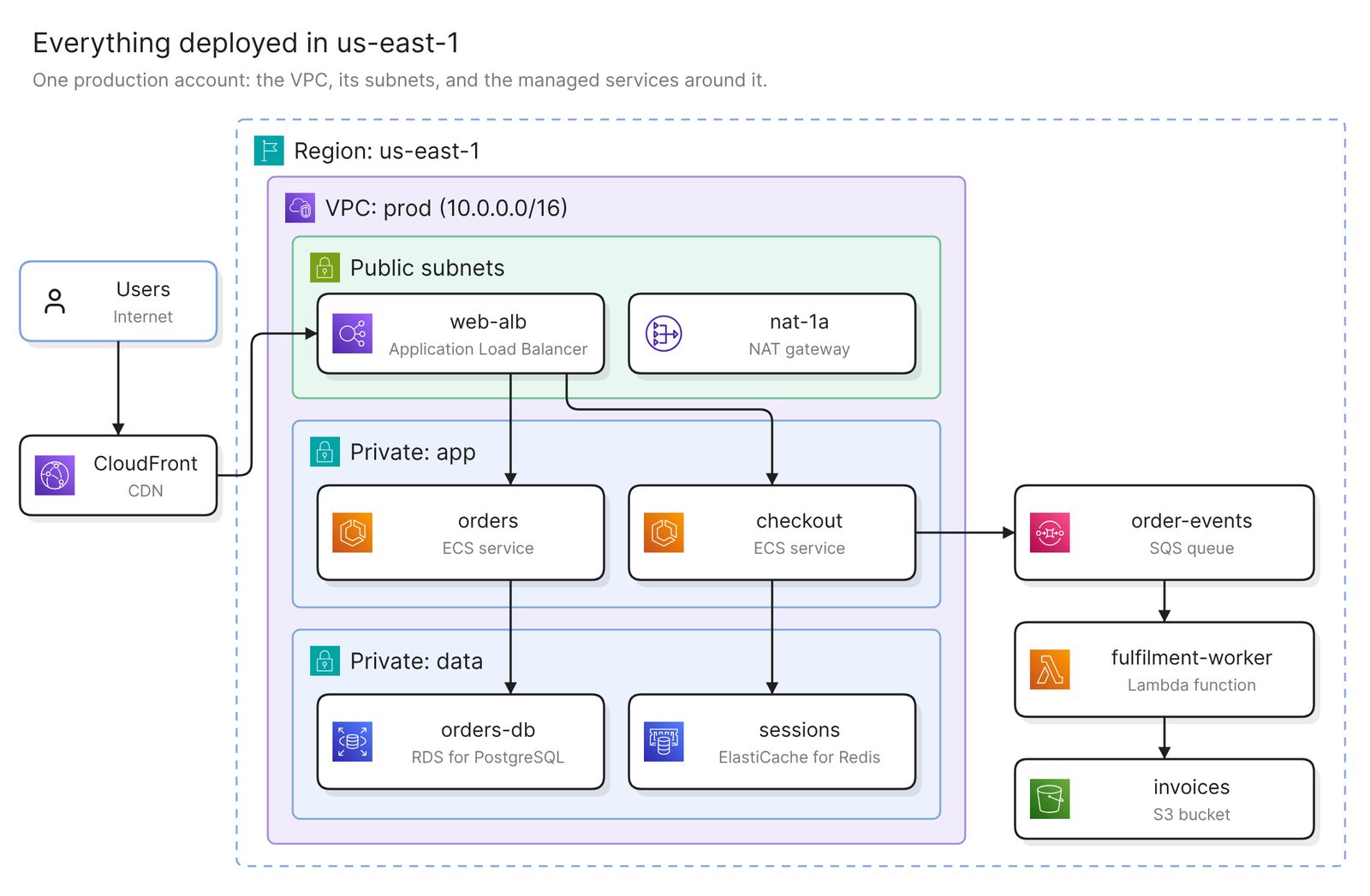 Example: everything deployed in one region, grouped by VPC and subnet
Before you start
You need two things:
- Access to Eraser
- Access to the AWS account you want to diagram, with permission to create a read-only role
Eraser reads configuration through a read-only role that holds AWS’s SecurityAudit policy. It can see how the account is set up, and it cannot see what is in your buckets, databases or secrets.
Step 1. Connect the account
Eraser gives you a CloudFormation template. Launching it creates one read-only role in your account and nothing else. You then choose which accounts to include, and Eraser scans them. A minute or two later it holds an inventory of what each account contains and how the pieces connect.
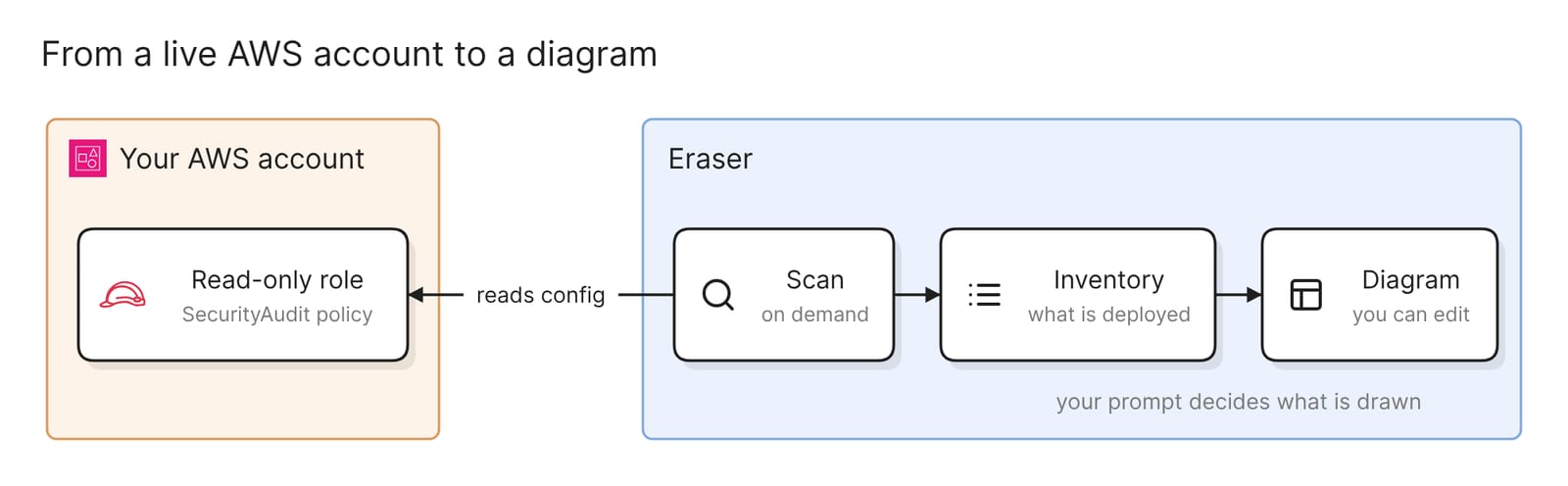 What connecting an account sets up
A whole AWS Organization connects the same way, and accounts created later are picked up too. The docs have the click-by-click steps for both.
Step 2. Ask for the diagram
Open AI chat, attach the account, and say what you want in plain words. A good first prompt scopes the diagram to one region:
Draw everything deployed in us-east-1Eraser reads the inventory and draws it: the VPC, its subnets, what runs in each, and the managed services around them. The result is an ordinary diagram, so you can move, rename and regroup anything on it.
The advice that matters most is to name what you want. A diagram of a whole account answers no particular question, and at any real size it is too dense to read. A diagram of one VPC, one workload or one question is the one people open again.
Step 3. Narrow it to the diagram you need
Each of these prompts produces a different diagram from the same scan.
One VPC
Draw the VPC that contains the orders service, with its subnets and
load balancers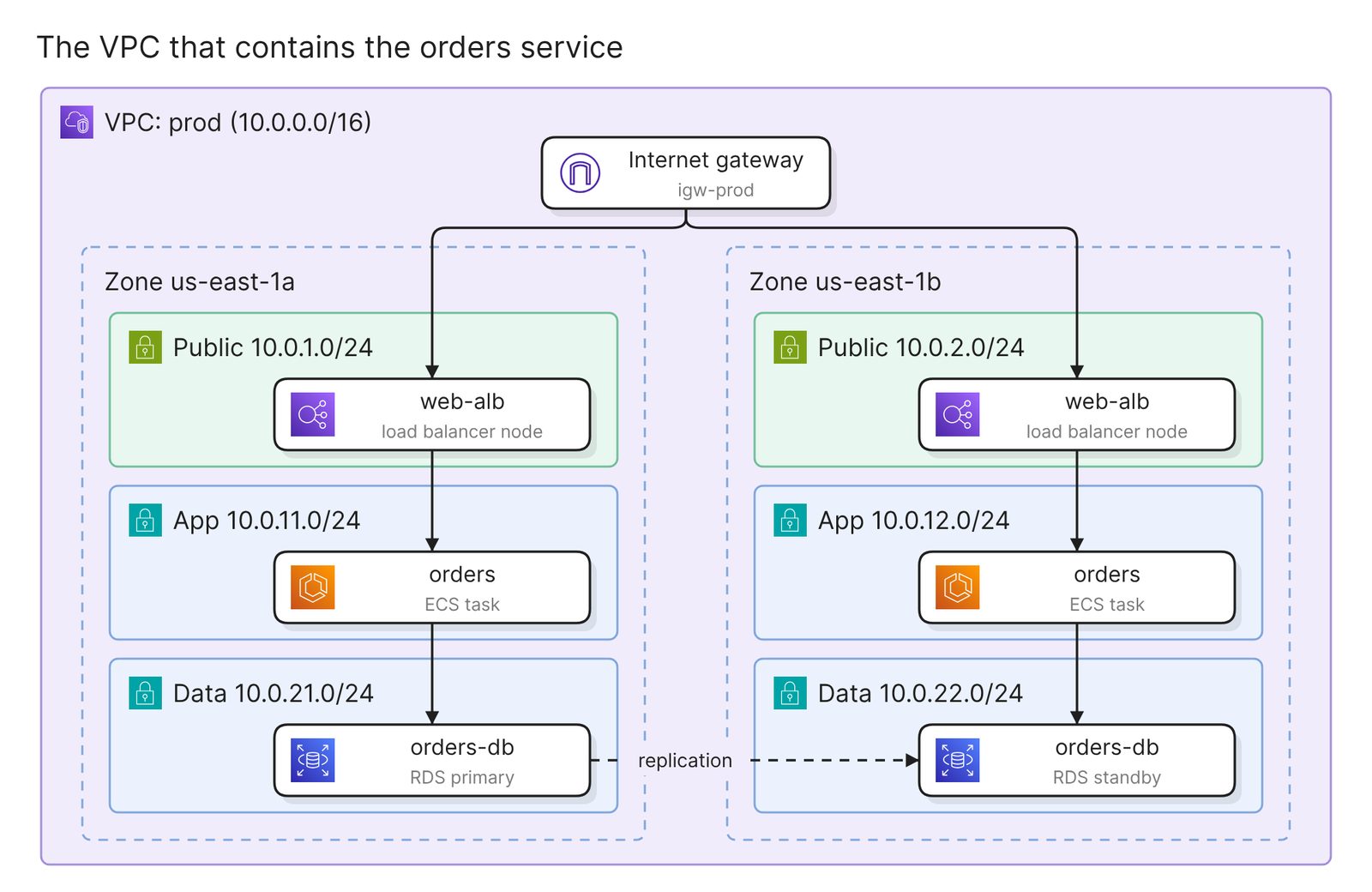 Example: one VPC across two availability zones
This is the diagram for a network review. It shows which subnets are public, where traffic enters, and what sits in each availability zone.
One workload
Diagram the checkout workload: everything it talks to, and everything
that talks to it
This is the diagram for onboarding and for incidents. It ignores the network layout and follows dependencies, across VPCs and accounts if it has to.
The data stores
Diagram the data stores in this account and which services connect to themUseful before a migration, or when someone asks where a class of data lives.
Who can reach something
Show what has access to the production database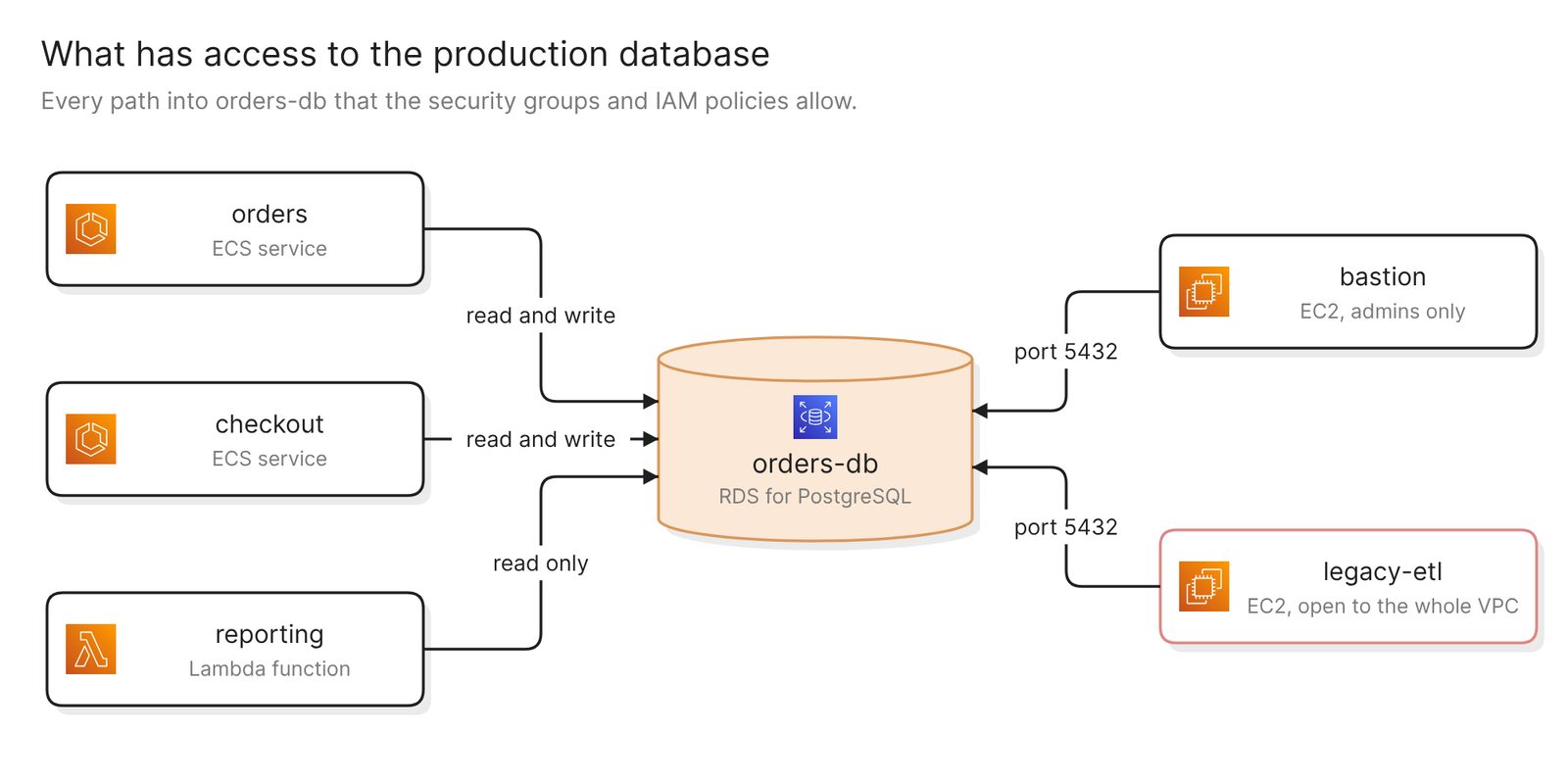 Example: every path into one database, with the one that should not be there in red
This is the diagram for a security review. It is also the one that most often surprises the team that owns the system.
From any of these, keep prompting to add, drop or regroup, or restyle the diagram to match the rest of your team’s.
Keep it current
The diagram reflects the last scan, and scans run when you ask for one. After a deploy, rescan the account and regenerate the diagrams that matter.
A finished diagram can be shared with a link, embedded in the wiki your team already uses, or exported.
To take access away again, remove the connection in Eraser and delete the CloudFormation stack. The stack is the only thing the setup created in AWS.
Other ways to make an AWS architecture diagram
- Draw it by hand with the official icons. AWS publishes architecture icons as icon packages and PowerPoint toolkits, and refreshes them quarterly. draw.io ships an AWS shape library and templates. This is the right choice for a design that is not built yet. Nothing checks the drawing against the account.
- Write it as code. The open-source Diagrams library renders a diagram from Python, and needs Python and Graphviz installed. It suits teams that want the diagram in version control. Its own docs say it “does not control any actual cloud resources”, so it is as accurate as the code someone writes.
- Use AWS’s own tools. As of November 2026 there is less here than there was. Workload Discovery on AWS, which drew diagrams from live data, has been discontinued. Infrastructure Composer draws CloudFormation and SAM templates, not a live account, and its standalone console closes on December 7, 2026.
- Use another tool that reads a live account. Best cloud diagram tools in 2026 compares them.
FAQ
What access does Eraser need to my AWS account?
One IAM role holding AWS’s managed SecurityAudit policy. That covers configuration metadata only. No credentials are exchanged, and removing the CloudFormation stack removes the access.
Can I diagram a whole AWS Organization, or several accounts at once?
Yes. An organization connects in one setup that covers every member account, and one prompt can draw from several accounts.
Does the diagram update when my infrastructure changes?
Not on its own. Rescan the account, then regenerate the diagram.
Does AWS have its own tool for diagramming an existing account?
Not a current one. Workload Discovery on AWS did this and has been discontinued. Infrastructure Composer visualizes infrastructure-as-code templates, not what is deployed.
Can I get a diagram of one VPC or one service?
Yes, and it is usually the better diagram. Name the VPC, service, region or workload in the prompt.
Where to go next
If you would rather start from a description than an account, the AWS diagram generator draws one from plain English. For reference diagrams, see Kubernetes on AWS, the Landing Zone Accelerator and an AWS threat model.
For the ideas behind the boxes, the glossary covers cloud computing architecture and landing zones. For what teams do once diagrams come from the account, see Cloud diagram automation: 4 real-world use cases.