Diagram types
BPMN
BPMN, or Business Process Model and Notation, is a standard for drawing business processes with defined symbols for events, activities, gateways and flows.
Teams use BPMN when a process diagram has to mean the same thing to everyone who reads it, whether that is an analyst, an engineer or a workflow engine. It looks like a flowchart at first glance, but every symbol has a defined meaning.
When should you use BPMN?
- The process will be automated. A BPMN model can be handed straight to a workflow engine.
- Several organizations are involved. Pools and message flows show exactly what crosses the boundary between a company and its customers.
- Precision matters. When “approved” can mean three things, the defined event and gateway types remove the ambiguity.
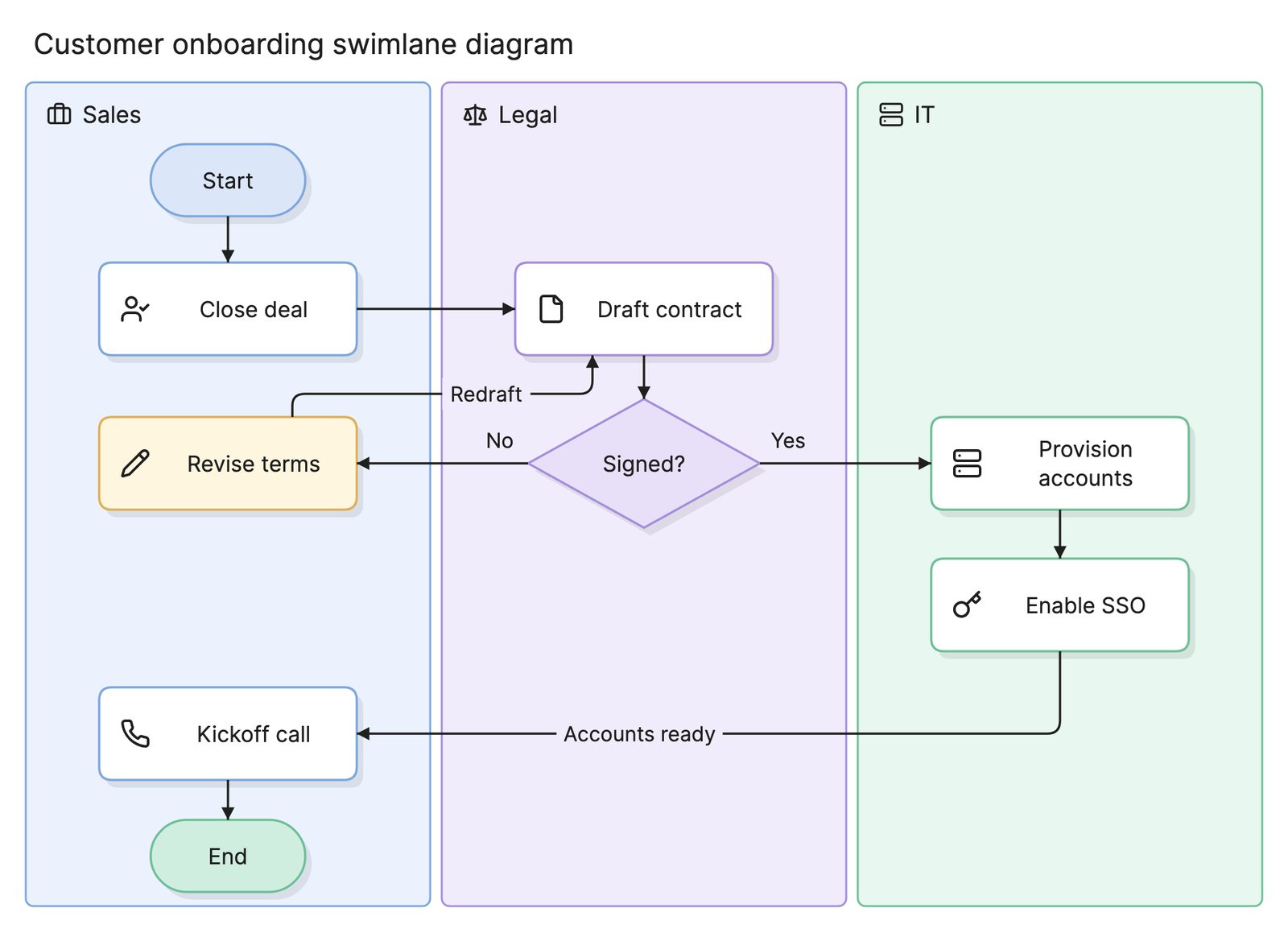
- An informal map is no longer enough. Many teams start with a swimlane diagram and move to BPMN once the process settles.
What are the elements of BPMN?
BPMN has a large vocabulary, but most diagrams use a small core of it.
Events
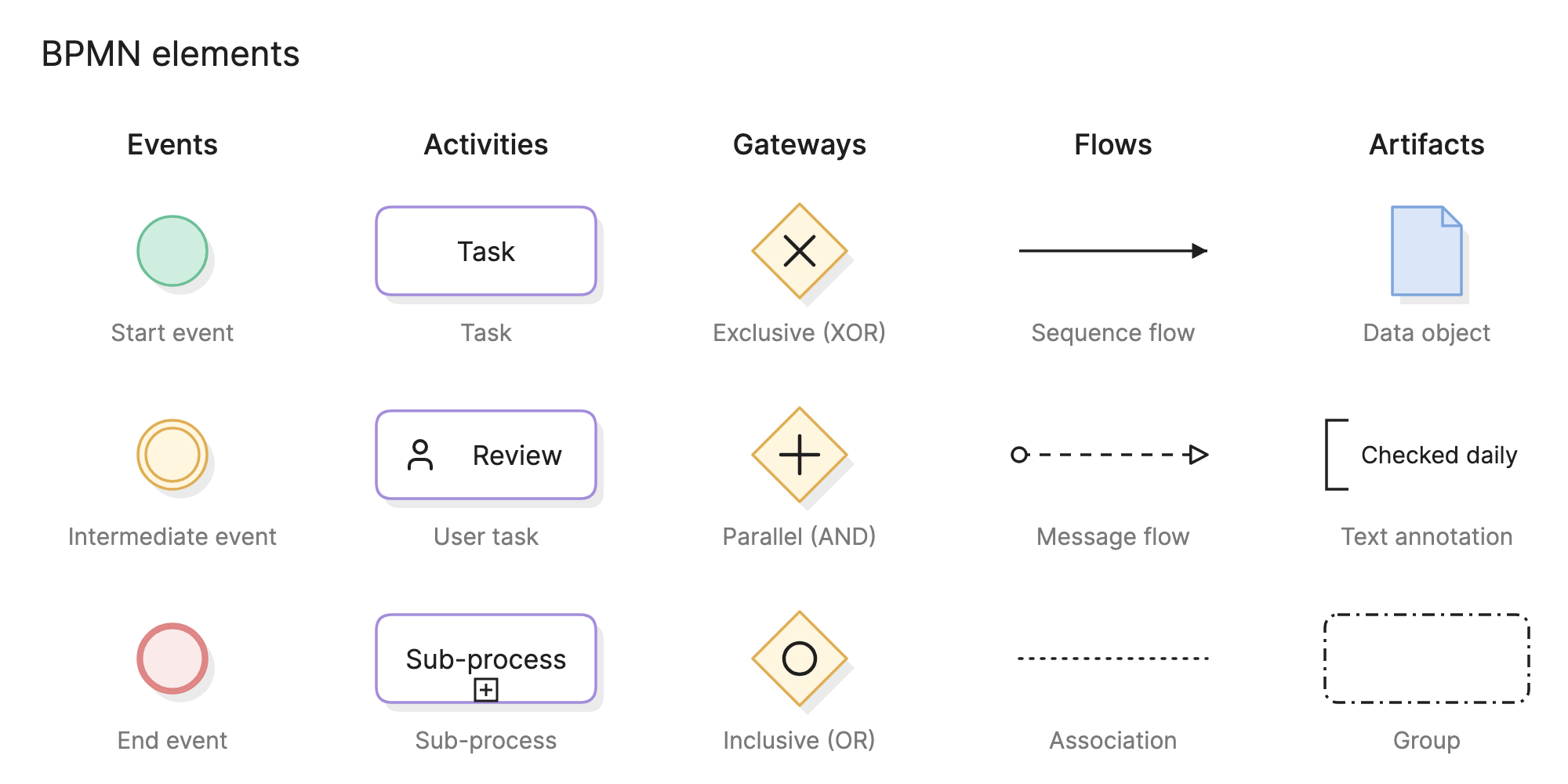
Circles mark something that happens. A thin circle is a start event, a double circle is an intermediate event and a thick circle is an end event. An icon inside says what kind: an envelope for a message, a clock for a timer, a lightning bolt for an error.
Activities
Rounded rectangles are work. A task is a single unit of it, and an icon in the corner can mark it as a user, service or script task. A sub-process contains its own flow, shown collapsed with a plus sign or expanded inline.
Gateways
Diamonds split and join the flow, and the marker inside says how. An X is exclusive: exactly one path continues. A plus is parallel: all paths continue at once. A circle is inclusive: one or more continue, depending on conditions.
Flows
Solid arrows are sequence flows, the order of steps within one participant. Dashed arrows with an open head are message flows between participants. Dotted lines are associations, which attach artifacts to the flow.
Pools and lanes
A pool is one participant, such as a company or a customer. Lanes divide a pool by role. Sequence flows cannot leave a pool, so any interaction between participants is a message flow.
Artifacts
Data objects show information a task uses or produces, text annotations add a note and groups box related elements without changing the flow.
What are the types of BPMN diagram?
| Type | What it shows | Use it when |
|---|---|---|
| Process diagram | One participant’s process in a single pool | You are modeling an internal workflow |
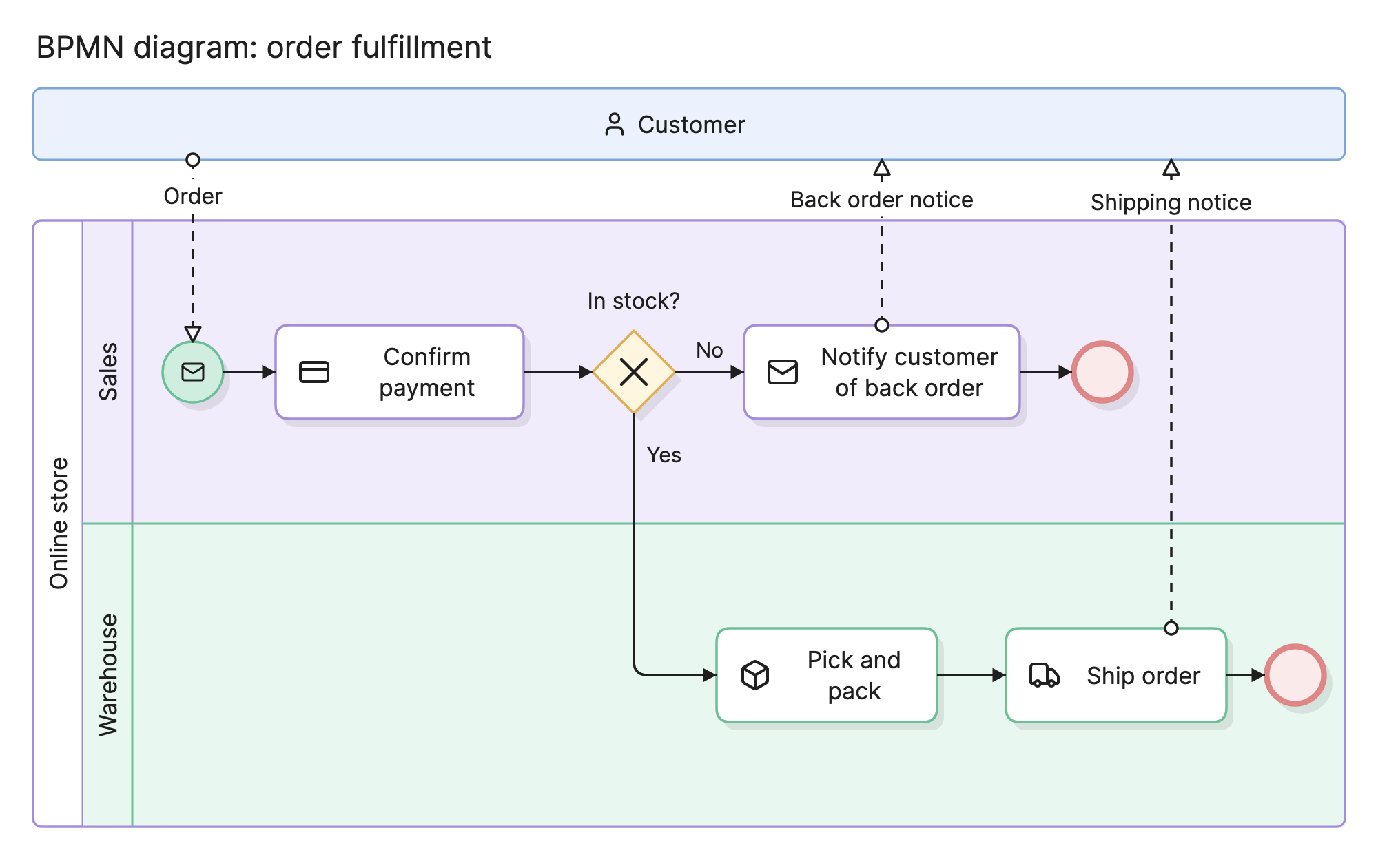
| Collaboration diagram | Several pools and the messages between them | The process crosses organizations, as in the example above |
| Choreography diagram | The sequence of message exchanges, without internal steps | You care about the protocol between parties, not their internals |
Models are also drawn at three levels of detail: descriptive, using the core elements to explain a process; analytical, adding the full event and gateway types; and executable, adding the attributes a workflow engine needs.
How do you read a BPMN diagram?
Find the start event and follow the solid arrows. In the order fulfillment example above, the customer’s order arrives as a message, shown by the dashed line from the customer pool to the start event in the sales lane. Sales confirms the payment and reaches an exclusive gateway asking whether the item is in stock.
If not, sales notifies the customer of the back order, a message flow carries that notice to the customer pool and the process ends. If so, the flow crosses into the warehouse lane, where the item is picked, packed and shipped, and a shipping notice goes to the customer as another message flow.
The notation guarantees two things: the X means exactly one of the two paths runs, and the dashed lines mean the customer never shares the store’s sequence flow, so every point where the two parties talk is visible.
How do you create a BPMN diagram?
- Identify the participants. Each organization or system that acts independently gets a pool. Divide a pool into lanes by role.
- Mark the start and end. Decide what triggers the process and what the possible outcomes are, then choose the matching event types.
- Add the activities in order. Name each with a verb and an object, such as “Confirm payment”.
- Add the gateways. Choose exclusive, parallel or inclusive on purpose, and label each outgoing flow.
- Draw the message flows. Every interaction between pools is a message.
- Validate the model. Check that every path reaches an end, that gateways split and join consistently and that no sequence flow crosses a pool.
What are common BPMN mistakes?
- Sequence flows between pools. Only message flows may cross pool boundaries.
- Using the wrong gateway. An exclusive gateway where a parallel one was meant changes what the process does.
- Splitting without joining. A parallel split usually needs a parallel join.
- Too much detail too early. Start at the descriptive level and add event types and attributes only when the model is used for analysis or execution.
How does BPMN compare with other diagrams?
| Diagram | What it shows | Use it instead when |
|---|---|---|
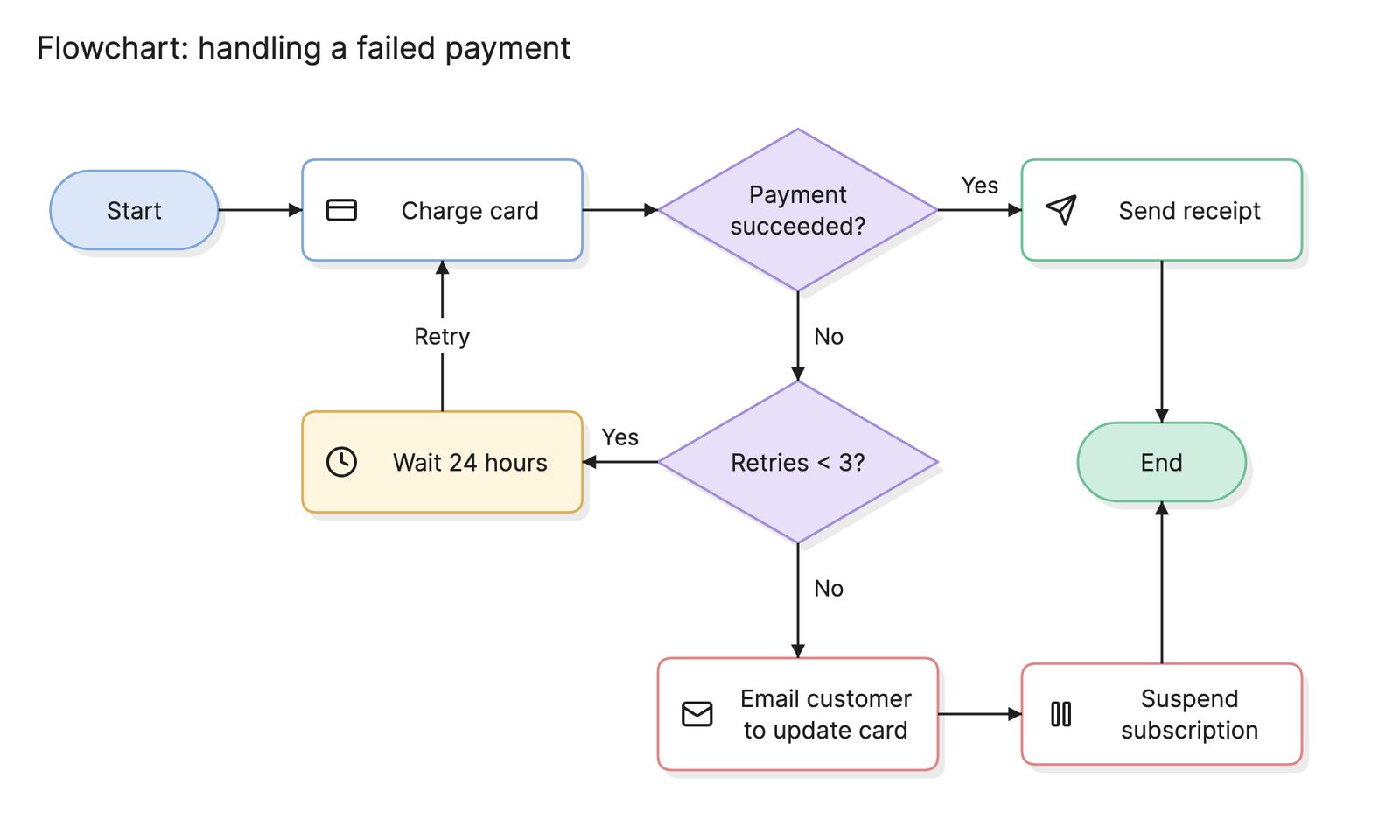
| Flowchart | Steps and decisions with informal shapes | You need something quick that anyone can read |
| Swimlane diagram | A flowchart with a lane per role | Ownership matters but a standard does not |
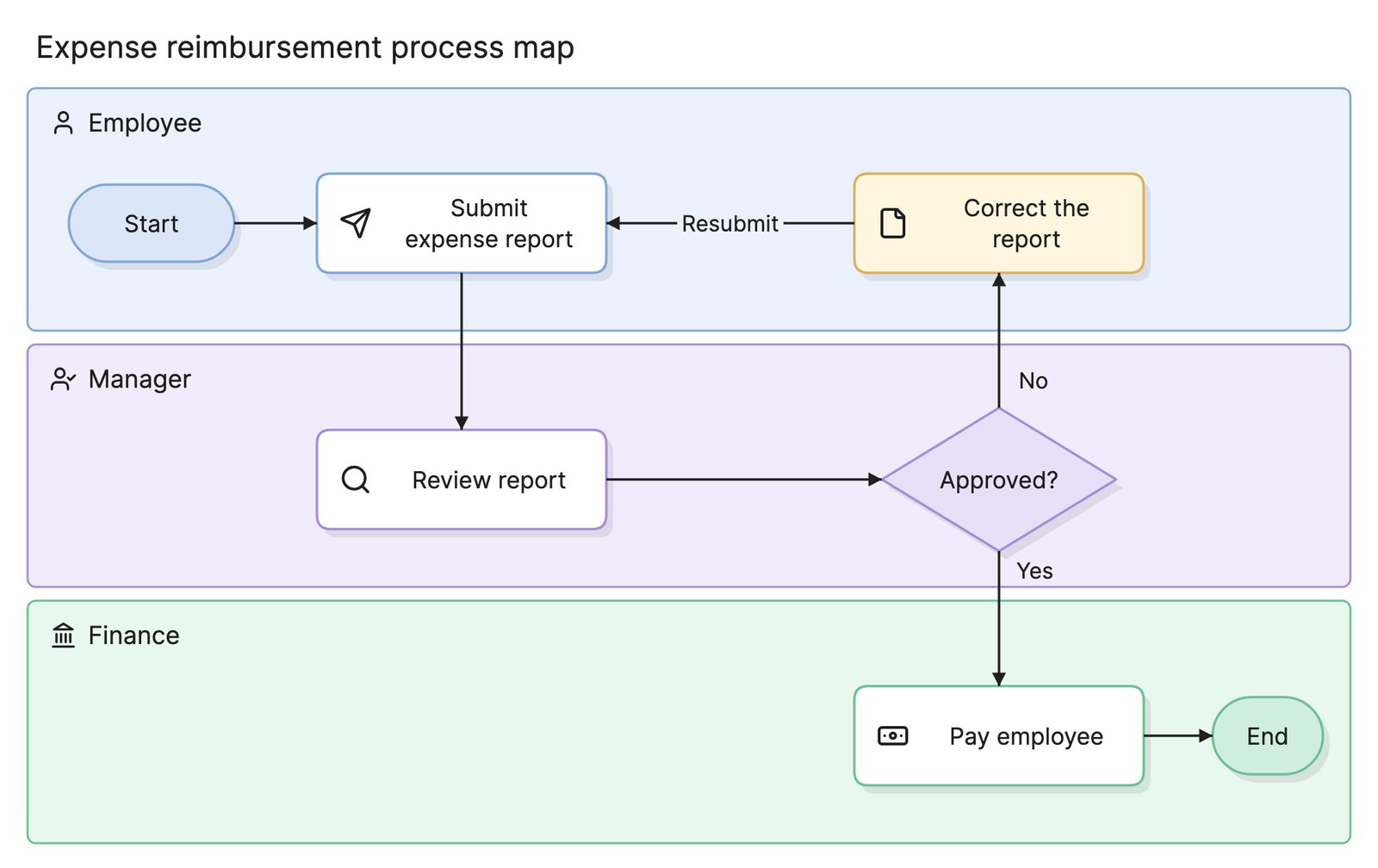
| Process map | A business process at any level of detail | You are documenting or improving a process informally |
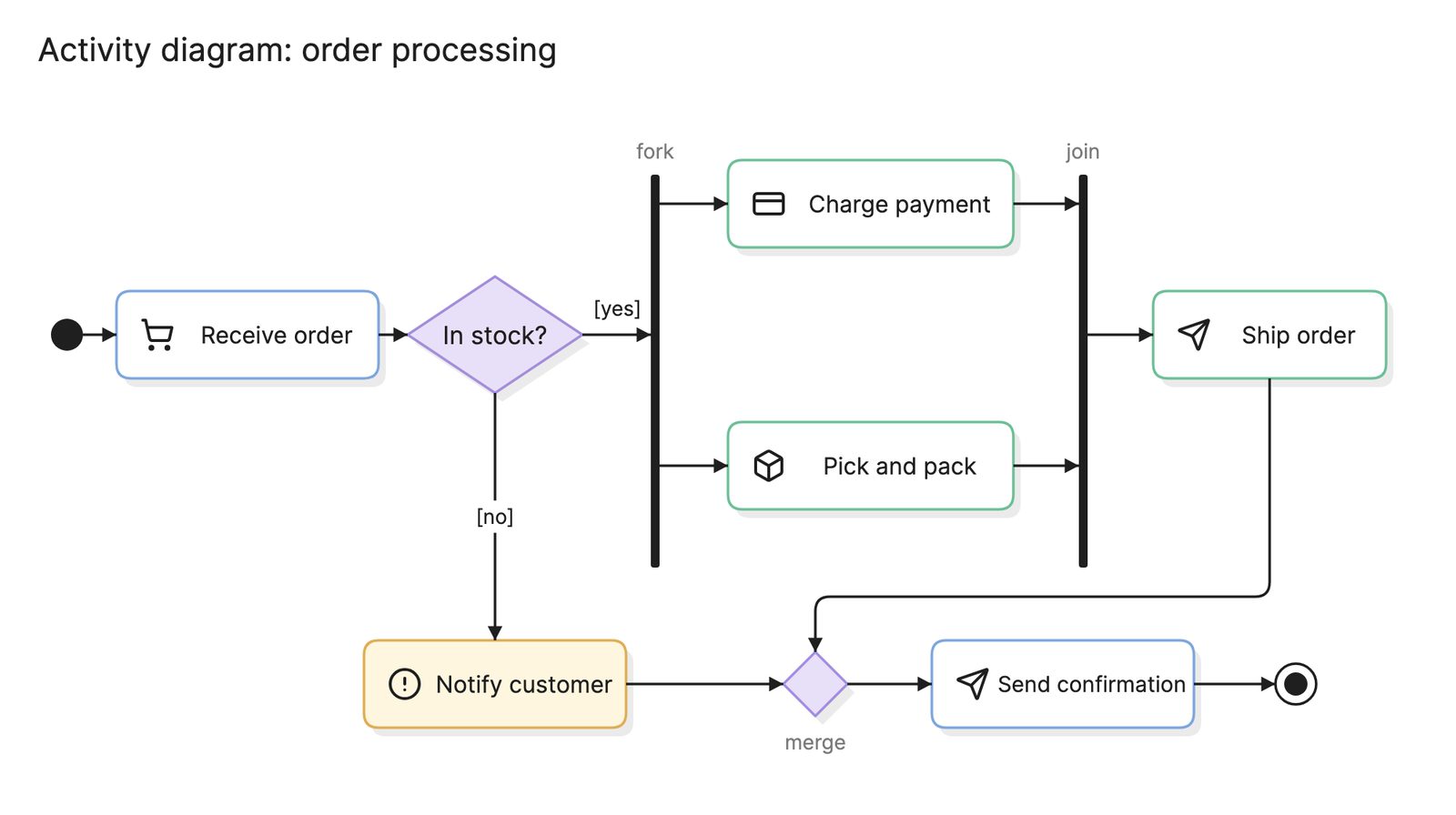
| Activity diagram | Control flow in UML, with swimlanes and parallel paths | You are modeling software behavior alongside other UML diagrams |
What tools can you use to make a BPMN diagram?
- Dedicated BPMN modelers. These validate the model against the standard and export BPMN 2.0 XML, which matters if a workflow engine will run it.
- Drag-and-drop diagramming tools. Most include a BPMN shape library. They suit diagrams meant for people, but rarely check the rules.
- AI diagramming tools. Tools like Eraser turn a written process description into a first draft of a BPMN diagram that you can keep editing.
For more on this kind of diagram, see process flow diagrams.
Frequently asked questions
-
What does BPMN stand for?
BPMN stands for Business Process Model and Notation. It is maintained by the Object Management Group, which also maintains UML, and the current version is BPMN 2.0. The standard defines both the symbols and an XML format, so a diagram can be exchanged between tools or run by a process engine.
-
What is the difference between BPMN and a flowchart?
A flowchart uses a handful of shapes with no formal rules. BPMN has a defined vocabulary of events, activities, gateways and flows, plus rules about how they combine. A flowchart is quicker to draw and read. BPMN is unambiguous, which matters when a model has to be automated or shared across organizations.
-
What is the difference between BPMN and a process map?
A process map is any diagram of a business process, drawn at whatever level of detail helps. BPMN is one notation for drawing it. Many process maps start as informal swimlane diagrams and are redrawn in BPMN once the process is settled.
-
Can a BPMN diagram be executed?
Yes. BPMN 2.0 defines execution semantics and an XML interchange format, so a model drawn with the right level of detail can be deployed to a workflow engine that creates tasks, waits for messages and follows gateways at runtime. Most BPMN diagrams are drawn for people rather than engines, and that is fine.