Cloud and DevOps
Hub-and-spoke network
A hub-and-spoke network connects workload networks (spokes) to one central hub that holds shared firewalls, VPN gateways and DNS, instead of a full mesh.
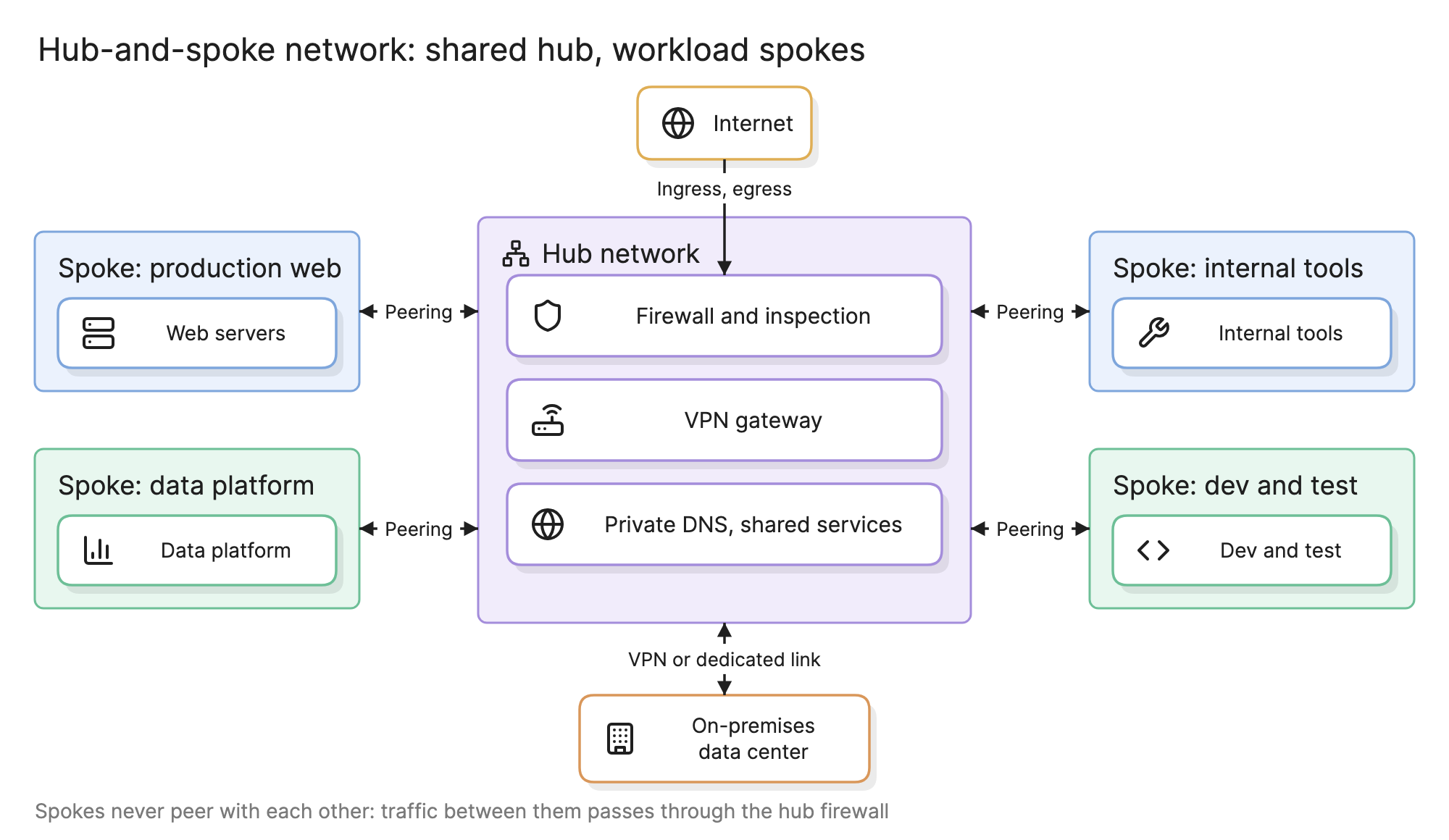
Teams move to a hub-and-spoke network when the number of cloud networks grows past a handful and connecting each new one to every existing one stops being manageable. The hub holds what every network needs, so a new spoke needs one connection and one set of routes.
Why does a hub-and-spoke network beat a full mesh?
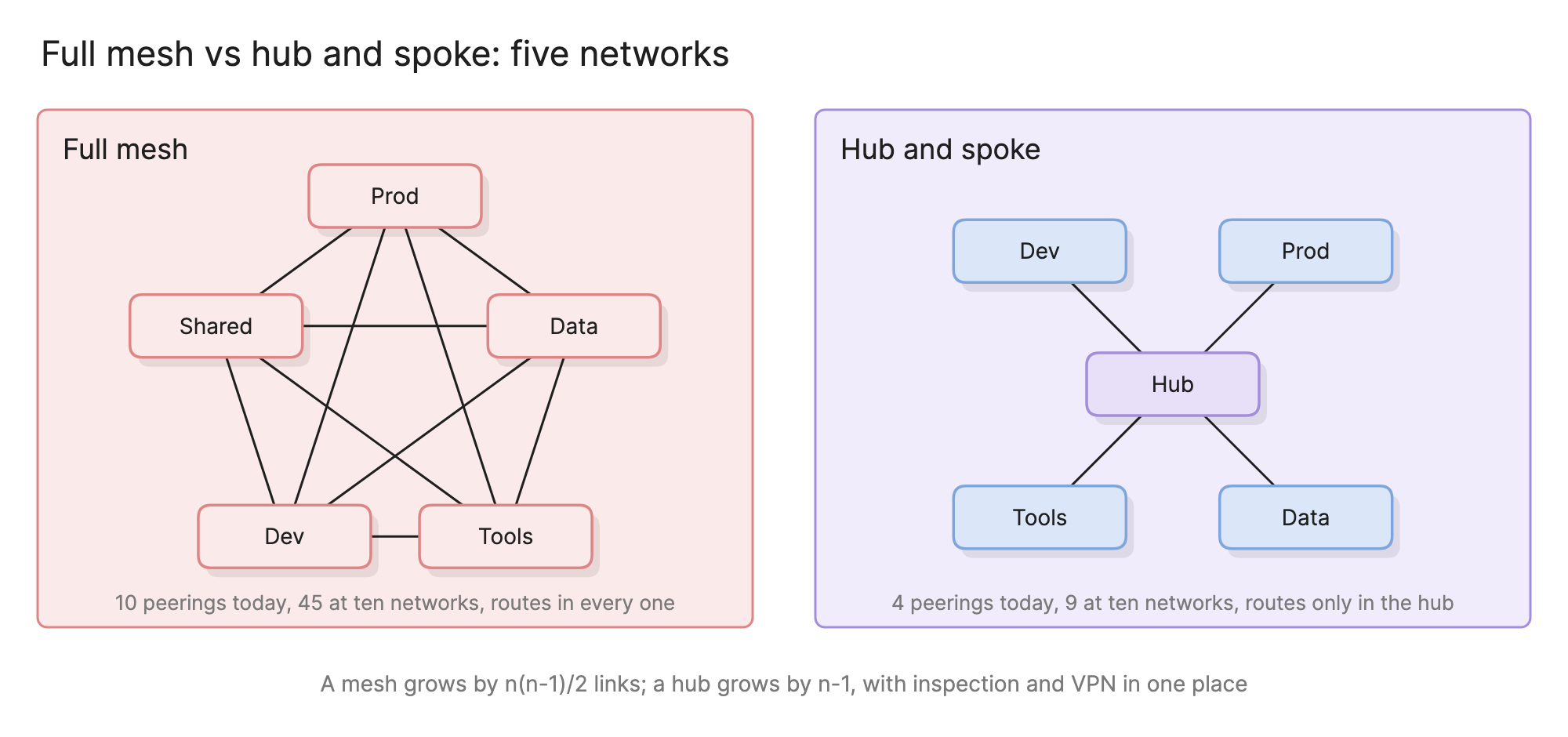
With five networks a mesh needs ten peerings; with ten it needs forty-five, and every network’s route table holds an entry for every other. The hub-and-spoke version needs one link per spoke and routes only in the hub, so adding a network is one attachment and one route.
The second reason is control. In a mesh, traffic between two networks goes straight from one to the other and nothing inspects it. In a hub-and-spoke network it passes through the hub, where a firewall can allow, deny and log it. Internet access and the link to the data center likewise terminate in the hub once, rather than in every network.
What lives in the hub?
The hub holds the services every spoke needs and nothing that belongs to one team. In the diagram at the top of this page:
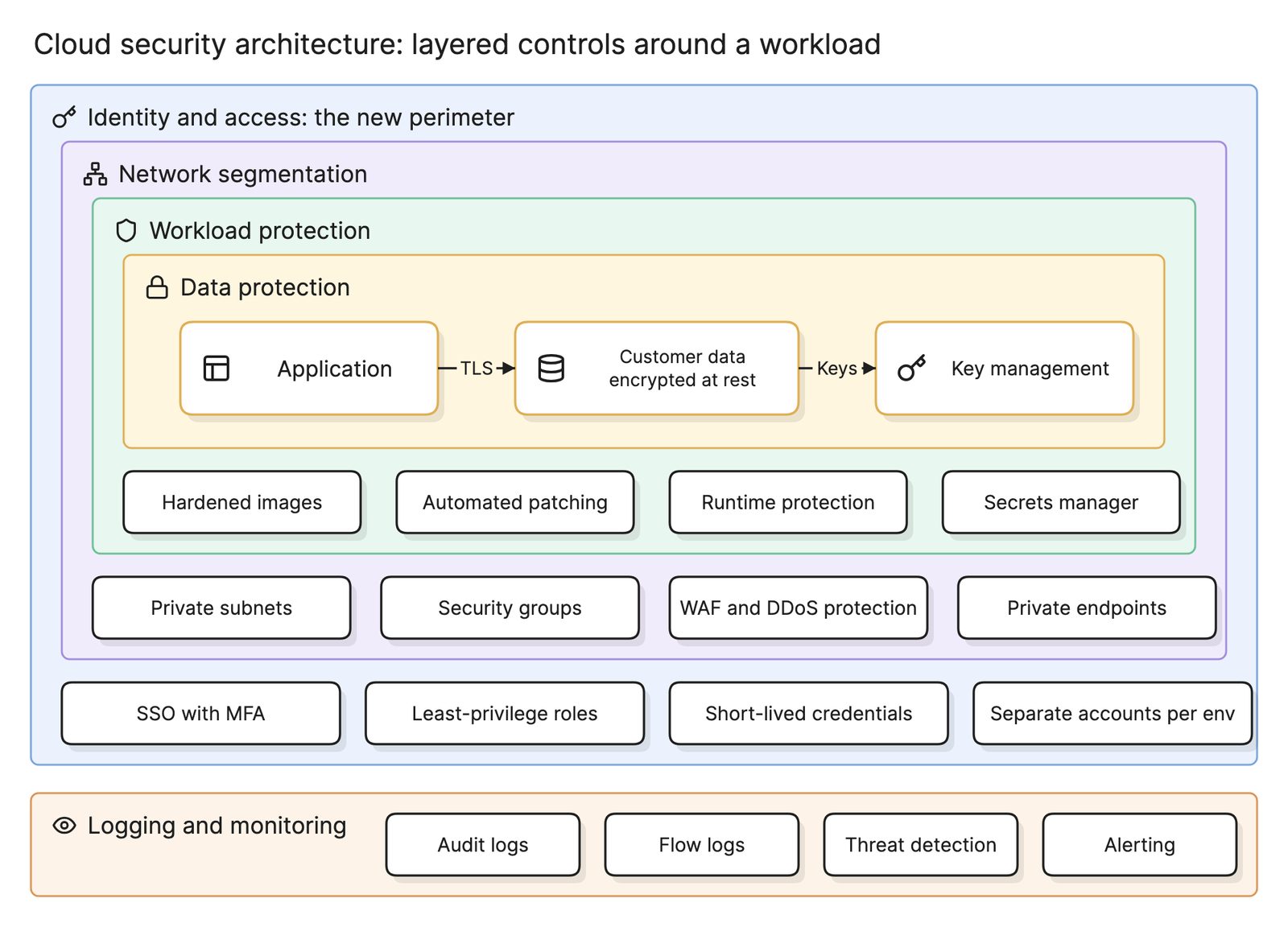
- Firewall and inspection. Every flow between spokes, to the internet and to the data center can be routed through it, as part of the cloud security architecture.
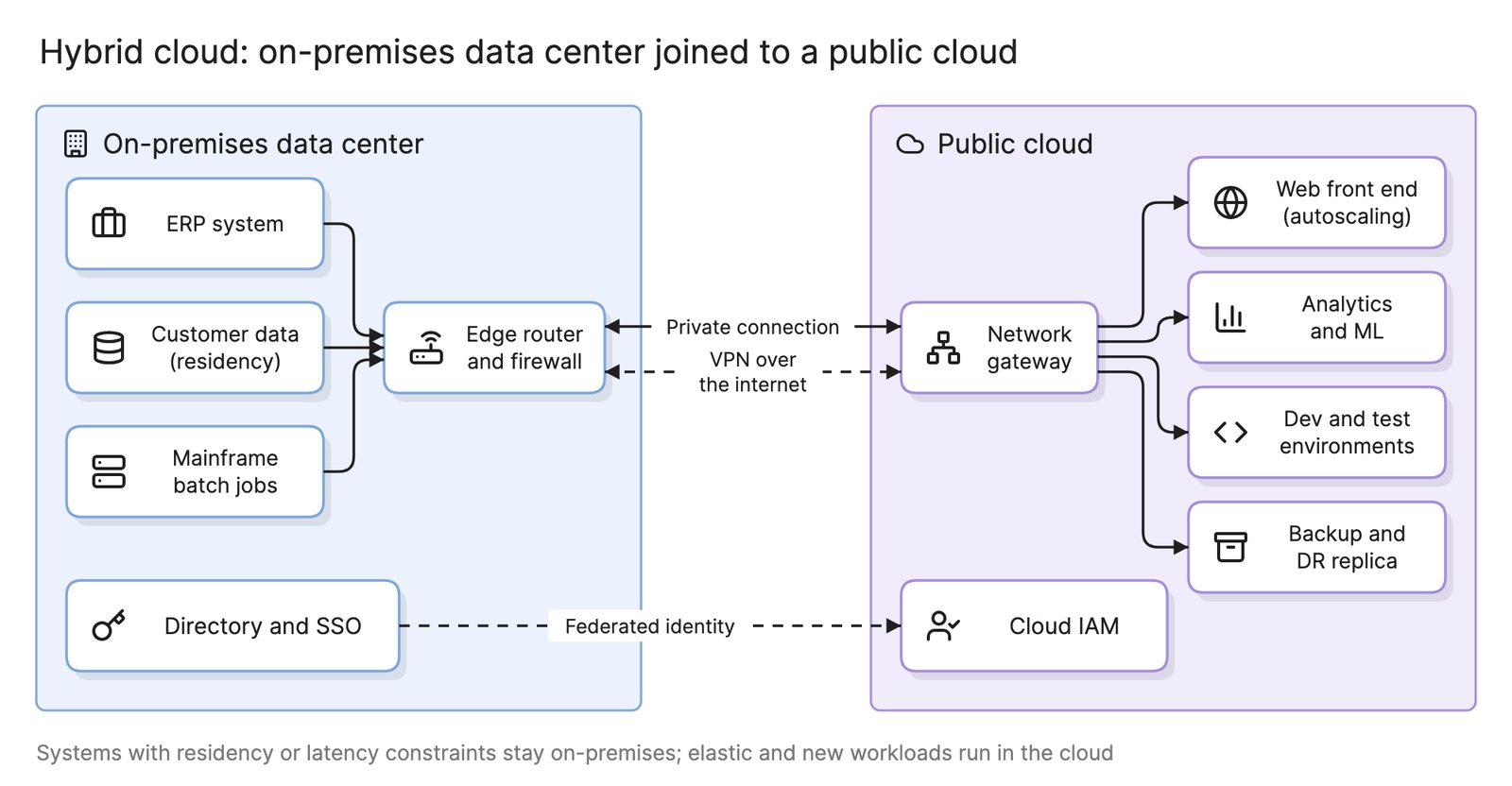
- VPN gateway and dedicated connection. The one place the on-premises data center attaches in a hybrid cloud, so the connection is bought and secured once.
- Private DNS. Resolvers and private zones every spoke uses, so a service has one name across the estate.
- Shared services and internet gateways. A bastion, a package mirror, monitoring collectors, a NAT gateway for outbound traffic and a load balancer or web application firewall for inbound.
No workload should live in the hub: an application there couples every spoke to its changes.
What is a spoke?
A spoke is a VPC or virtual network that holds workloads and attaches to the hub. Each one has its own address range, planned so no two spokes and no data center range overlap; routes anything outside that range to the hub; owns its workloads’ security groups, while the hub firewall handles the coarse rules; and usually maps to one account in a landing zone, so the network boundary and the account boundary line up.
What are the types of hub?
| Hub type | How it works | Use it when |
|---|---|---|
| Transit gateway style | A managed regional router; spokes, VPNs and dedicated connections attach to it and its route tables control who reaches whom | More than a few spokes, several accounts, a data center connection |
| Hub virtual network | A normal network holding firewall appliances, with spokes peered to it and routes pointing at the firewall | Smaller estates, or where an appliance firewall is required |
| Peering only | Spokes peered directly to one shared network, with no transit between spokes | Two or three networks that need shared services but never each other |
Each region gets its own hub, and in a multi-cloud estate the hubs are where the interconnect between providers attaches.
How do you read a hub-and-spoke network diagram?
Start at the hub, the purple region in the middle of the hero diagram, and trace a flow. A request from the internet to the production web spoke enters the hub, is inspected by the firewall and is forwarded to the spoke. A job in the data platform that needs a file from the data center sends it to the hub, where the route to the data center range points at the VPN gateway. A developer in dev and test who tries to reach the production database sends traffic to the hub, where no rule allows it, and the connection is dropped and logged.
How do you design a hub-and-spoke network?
- Plan the address space. Allocate a range per region, then per spoke, with room to grow and no overlap with the data center. This is the one decision that is hard to change.
- Decide what the hub holds from the list above, and keep it to shared infrastructure only.
- Choose the hub type from the table. Default to the transit gateway style for anything beyond a few spokes.
- Define the spokes by environment and trust, one per account where you can.
- Write the route tables. Spoke to hub for everything non-local; in the hub, spoke to shared services and data center by default and spoke to spoke only by exception.
- Build it as code with infrastructure as code, so a new spoke is a pull request, and draw it as a network diagram that stays with the code.
What are common hub-and-spoke network mistakes?
- Overlapping address ranges. Two spokes with the same range can never both attach. Plan the whole space before the first spoke exists.
- Workloads in the hub. An application in the hub makes every spoke depend on it and gives it a path to everything.
- Allowing spoke to spoke by default. The isolation comes from routing. A default route between all spokes recreates the mesh with extra hops.
- One hub for every region. Cross-region traffic through a single hub is slow and expensive.
What tools help with a hub-and-spoke network?
- Provider transit services. Each major provider offers a managed hub, route visibility tooling and a firewall service designed to sit in the hub.
- Infrastructure as code. Terraform and the provider-native languages define the hub, the attachments and the route tables.
- AI diagramming tools. Tools like Eraser turn a description of your VPCs and routes, or the infrastructure code that creates them, into a VPC diagram you can keep editing as spokes are added.
For more on this kind of diagram, see network diagrams.
Frequently asked questions
-
What is the difference between a hub-and-spoke network and VPC peering?
Peering joins two networks directly and does not pass traffic through to a third, so every pair that needs to talk needs its own peering. A hub-and-spoke network uses a hub, usually a transit gateway, that forwards traffic between spokes and to shared services. Peering is simpler for two or three networks; the hub wins once there are more.
-
What is a transit gateway?
A transit gateway is a managed, regional router that cloud providers offer as the hub. Spoke networks and VPN or dedicated connections attach to it, and its route tables decide which attachments can reach which. It replaces a hub built from a virtual machine router or a set of peerings, and it scales to thousands of attachments.
-
Can spokes talk to each other in a hub-and-spoke network?
Only if the hub's routing allows it, which is the point. The default is that each spoke reaches the hub's shared services and the data center but not other spokes. Where two spokes must communicate, the hub routes the traffic through its firewall, so the rule and the logs live in one place. Production and development can be kept apart by routing alone.
-
How does a hub-and-spoke network fit into a landing zone?
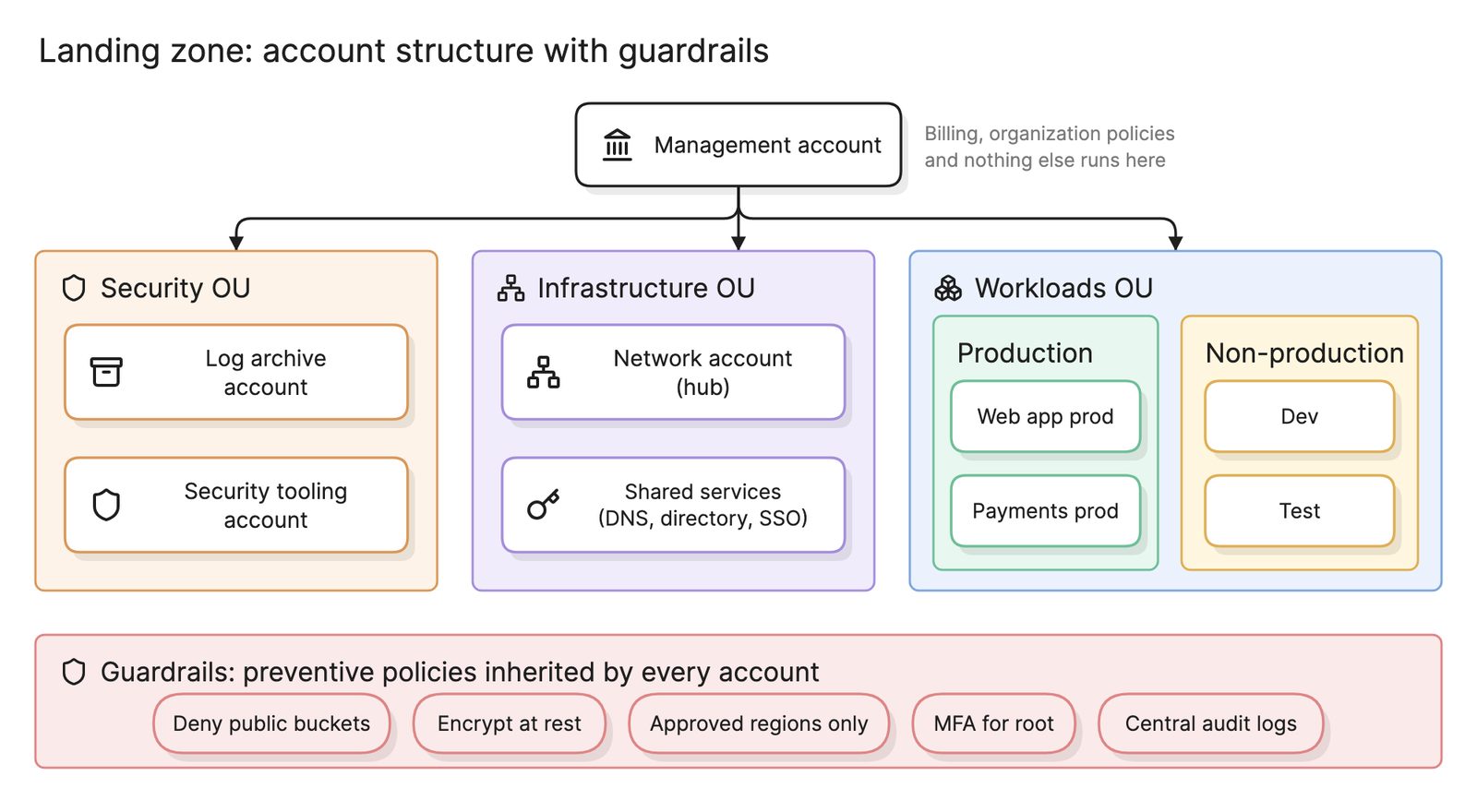
The hub lives in the landing zone's network account, along with the firewall, VPN gateway and DNS. Each workload account gets a spoke network attached to the hub when the account is created, so a new team's network is connected and inspected from day one without the team doing any network work.