Cloud and DevOps
Hybrid cloud
A hybrid cloud joins an on-premises data center to a public cloud with private connectivity and shared identity, so workloads can run on either side.
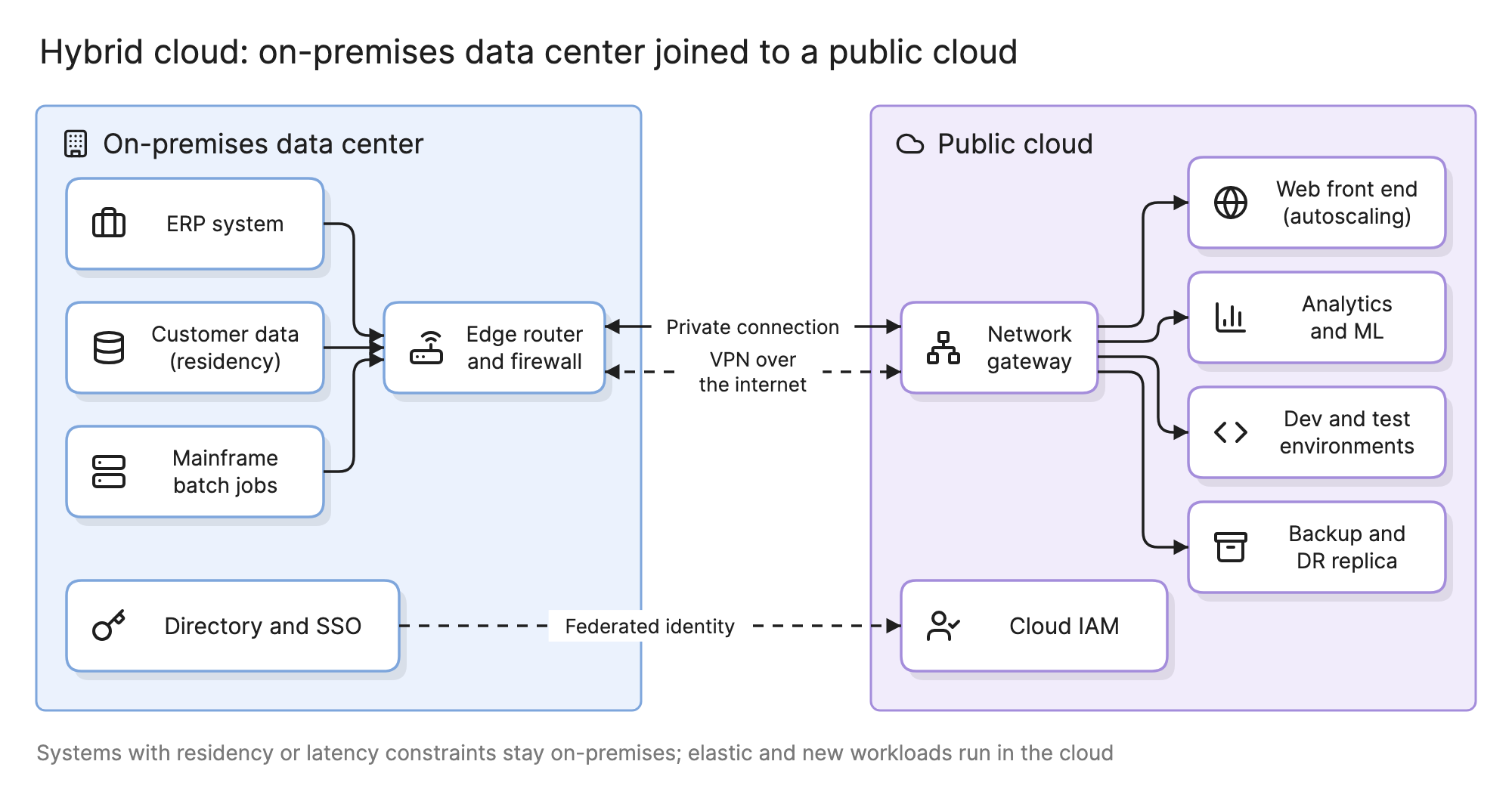
Teams run a hybrid cloud when some systems cannot move to a public cloud, or cannot move yet, and the rest should. The point is to make the two halves behave like one environment: one network, one identity and one set of tools, with each workload placed where it fits.
Why does hybrid cloud matter?
- Some systems stay. A mainframe, a licensed database tied to hardware or a system that must sit next to a factory floor is not going anywhere soon.
- Some data stays. Regulations or contracts may require customer data to remain in a specific country or facility.
- Migration takes years. Moving one system at a time means living with a split estate for a long time.
- The cloud is better at some things. Elastic web tiers, analytics, machine learning and throwaway development environments are cheaper and faster in a public cloud.
What are the parts of a hybrid cloud?
The diagram at the top of this page shows a typical layout. Reading left to right:
- On-premises workloads. The ERP system, the customer database with a residency requirement and the mainframe batch jobs. They stay because of data, licensing or latency.
- Edge router and firewall. The data center’s connection point, where on-premises security policy is enforced.
- Private connection. A dedicated link from the data center to the provider’s network, with predictable bandwidth and latency and no public internet in the path.
- VPN over the internet. An encrypted tunnel that carries traffic if the private connection fails, and often the first link while the private one is being provisioned.
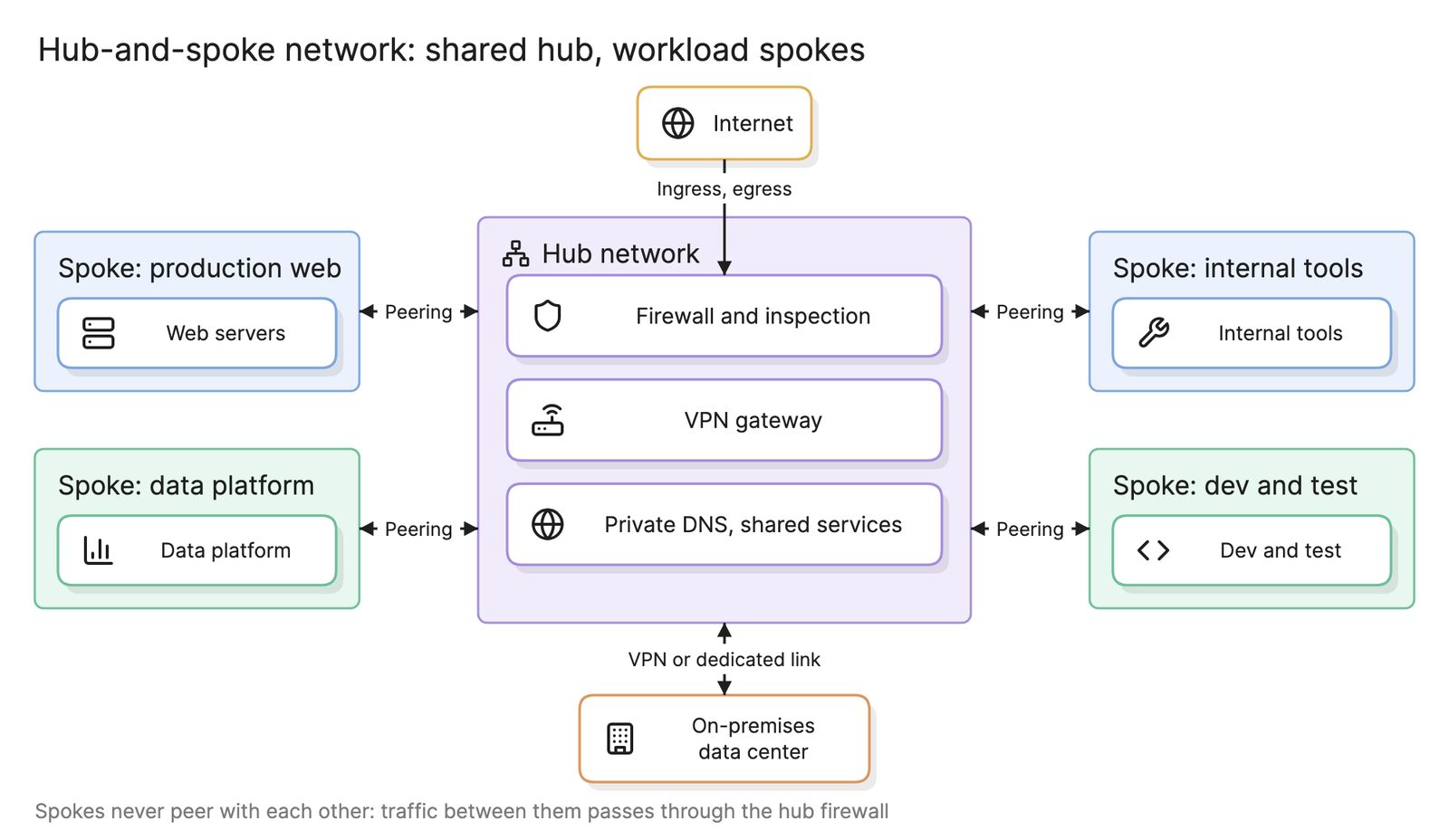
- Network gateway. The cloud side of both links. In a larger estate it sits in the hub of a hub-and-spoke network inside a landing zone, so every cloud network reaches the data center through one place.
- Cloud workloads. The autoscaling web front end, analytics and machine learning, development and test environments and a backup and disaster recovery replica.
- Shared identity. The on-premises directory federated to the cloud’s identity service, so one login and one set of groups work on both sides.
What goes where in a hybrid cloud?
| Keep on-premises when | Move to the cloud when |
|---|---|
| Data must stay in a specific country or facility | The workload scales up and down with demand |
| The system is tied to hardware or a license | The workload is new and has no legacy constraints |
| Latency to a local system must be a few milliseconds | The workload needs services the data center lacks, such as managed ML |
| The system is being retired and is not worth moving | Environments are short-lived, such as development and test |
The hard cases straddle the line: a cloud web tier that reads an on-premises database on every request feels every millisecond of the private link. Either move the data, cache it in the cloud or keep the web tier at home.
What are the common hybrid cloud use cases?
- Phased migration. Move systems one at a time while the rest stays, routing traffic across the link; see parallel paths on running old and new side by side.
- Cloud bursting. Serve normal load from the data center and add cloud capacity during spikes.
- Data residency. Keep regulated data at home and process everything else in the cloud, sending only aggregates or tokens across.
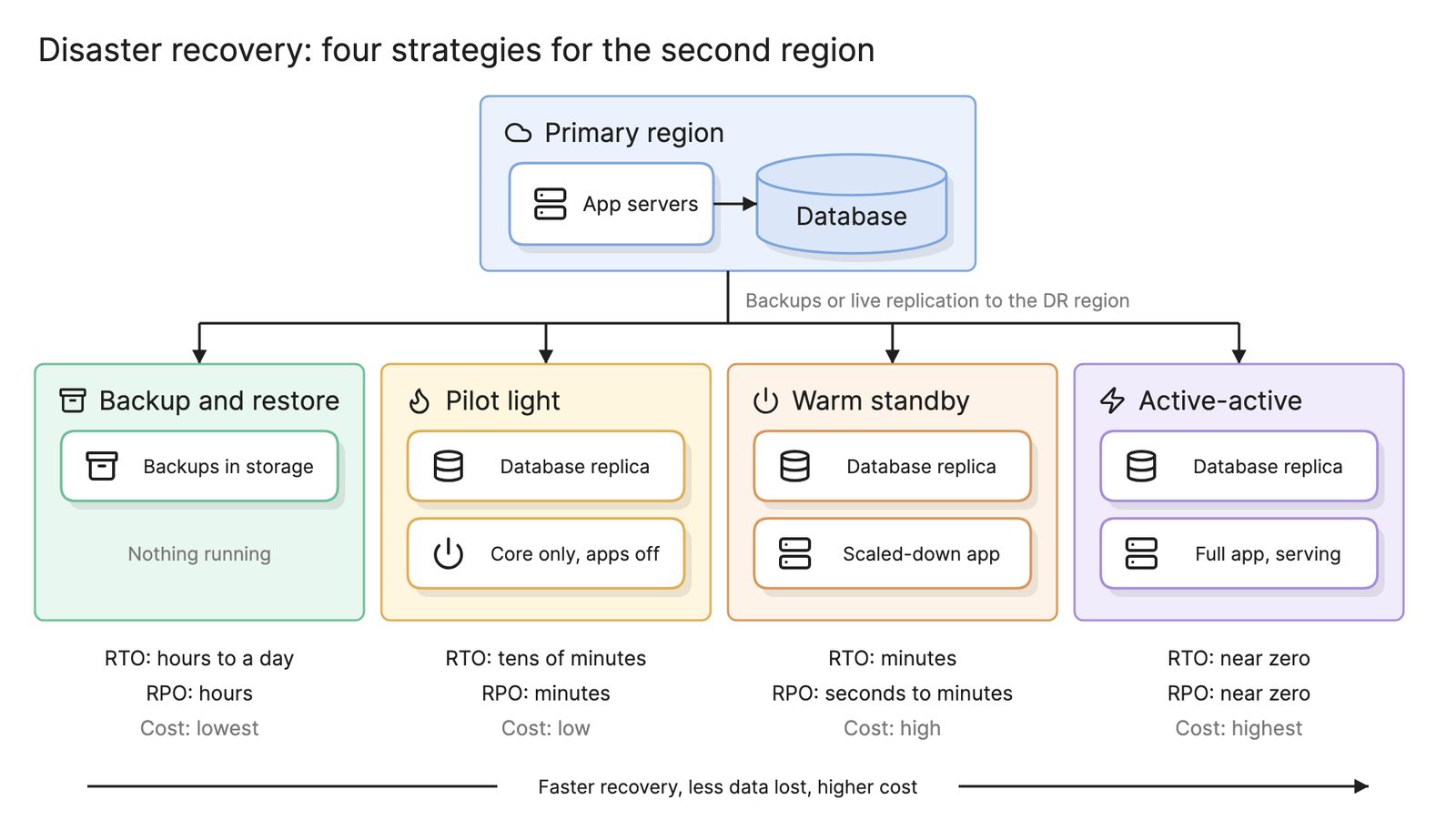
- Backup and disaster recovery. Replicate on-premises systems to the cloud and fail over there, which is cheaper than a second data center.
- Cloud-only services. Train models or run analytics on cloud services against data copied from on-premises systems.
What are the challenges of hybrid cloud?
- Network complexity. Two address spaces that must not overlap, routing across the link, DNS that resolves on both sides and firewall rules in two places. Draw it as a network diagram before building it.
- Latency. The private link adds milliseconds to every call across it. Applications that chat across the boundary get slow.
- Two security models. Perimeter firewalls on one side, identity and security groups on the other. Cloud security architecture has to cover the link and the identity federation.
- Two sets of tools. Monitoring, backup and deployment often differ by side. Pick tools that cover both or accept two dashboards.
- Data gravity. Data pulls compute toward it. Once a large dataset lives on one side, the systems that use it tend to follow.
How do you design a hybrid cloud?
- Inventory the workloads and their data. For each, note residency, latency, licensing and how much it talks to other systems.
- Decide what goes where using the table above, and note the exceptions that will need a cache or a copy.
- Plan the address space. Reserve non-overlapping ranges for the data center and every cloud network before anything is built.
- Build the landing zone first. Accounts, the hub network, the gateway and logging, defined as infrastructure as code.
- Order the private connection and bring up the VPN while you wait for it.
- Federate identity so people and services use one directory from day one.
- Move one workload and measure. Latency across the link, failover of the VPN and whether monitoring sees both sides.
What tools help with hybrid cloud?
- Provider hybrid services. Each major provider offers a dedicated connection product, a VPN gateway and in some cases hardware that runs cloud services inside your data center.
- Infrastructure as code. Terraform and the provider-native languages describe the cloud half and, with the right providers, the network devices at the edge.
- AI diagramming tools. Tools like Eraser turn a description of your data center, your links and your cloud networks into a network diagram you can keep editing as systems move across.
For more on this kind of diagram, see network diagrams.
Frequently asked questions
-
What is the difference between hybrid cloud and multi-cloud?
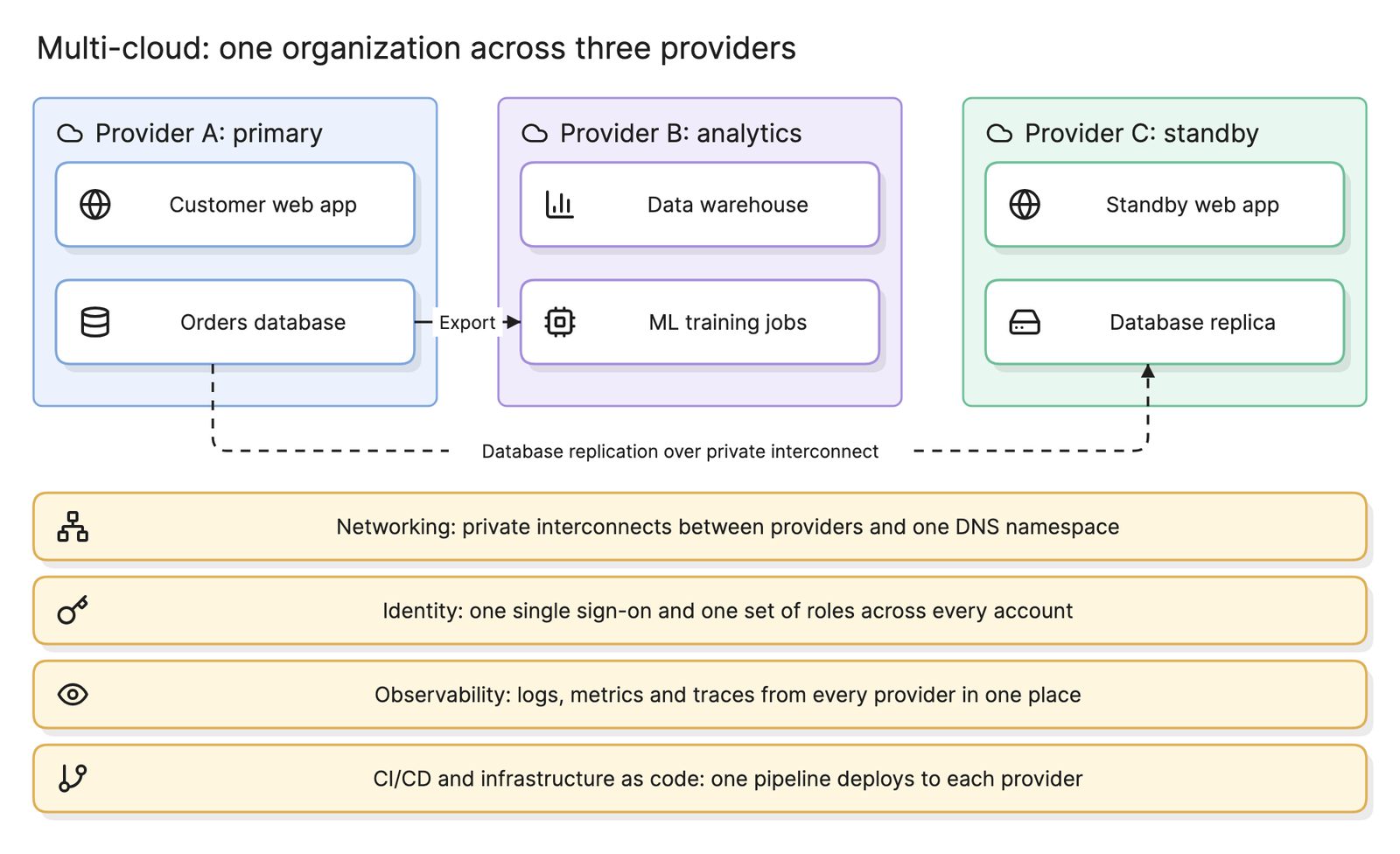
Hybrid cloud joins a private environment, usually an on-premises data center, to a public cloud. Multi-cloud uses two or more public cloud providers. The two can overlap: an organization with a data center and two providers is both. Hybrid is mostly about connectivity and data placement, while multi-cloud is mostly about avoiding dependence on one vendor.
-
How is a hybrid cloud connected?
Through a dedicated private connection from the data center to the provider's network, which gives predictable bandwidth and latency, and a VPN over the internet as a backup path. Both terminate on a gateway in the cloud network and on a router at the data center edge. Larger estates route the connection into a hub-and-spoke network so every cloud network can use it.
-
Is hybrid cloud a temporary state during migration?
Sometimes. Many organizations pass through hybrid on the way to the cloud, moving one system at a time while the rest stays put. Others run hybrid permanently because a mainframe, a regulated dataset or a latency-sensitive factory system will never move. Design for the permanent case; a temporary hybrid treated as temporary tends to become a permanent mess.
-
What is cloud bursting?
Cloud bursting runs an application in the data center under normal load and spills extra capacity into the public cloud when demand spikes, such as a retailer during a sale. It works for stateless workloads whose data can be reached from both sides with acceptable latency. It is harder than it sounds, because the application must be deployable in both places and the data path must hold up.