Cloud and DevOps
Multi-cloud
Multi-cloud is the use of two or more public cloud providers by one organization, with identity, networking and tooling shared across all of them.
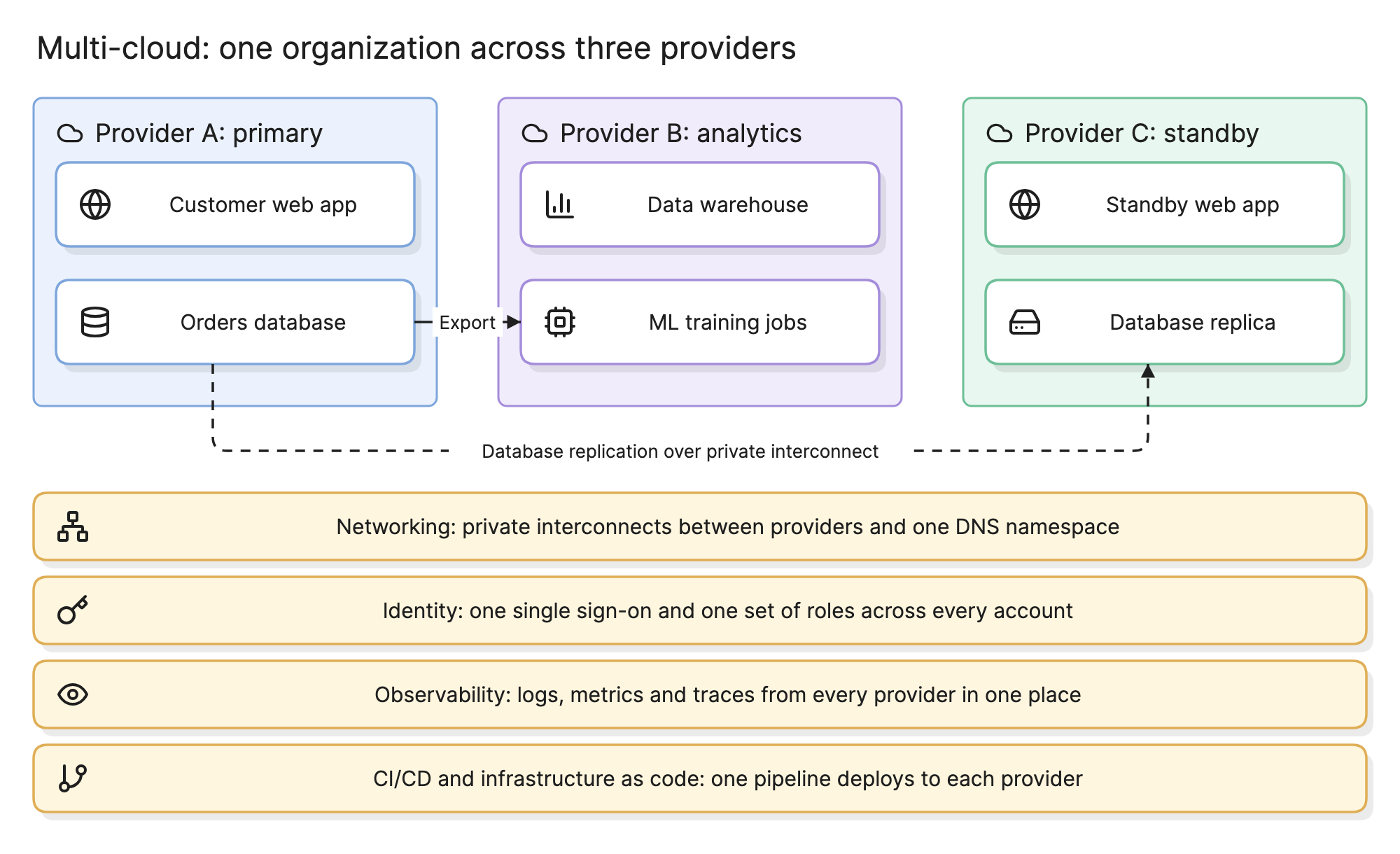
Organizations end up multi-cloud on purpose, because one provider has a service the others lack, and by accident, because teams and acquisitions chose differently. Either way the work is the same: decide which provider does what, and build the shared layers that keep the estate manageable.
Why do organizations use multi-cloud?
- Best-of-breed services. One provider’s analytics platform, machine learning service or edge network fits the job better than the primary provider’s.
- Avoiding dependence on one vendor. A second provider gives negotiating leverage and a path out if pricing or terms change.
- Acquisitions and team choice. The company you bought runs on a different provider, or a team picked one years ago. This is the most common reason in practice.
- Resilience. Rarely a good reason on its own; see the FAQ on availability below.
What are the multi-cloud patterns?
The diagram at the top of this page shows all three at once. Most estates use one or two.
| Pattern | What it means | In the diagram |
|---|---|---|
| By workload | Each application lives entirely on one provider, chosen per application | The web app and its database on provider A |
| Best-of-breed | One application uses a specific service from a second provider | The warehouse and ML jobs on provider B, fed by an export |
| Redundant | The same application runs on two providers, one active and one standby | The standby web app and database replica on provider C |
By workload is the cheapest and most common: nothing crosses between providers except identity and monitoring. Best-of-breed adds a data path between providers, which costs bandwidth and latency and needs private interconnects to be reliable. Redundant is the most expensive, because the deployment must work on both providers and the data must replicate continuously; it is only worth it when a whole-provider outage is a risk the business cannot accept.
What are the shared layers in a multi-cloud architecture?
The four bands at the bottom of the diagram are what make three providers one estate.
- Networking. Private interconnects between providers rather than the public internet, non-overlapping address spaces and one DNS namespace. See network diagram for drawing it.
- Identity. One single sign-on for people and one way to issue roles to workloads, mapped into each provider’s identity service. Three sets of users is how access reviews fail.
- Observability. Logs, metrics and traces from every provider in one place, so an incident that spans two providers can be followed in one view. See observability.
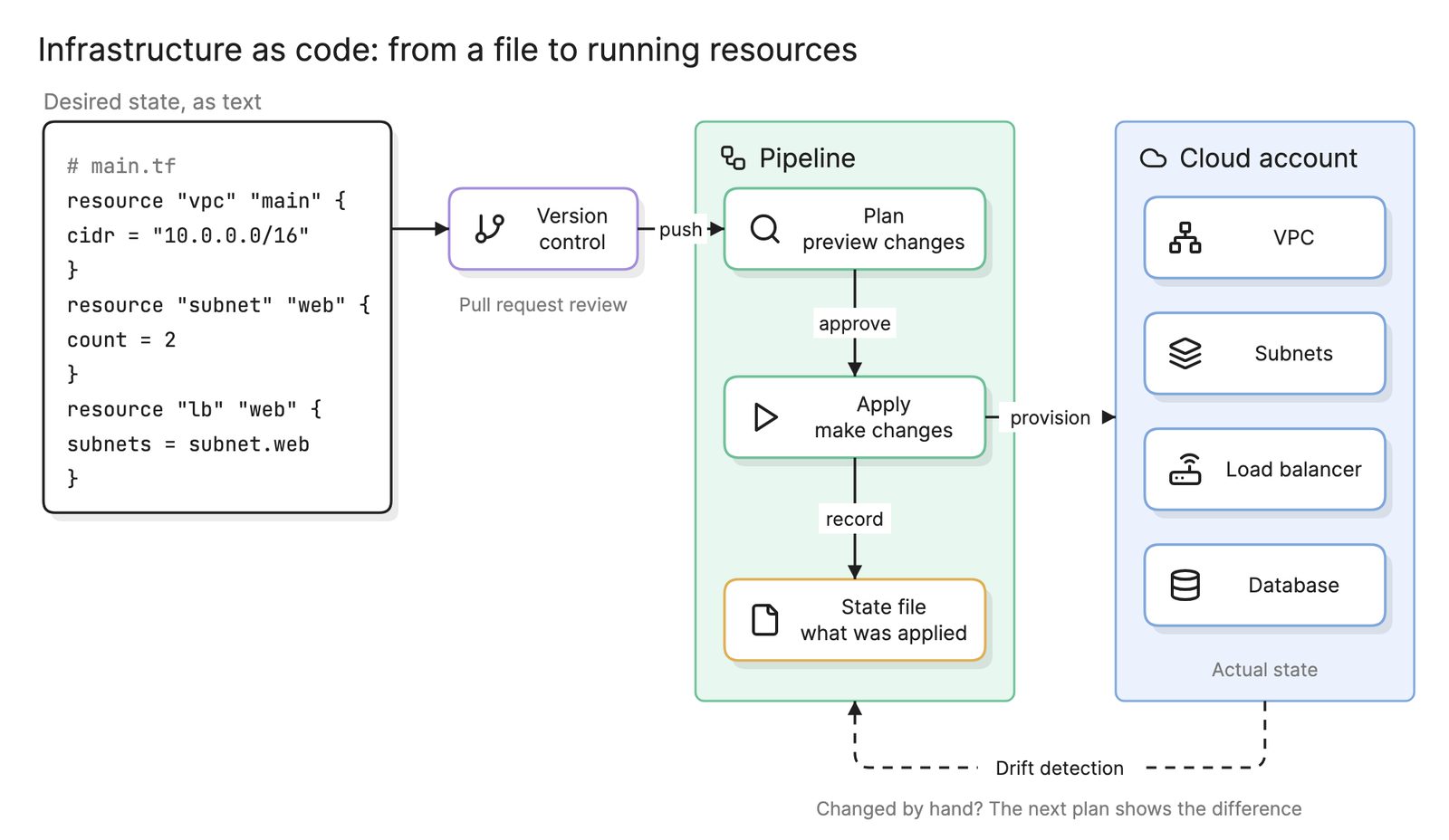
- CI/CD and infrastructure as code. One pipeline that deploys to each provider, with the infrastructure for each defined in code. Infrastructure as code tools that support every provider make this possible; the code itself is still provider-specific.
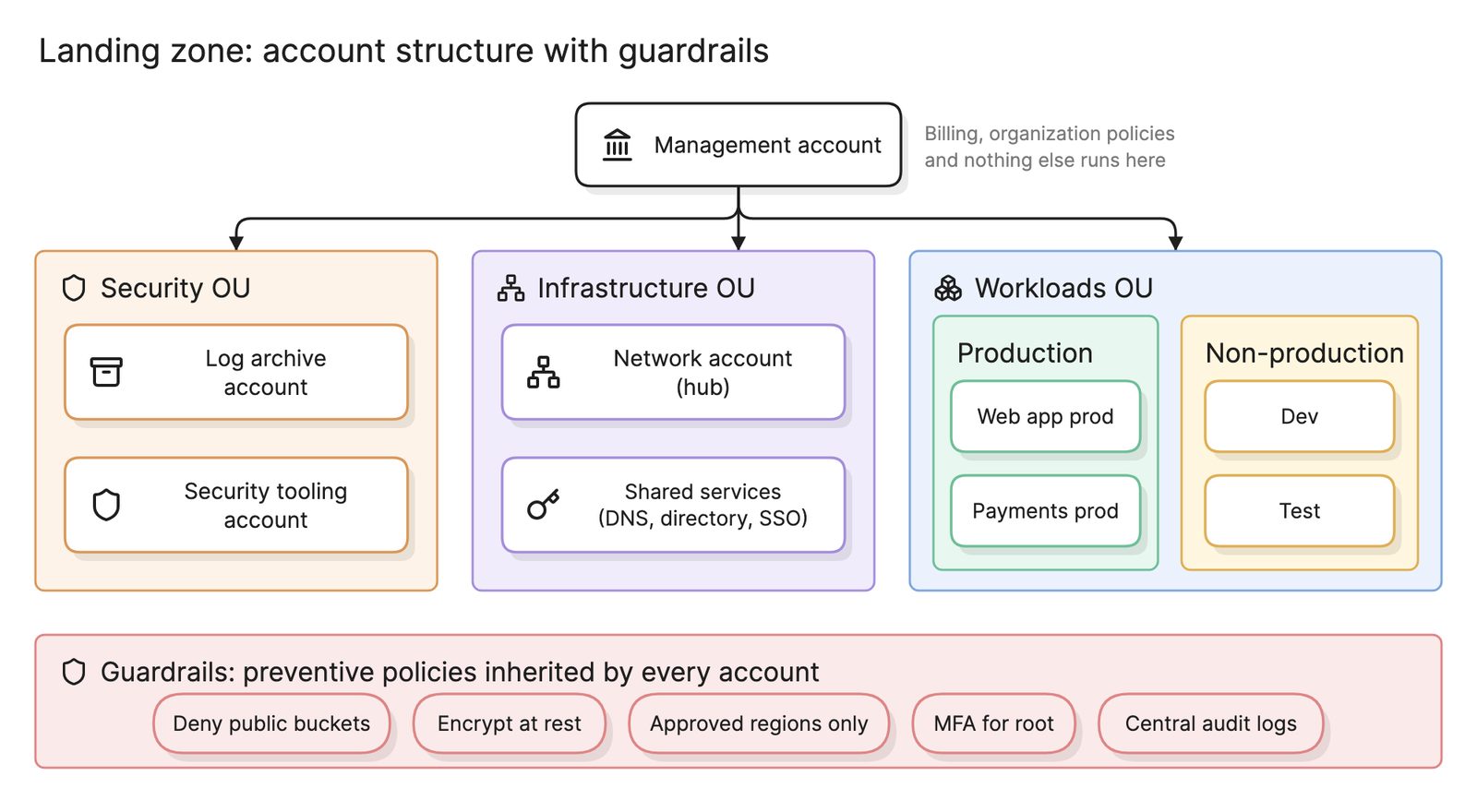
Each provider should also have its own landing zone with the same account structure, guardrails and logging, so the shared layers have something consistent to plug into.
What is the cost of abstraction?
The tempting response to multi-cloud is a layer that hides the providers, so applications never know where they run. In practice that layer can only expose what every provider has in common: virtual machines, object storage and networking. Everything that makes a cloud productive, the managed databases, queues, functions and ML services, is provider-specific and sits above the line.
The usual compromise is to keep the shared layers portable, since Kubernetes, Terraform and open telemetry standards run everywhere, and let each application use the managed services of the provider it lives on.
How does multi-cloud compare with hybrid cloud?
| Multi-cloud | Hybrid cloud | |
|---|---|---|
| What is joined | Two or more public providers | A private environment and a public cloud |
| Usual reason | Best-of-breed services, vendor leverage, acquisitions | Data residency, legacy systems, migration in progress |
| Main cost | Duplicated skills and tooling, abstraction | Network latency and two security models |
| Data path | Interconnects between providers | A private link from the data center |
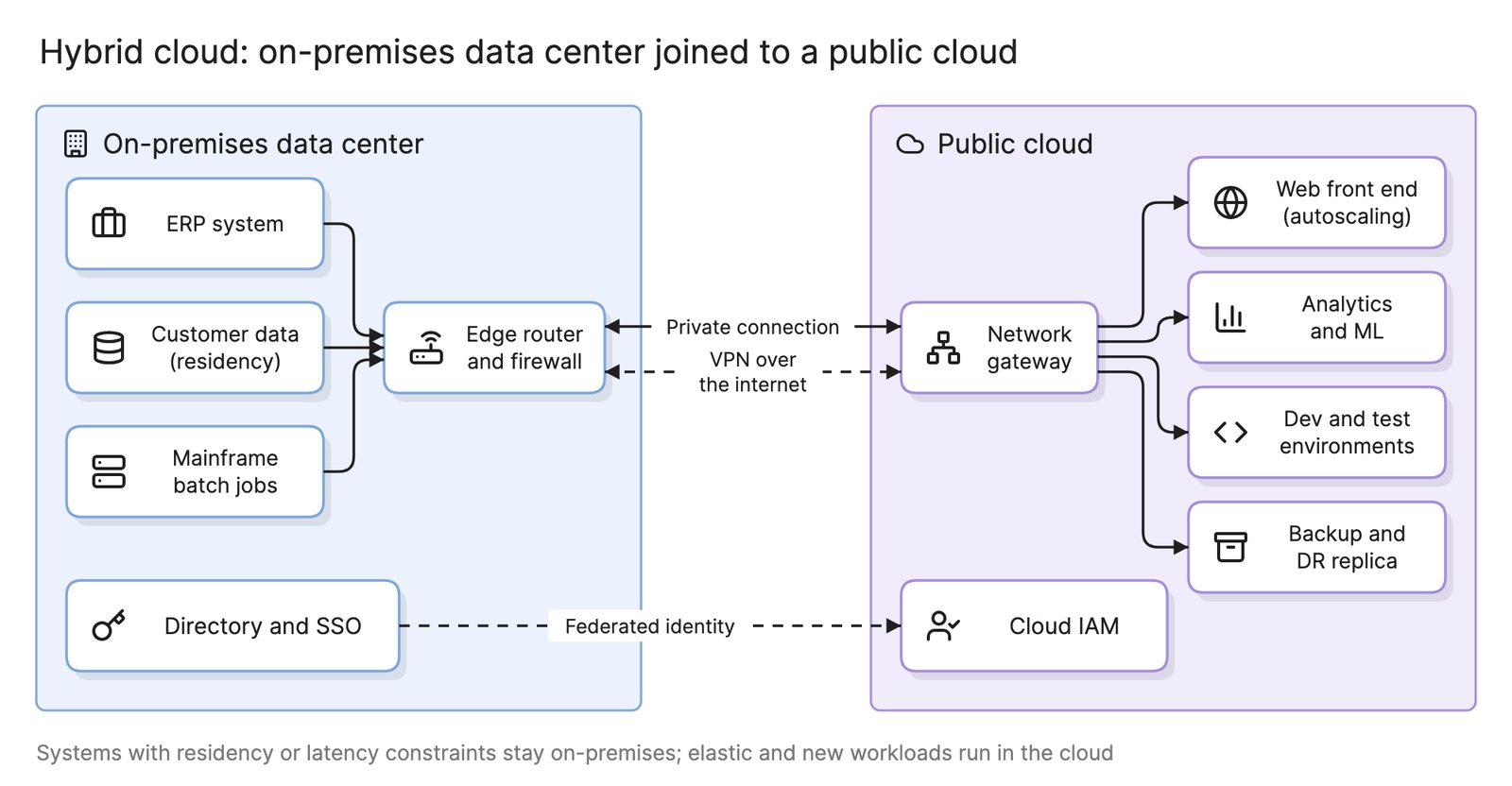
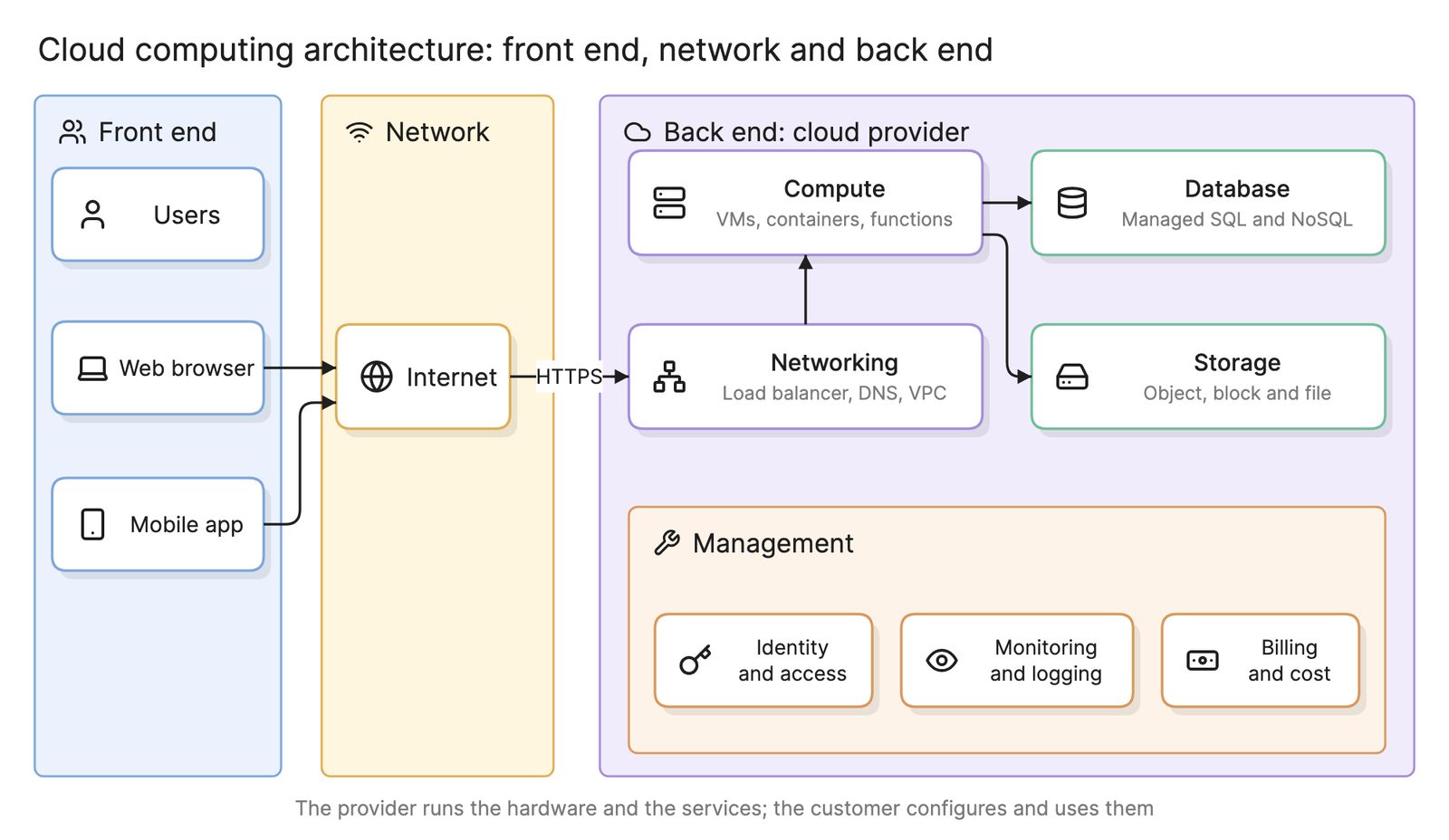
They are not exclusive. An organization with a data center and two providers has both, and the shared layers above serve both. See hybrid cloud for the data center side and cloud computing architecture for the parts every provider shares.
How do you design a multi-cloud architecture?
- Name the primary provider. Most workloads go there by default; the second provider needs a reason per workload.
- Choose a pattern per workload from the table above, and write down why.
- Build the same landing zone on each provider, with matching account structure, guardrails and log shipping.
- Connect the providers privately and plan DNS and address space across all of them.
- Federate identity once and map roles into each provider.
- Centralize observability and deployment before the second provider carries production traffic.
- Draw it. One architecture diagram per workload with the provider as a tinted boundary, plus one map of the shared layers.
What are common multi-cloud mistakes?
- Multi-cloud as a policy. Mandating that every workload run on every provider maximizes cost and minimizes the benefit of any of them.
- Chatty cross-provider calls. A request that hops between providers pays interconnect latency and egress fees every time.
- Three of everything. Separate identity, monitoring and pipelines per provider triples the operational load and hides cross-provider incidents.
- Assuming failover works. A standby on a second provider that has never been failed over to is a diagram, not a disaster recovery plan.
- Forgetting egress. Data leaving a provider is billed. Replication and exports between providers can become the largest line on the invoice.
What tools help with multi-cloud?
- Provider-neutral infrastructure as code. Terraform and similar tools deploy to every major provider from one workflow, even though each provider’s resources are described differently.
- Container platforms and open telemetry. A common foundation for the shared layers across providers.
- AI diagramming tools. Tools like Eraser turn a description of your providers and workloads, or the infrastructure code for each, into an architecture diagram with each provider as a boundary, which you can keep editing as workloads move. See the best cloud diagram tools for a comparison.
For more on this kind of diagram, see architecture diagrams.
Frequently asked questions
-
What is the difference between multi-cloud and hybrid cloud?
Multi-cloud uses two or more public cloud providers. Hybrid cloud joins a private environment, usually a data center, to a public cloud. An organization can be both. Multi-cloud is usually chosen to avoid dependence on one vendor or to use a service only one provider offers; hybrid is usually chosen because some systems or data cannot leave the data center.
-
Is multi-cloud worth it?
It depends on why. Using a second provider for one service it does better, or inheriting one through an acquisition, is normal and manageable. Running every workload on every provider to avoid lock-in costs a great deal in abstraction and duplicated skills, and most organizations that try it end up back on one primary provider. Decide per workload, not as a policy.
-
Does multi-cloud improve availability?
Only if the application can actually fail over between providers, which means the data is replicated across them and the deployment works on both. That is rare and expensive. Whole-provider outages are also rare; most incidents are regional. For most systems, two regions on one provider give better availability for far less effort. See disaster recovery.
-
What is the cost of abstraction in multi-cloud?
Code and infrastructure that must run on any provider can only use what every provider offers, which excludes the managed services that make the cloud worth using. Teams end up running their own databases and queues on virtual machines, which is slower to build and more expensive to operate. The lock-in you avoid is traded for a platform you now maintain yourself.