IT management
Service mapping
Service mapping builds a top-down model of a business service that shows every application, middleware and infrastructure component the service depends on.
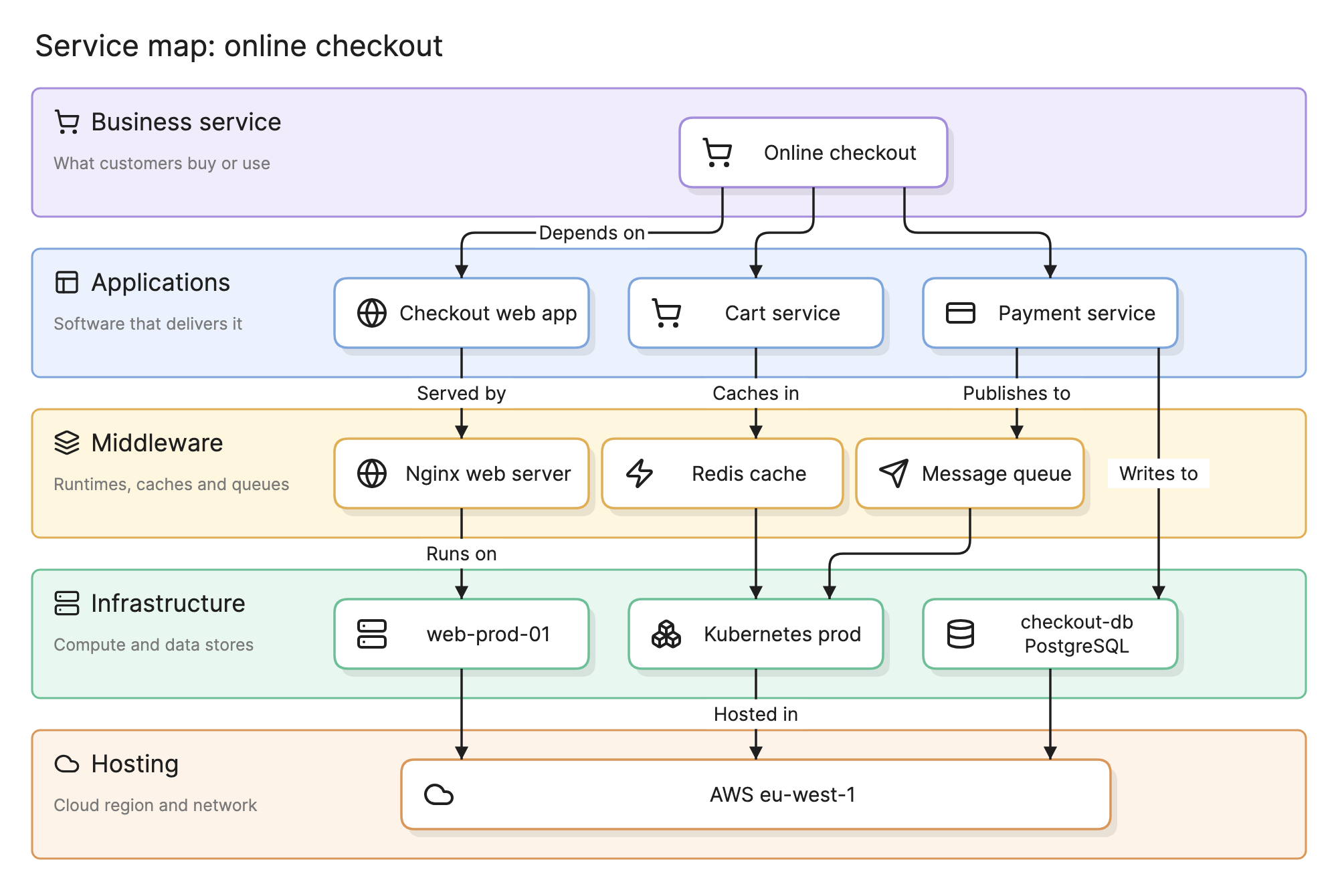
When online checkout is slow, the first question is what checkout actually runs on, and the answer is usually spread across five teams and nobody’s head. Service mapping answers it in advance: one business service at the top, everything it depends on beneath, in tiers, kept current.
Why does service mapping matter?
- Impact in business terms. A failing database is an infrastructure fact. “Checkout is down” is what the business needs to hear, and the service map links the two.
- Change risk. Before a change to a shared cluster, the service map lists the business services that run on it and who owns them.
- Cost and planning. Knowing what checkout runs on is the start of knowing what it costs, what a migration would involve and where it sits in the enterprise architecture.
What does a service map contain?
Service maps are tiered. The exact tiers vary, but a common set is:
- Business service. What the organization sells or uses: online checkout, payroll, customer onboarding. One per map.
- Applications. The software that delivers the service, often several: a web app, a cart service, a payment service.
- Middleware. The runtime layer applications depend on: web servers, caches, message queues, API gateways.
- Infrastructure. Compute and data: virtual machines, Kubernetes clusters, databases, storage.
- Hosting. Where it all lives: a cloud region, a data center, a network segment.
Edges run downward and mean “depends on” or “runs on”.
How do you read a service map?
Start at the top of the diagram above. Online checkout depends on three applications: the checkout web app, the cart service and the payment service. The web app is served by an Nginx web server, the cart service caches in Redis, and the payment service publishes events to a message queue and writes directly to a PostgreSQL database, skipping the middleware tier because nothing sits between it and the database. Nginx runs on a virtual machine, Redis and the queue run on a Kubernetes cluster, and all of it is hosted in one AWS region.
Read upward from any node to get the impact of its failure. If the Kubernetes cluster has a bad day, Redis and the queue are affected, so the cart and payment services are affected, so checkout is affected. Read downward from the top to get the scope of the service: every box on the page is in it.
How does a service map compare with an application dependency map and a CMDB?
| Starting point | Direction | Scope | Main use | |
|---|---|---|---|---|
| Service map | One business service | Top down | Everything that service depends on, across tiers | Incident impact, change risk, SLAs |
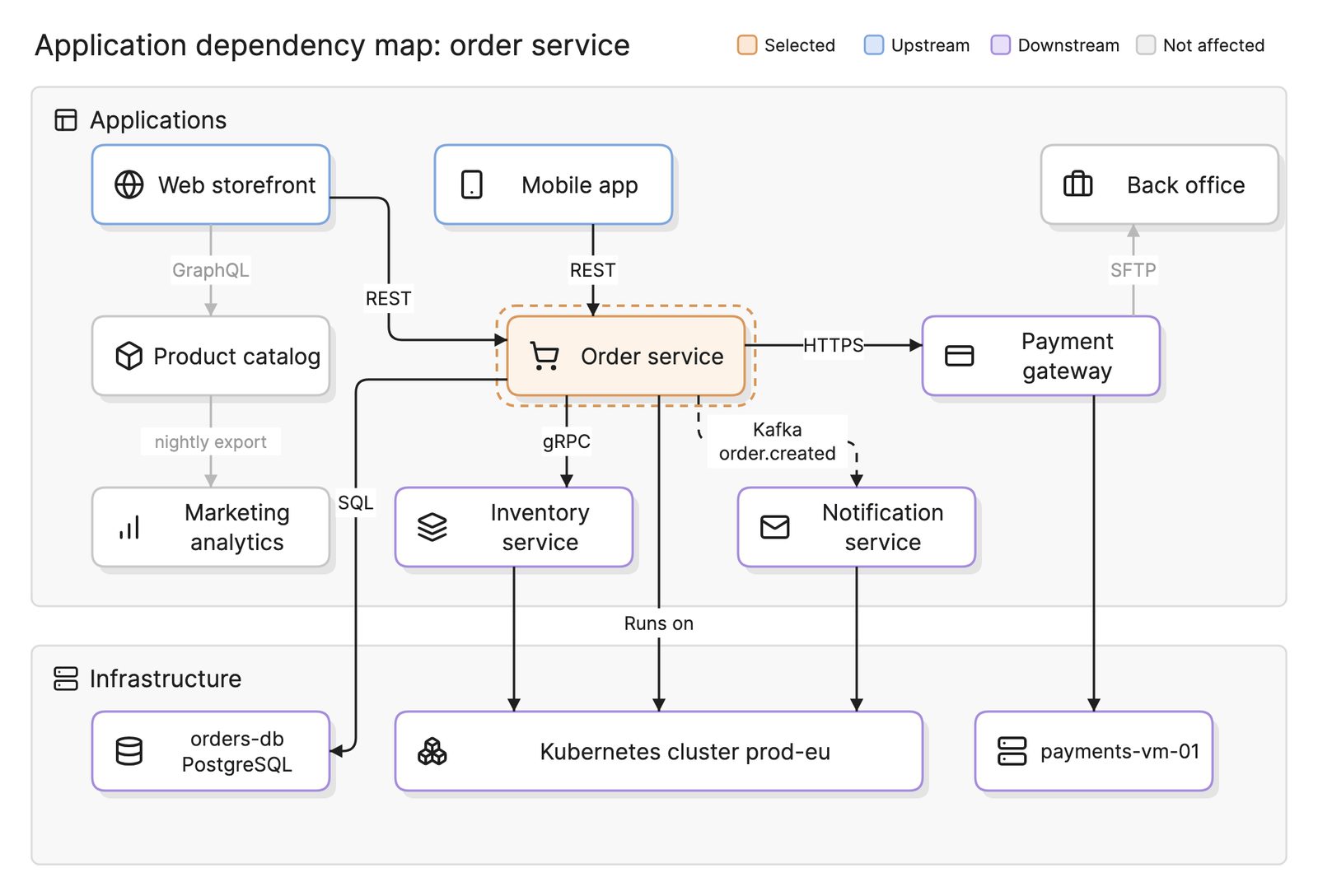
| Application dependency map | One application, or the landscape | Peer to peer | Applications and the integrations between them, plus infrastructure | Change impact, migration, rationalization |
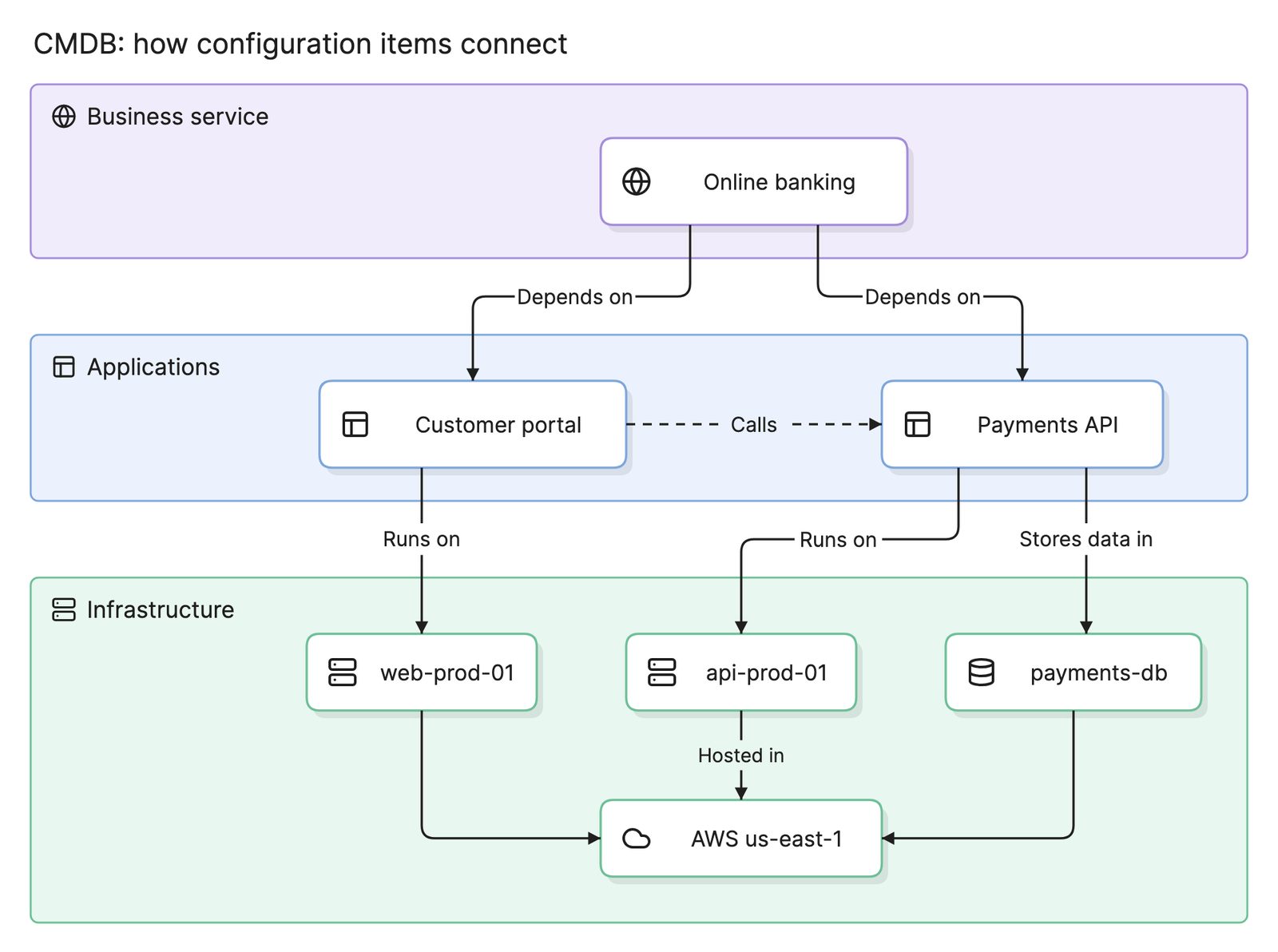
| CMDB | Every configuration item | None; it is the store | All CIs and relationships | The data both maps draw on |
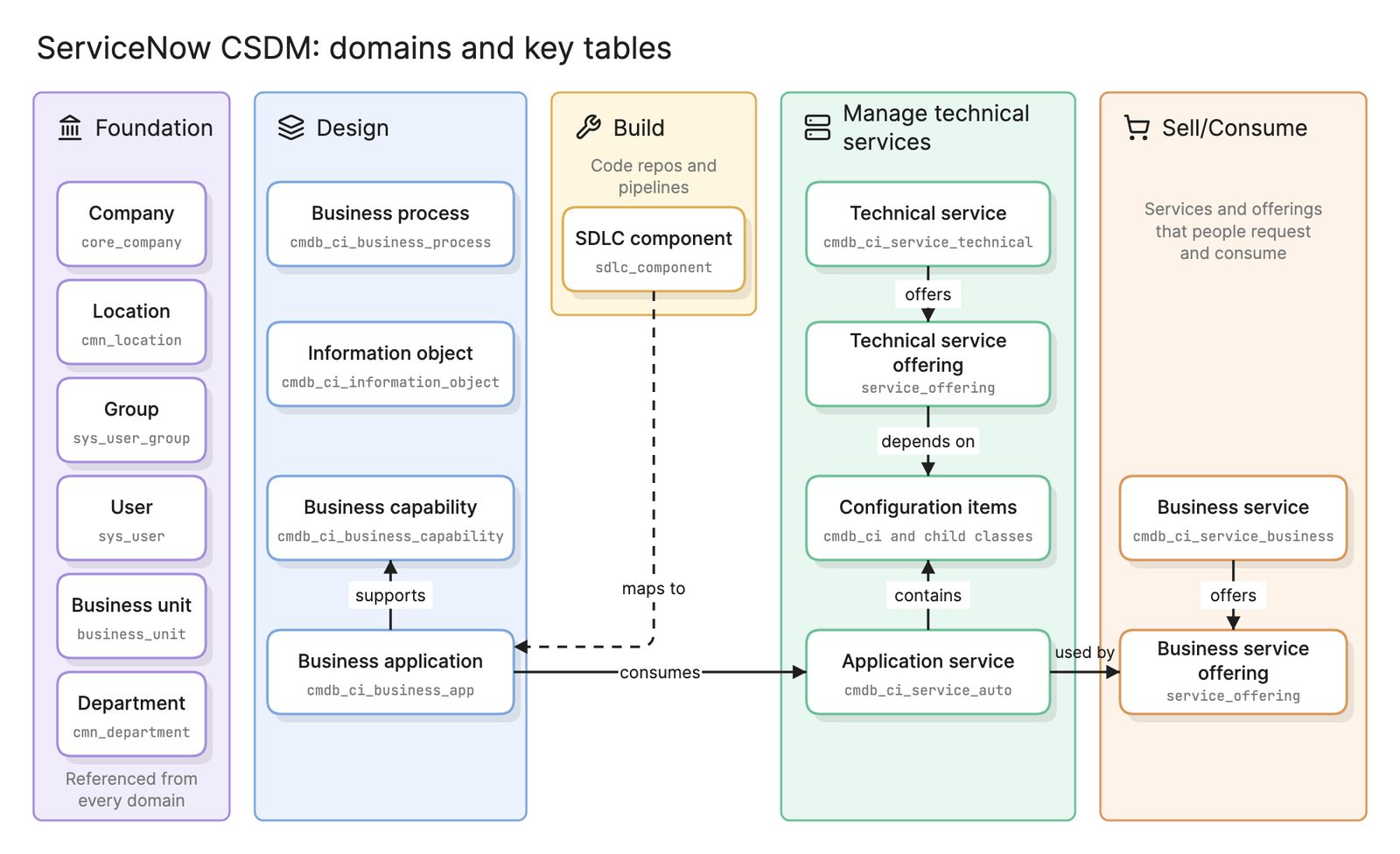
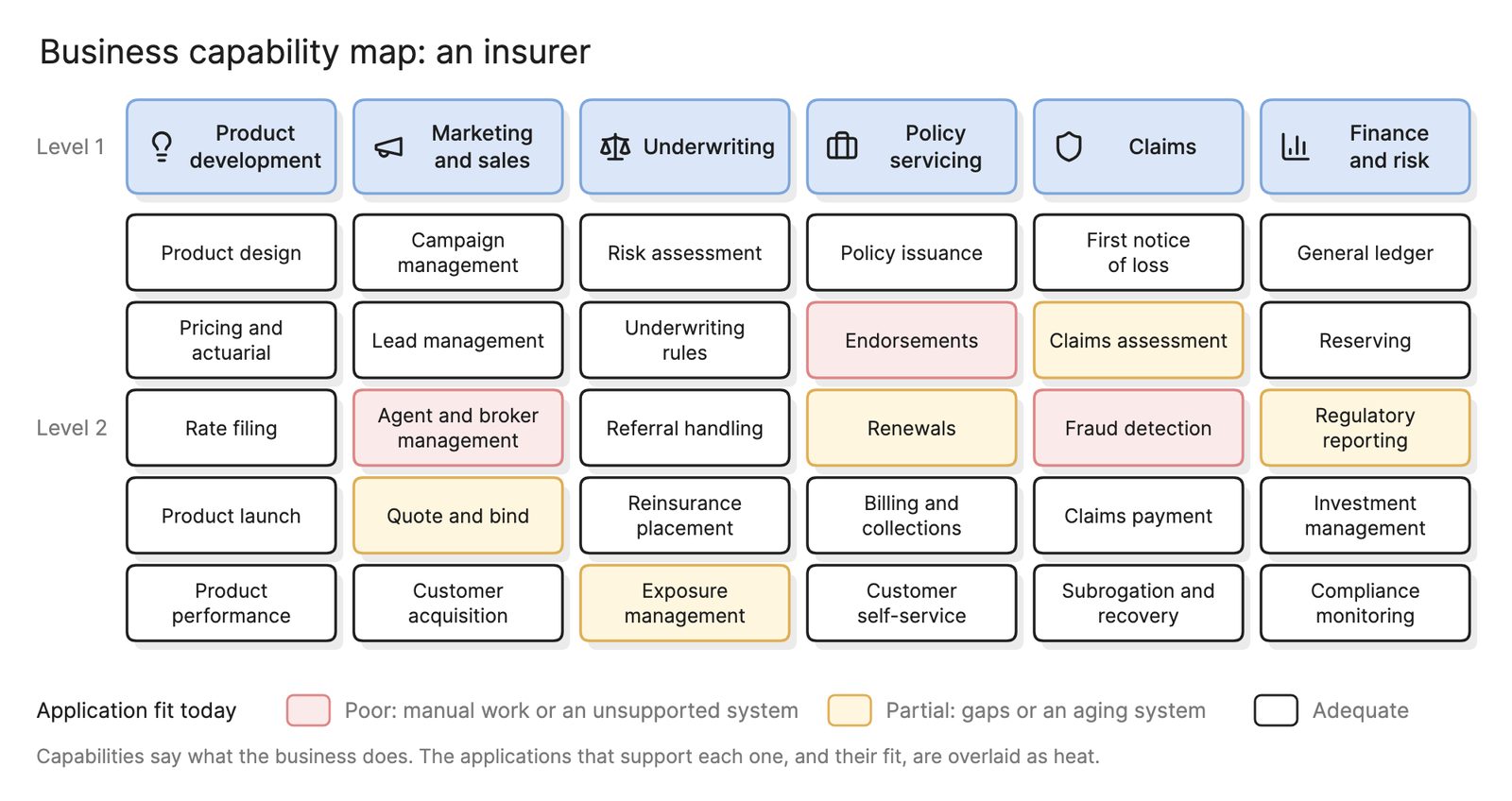
The three are layers, not alternatives. The CMDB holds the configuration items and relationships. The application dependency map shows how applications connect. The service map picks one business service and shows its slice of that data as a stack. In ServiceNow, for example, a service map is stored as an application service in the CMDB with the CIs it contains; see ServiceNow CMDB and CSDM. One level up, a business capability map groups business services by what the organization does, and application portfolio management scores the applications in the second tier and application rationalization decides which of them stay.
How does top-down discovery differ from bottom-up?
| Top-down | Bottom-up | |
|---|---|---|
| Starts from | An entry point for the service, such as a URL or a load balancer | Every host and device discovery can reach |
| Method | Follows connections outward from the entry point, tier by tier | Scans infrastructure, then infers applications and connections from processes and traffic |
| Result | One map per service, scoped to what that service uses | A complete inventory with relationships, which then needs grouping into services |
| Strength | Relevant by construction | Finds the unknown |
| Weakness | Misses components with no runtime connection from the entry point, such as a batch job | Produces a lot of data that is not yet a service map |
Most organizations do both: bottom-up discovery to populate the CMDB, then top-down mapping to build the services that matter from it, with manual tagging for batch jobs and SaaS components.
How is service mapping used in incident and change management?
- Incident triage. When monitoring alerts on a component, the service map says which business services are affected and how severely, which sets priority and who gets paged.
- Change approval. A change request names a configuration item. The service map turns that into the list of services at risk and the owners who should review.
How do you keep service maps current?
- Rediscover on a schedule. Top-down discovery should rerun often enough that a new component appears on the map before it appears in an incident.
- Tie maps to change. Any change that adds, removes or moves a component should update the map, and the change process should check that it did.
- Give every map an owner. The service owner confirms the map periodically. Maps with no owner rot.
- Share the data. IT asset management tracks the same servers as assets with cost and contract data, so link the records rather than keeping two lists.
What tools help with service mapping?
- ITSM platforms with service mapping. CMDB products such as ServiceNow include top-down discovery that builds application services from an entry point and stores them in the CMDB, where incident and change processes can use them.
- Observability tools. Tracing and APM products generate service maps from runtime traffic between instrumented services. They are accurate for what they see and blind to the rest.
- Connected architecture maps. Tools like Eraser connect to a CMDB and other live sources and draw the full stack behind a service as an interactive map, with filters to show one service, one tier or one team’s components.
Frequently asked questions
-
What is the difference between a service map and a CMDB?
A CMDB is the store: every configuration item and relationship the organization tracks, in tables. A service map is a view built from that store for one business service, arranged top down so the applications, middleware and infrastructure behind it are visible as a stack.
-
What is a business service?
A business service is something the organization provides that people outside IT recognize and use: online checkout, payroll, customer onboarding. It is the top of a service map and the unit that incidents, availability and service level agreements are reported against. It is delivered by one or more applications, which in turn run on middleware and infrastructure.
-
What is top-down discovery?
Top-down discovery starts from an entry point for a service, such as its URL or load balancer, and follows the connections outward tier by tier to find what the service uses. The result is scoped to that service by construction. Bottom-up discovery scans every host first and infers applications and services afterward, which finds more but then needs grouping.
-
How many service maps does an organization need?
Fewer than it has services. Start with the business services that matter for incidents, service level agreements and audits, often ten to thirty, and add maps when a service becomes important enough that someone will own and review it. Unmaintained maps cost trust in the whole set.