IT management
Application dependency mapping
Application dependency mapping records how applications connect to each other and to their infrastructure, so teams can see what a change or outage affects.
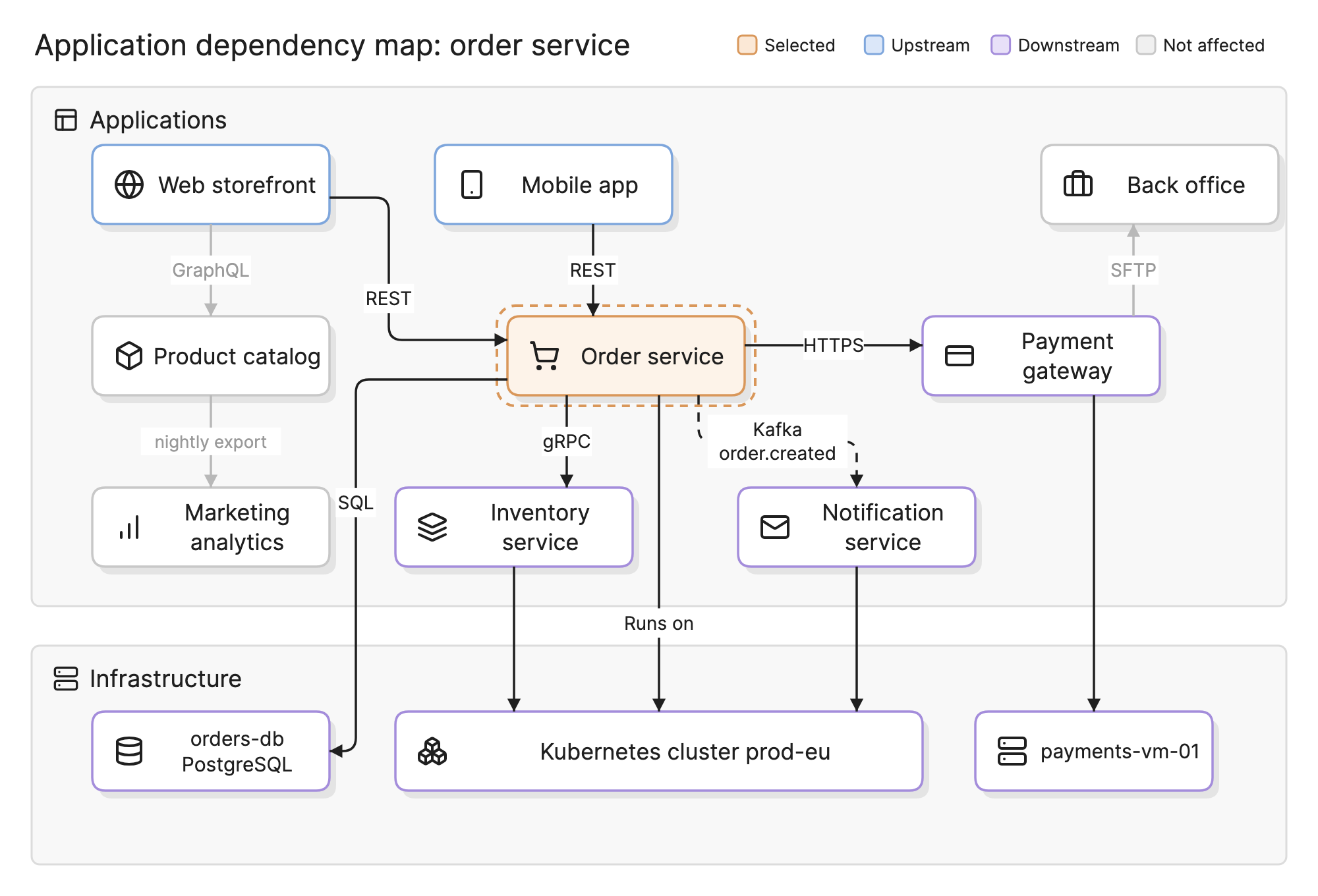
Nobody breaks production on purpose. Changes break it because the person making them did not know what else depended on the thing they changed. Application dependency mapping makes that knowledge explicit, so a change review or an incident call starts from a picture instead of a guess.
Why do application dependencies matter?
- Change. A patch to the order service is a low-risk change until you learn that three other services call it synchronously.
- Incidents. When the payment gateway fails, the map shows which applications are affected and in what order to check them.
- Migration. Moving an application to a new platform means moving or re-pointing every integration.
- Rationalization. Retiring an application is only safe once you know what still reads from it. See application rationalization.
What does an application dependency map show?
- Applications and services. The nodes, usually at the level of a deployable unit: a web app, an API, a batch job.
- Integrations between them. The edges, labeled by protocol or data: REST, gRPC, a Kafka topic, a nightly file export. Direction matters. Upstream is what calls or feeds an application, and downstream is what it calls or feeds.
- Infrastructure. What each application runs on: a Kubernetes cluster, a virtual machine, a managed database, a region.
- External dependencies. SaaS products and partner APIs, which are often the least visible and the least controlled.
How do you read an application dependency map?
In the diagram above, the order service is selected. Its upstream dependencies are the web storefront and the mobile app, which call it over REST. Downstream, it calls the payment gateway over HTTPS and the inventory service over gRPC, and it publishes an order.created event to Kafka that the notification service consumes. It runs on the Kubernetes cluster and writes to a PostgreSQL database.
Everything else is dimmed. The product catalog, marketing analytics and the back office system are part of the landscape but not of this chain. If the order service is going to change, the people to tell are the owners of the five highlighted applications. If the Kubernetes cluster is going to be upgraded, the same map, read from the bottom, lists everything that runs on it.
Two details are worth noticing. The Kafka edge is dashed because it is asynchronous: a failure in the notification service does not stop orders, which changes how urgent that dependency is. And the payment gateway runs on its own virtual machine outside the cluster, which only the infrastructure tier makes visible.
How are dependencies discovered?
| Method | How it works | Strengths | Limits |
|---|---|---|---|
| Agent-based | Software on each host reports its processes and the connections they open | Accurate, sees inside the host, continuous | Must be deployed everywhere; no agent on SaaS or appliances |
| Agentless | A collector logs in over SSH, WMI or SNMP and inspects hosts and network devices | No install; works for devices that cannot take an agent | Needs credentials and network access; a snapshot, not a stream |
| Flow and traffic data | Network flow logs, cloud VPC flow logs, service mesh telemetry or distributed traces show who talks to whom | Shows what actually happens, including the undocumented | Sees traffic, not meaning; a connection is not a dependency until someone labels it |
| Manual | Interviews, architecture documents, code and configuration review | Captures intent, business context and external dependencies | Slow, incomplete and stale as soon as something changes |
Most organizations combine them: automated discovery for the bulk, flow data to catch what discovery missed and manual review to label the edges and add the SaaS and partner systems no scanner can see.
How does it relate to a CMDB and service mapping?
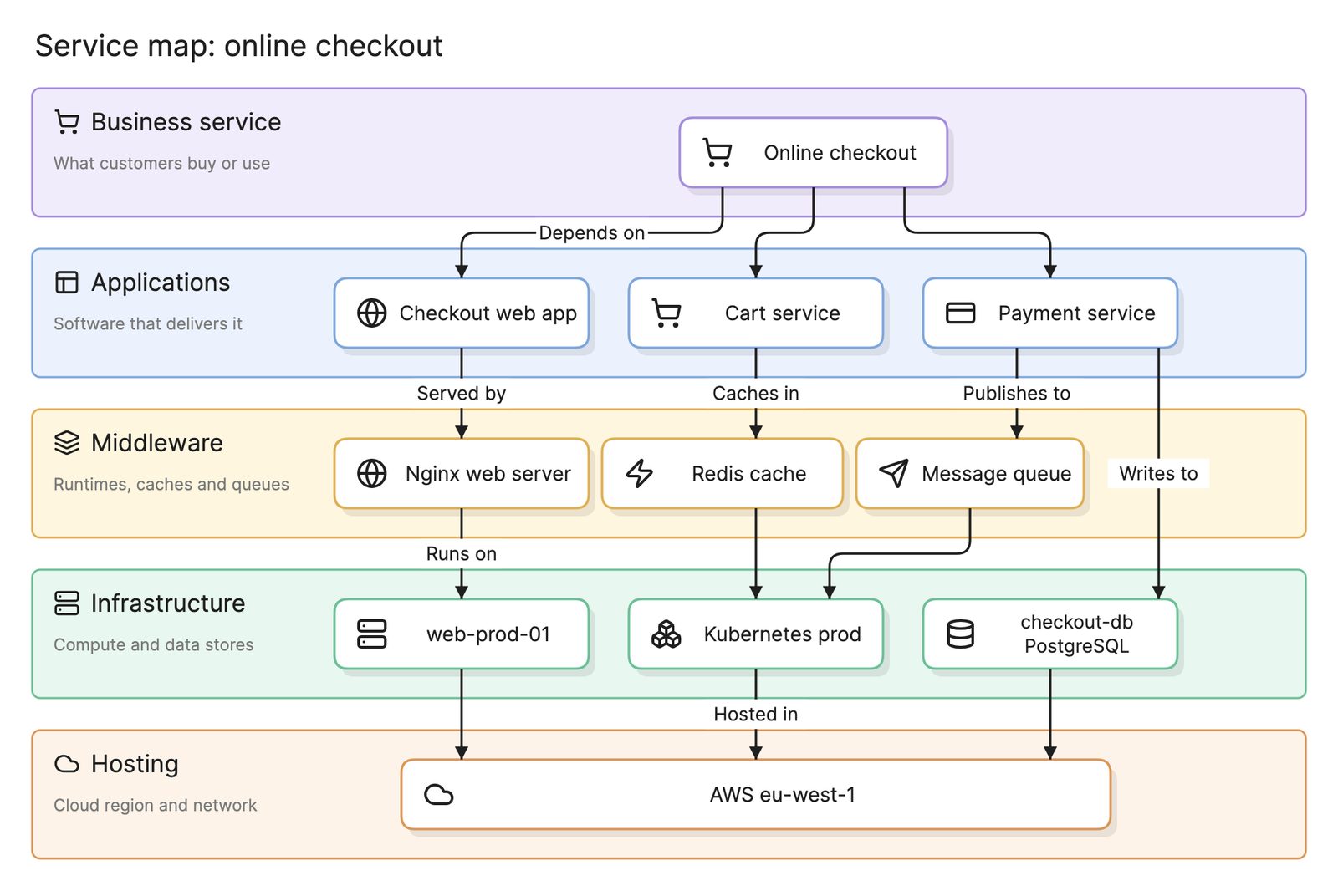
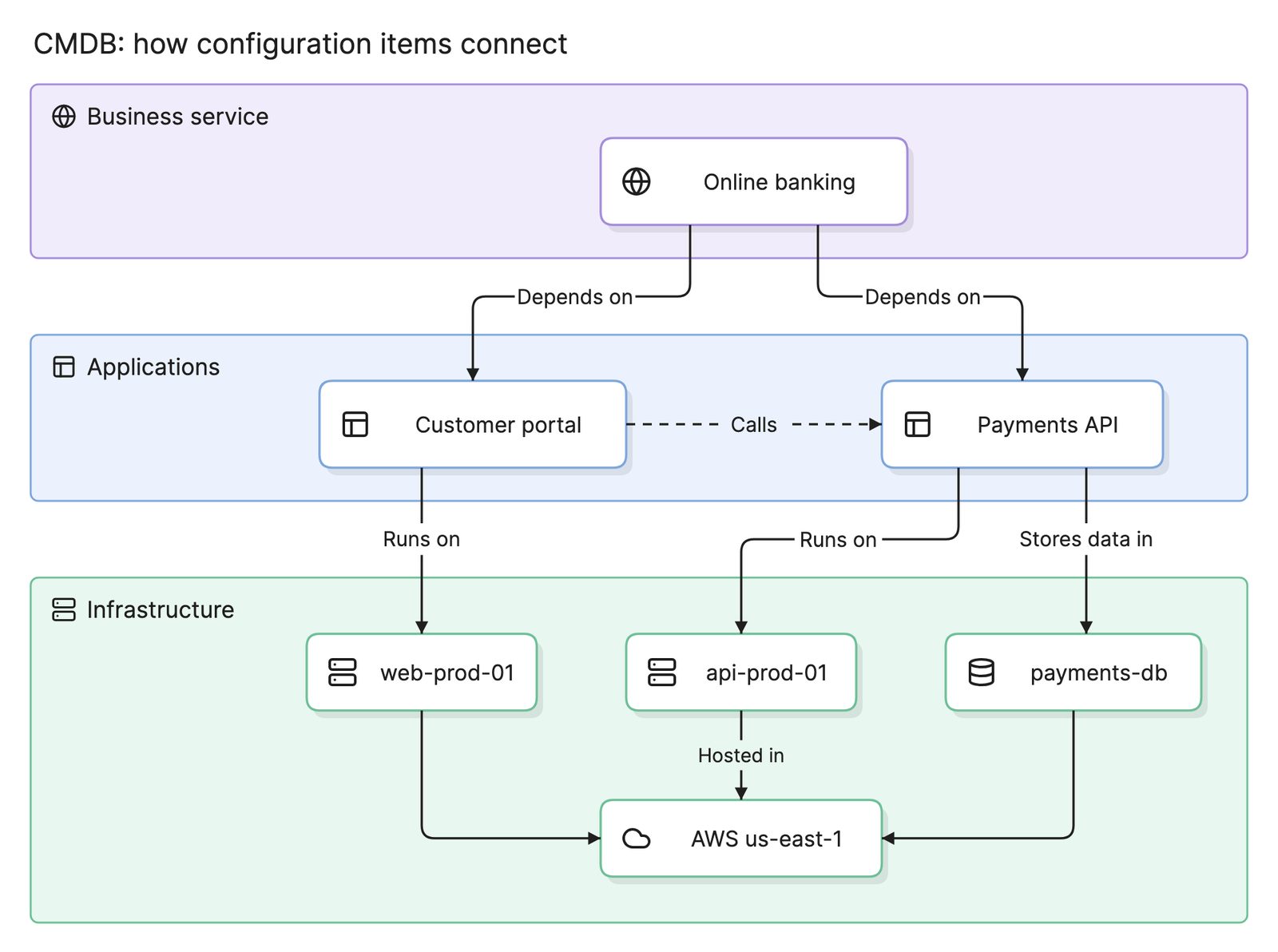
A CMDB stores configuration items and relationships for the whole estate, while IT asset management tracks the same hardware as assets with cost and contracts, and answers “what do we have, and how is it configured?” An application dependency map is a view over that data, or a separate dataset feeding it, focused on applications and the integrations between them. It answers “what calls this, and what does it call?” Service mapping starts from one business service and works down to everything it depends on, answering “what does this service stand on?”
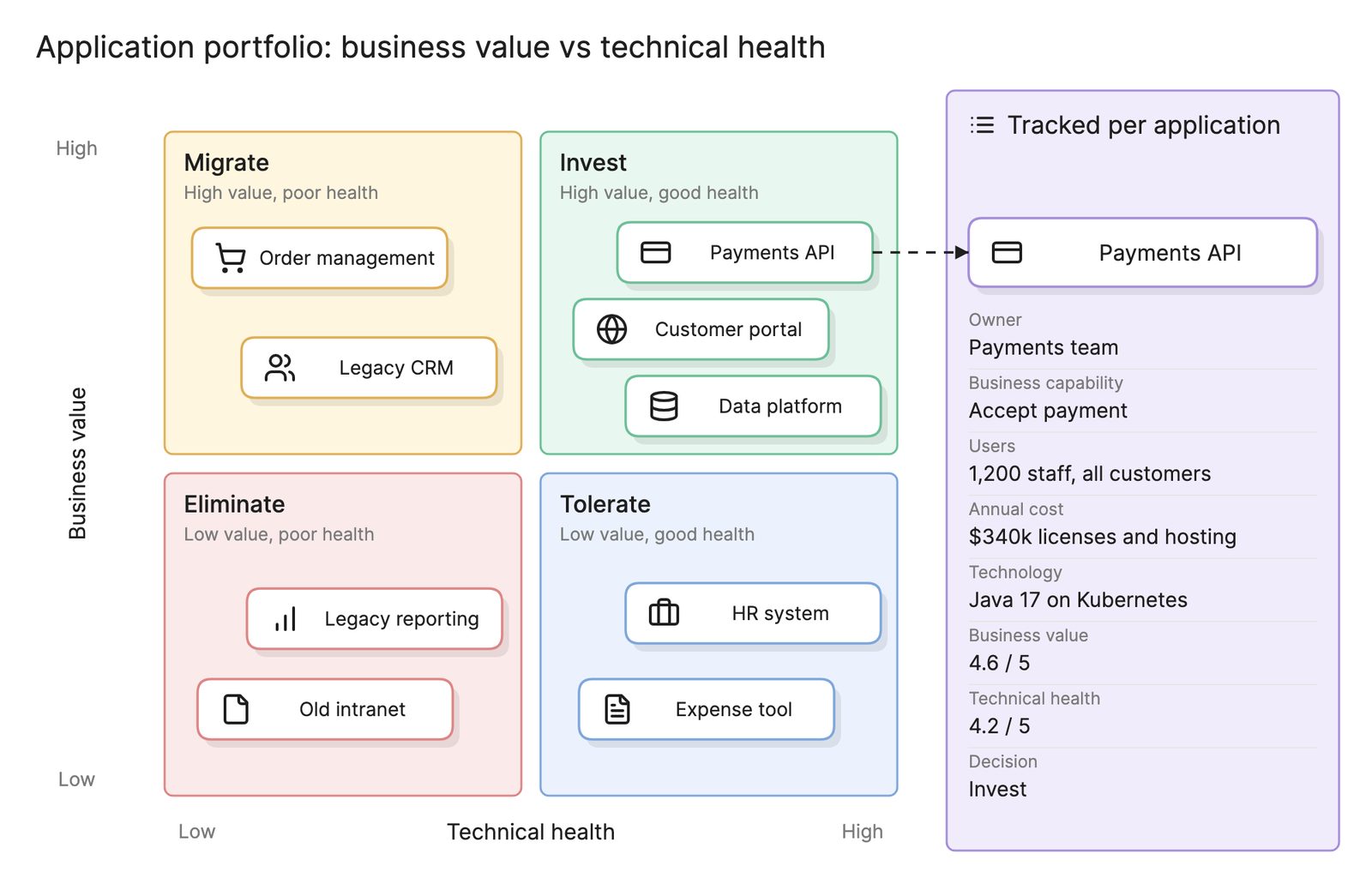
In practice the dependency map is the richest source for the CMDB’s application-level relationships, and a service map is built by walking the dependency map downward from a business service. In a platform such as ServiceNow the result is stored as application services inside the CMDB; see ServiceNow CMDB and CSDM. At the portfolio level, application portfolio management uses the same dependencies to judge how hard an application would be to retire or replace, and enterprise architecture uses them to plan the target landscape and to see where technical debt such as a shared database concentrates.
How do you keep a dependency map current?
- Automate the sources. A map built once by hand is wrong within a quarter. Rediscover on a schedule and reconcile with the CMDB.
- Assign edge owners. Each integration has a producing team and a consuming team. Either one can confirm the edge is still real.
- Review during change. Make updating the map a step in the change process, and check it in change advisory reviews.
- Watch for drift. New undocumented connections are where the next incident lives.
- Prune. Remove retired applications and dead integrations, or the map fills with noise and people stop reading it.
What tools help with application dependency mapping?
- Discovery and ITSM platforms. CMDB products with discovery modules collect host and connection data at scale and show a dependency view per item. They are strongest on infrastructure and weakest on business meaning.
- Observability and tracing tools. Service maps generated from distributed traces show runtime calls between services with latency and error rates. They cover instrumented services only.
- Connected architecture maps. Tools like Eraser draw application and infrastructure landscapes from live sources such as a CMDB and cloud accounts, highlight one application’s upstream and downstream dependencies and show what moved when a source changes.
For more on this kind of diagram, see dependency diagrams.
Frequently asked questions
-
What is the difference between application dependency mapping and a dependency graph?
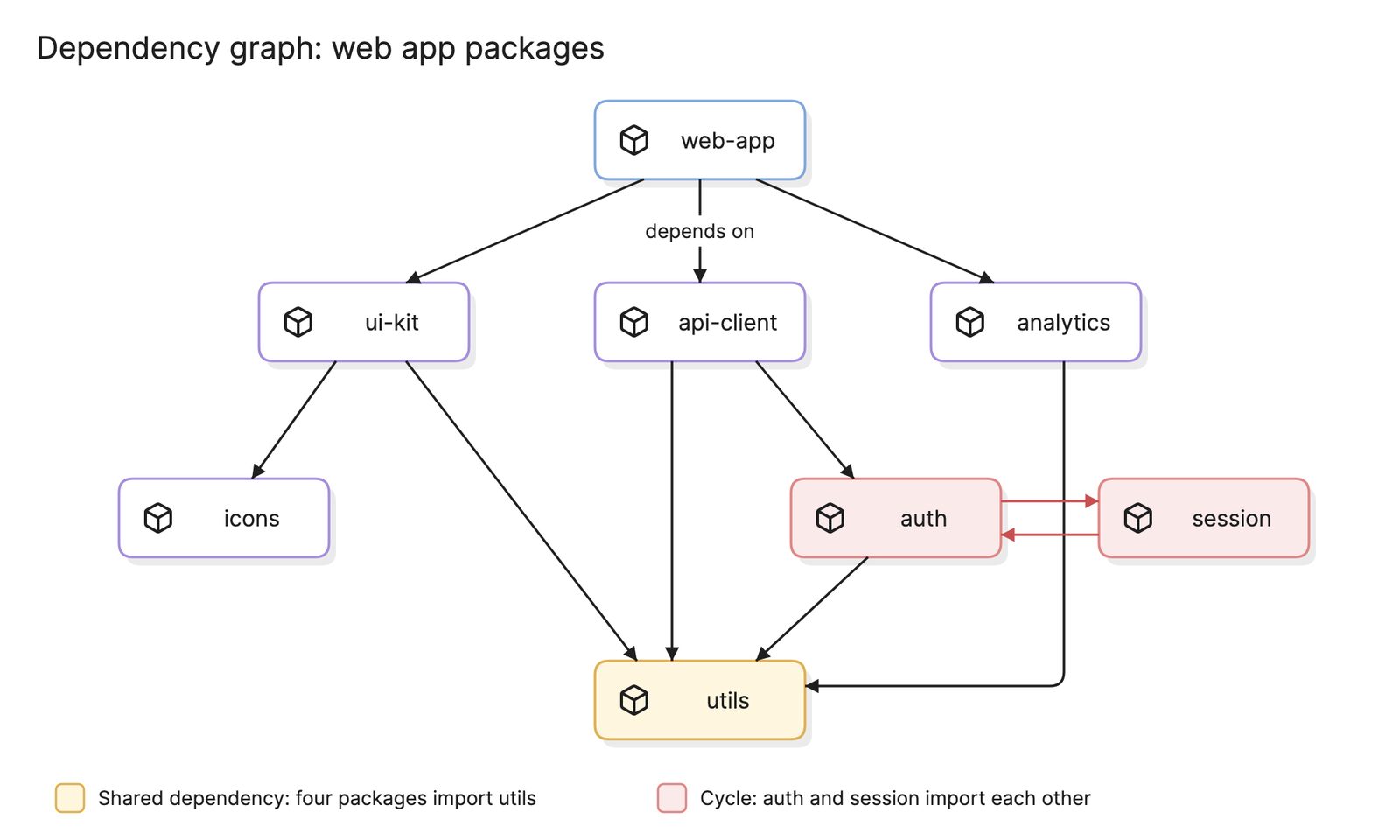
A dependency graph usually describes code: which packages, modules or build targets depend on which, inside one codebase. Application dependency mapping works one level up, across deployed applications and the integrations between them, and includes the infrastructure they run on. The first is a developer's tool for builds and refactoring, the second an operations and architecture tool.
-
What is the difference between an upstream and a downstream dependency?
Upstream dependencies are the applications that call or feed the one you are looking at: its clients and data sources. Downstream dependencies are the applications and infrastructure it calls, publishes to or runs on. Failures travel from downstream to upstream, so an outage in a downstream dependency affects the selected application and then everything upstream of it.
-
Can application dependency mapping be fully automated?
Discovery can automate most infrastructure and network connections, but not their meaning. Scanners see that two hosts talk; a person decides whether that is a dependency, what data crosses it and how critical it is. SaaS products, partner APIs and batch jobs often need manual entry. Automated collection with human labeling is the practical answer.
-
How is application dependency mapping different from a CMDB?
A CMDB is the store of configuration items and relationships for the whole estate. An application dependency map is a focused view over that data, or a dataset that feeds it, concentrating on applications and the integrations between them. The map is usually the richest source for the CMDB's application-level relationships.