Diagram types
C4 model
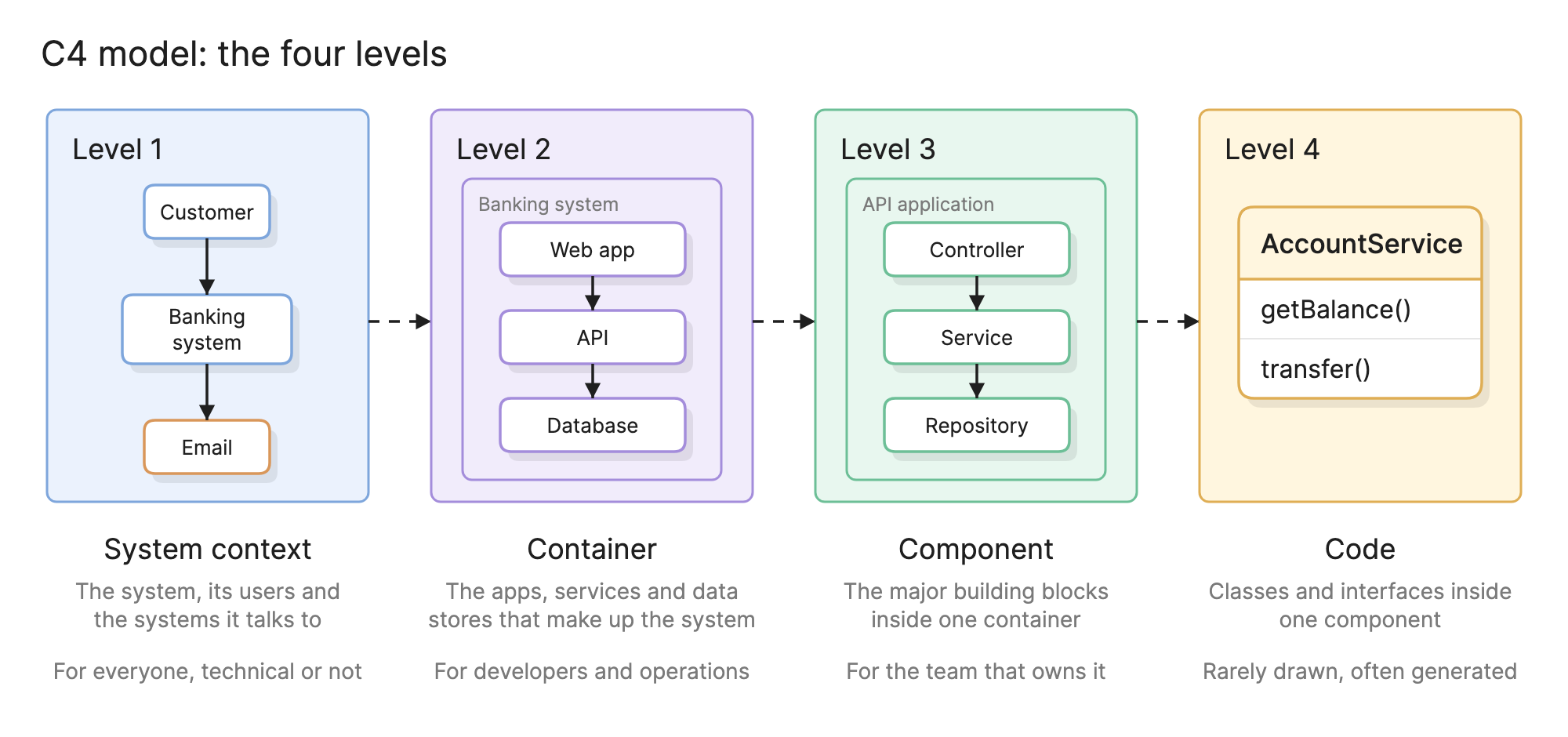
The C4 model is a way to diagram software architecture at four levels of detail: system context, containers, components and code.
Teams use the C4 model because it gives everyone the same answer to the question “how much should this diagram show?”. Instead of one enormous architecture picture, you get a small set of diagrams at agreed levels of zoom, each with a clear audience.
When should you use the C4 model?
- Documenting a system for the first time. The levels act as a checklist, so the result is complete without being exhaustive.
- Explaining a system to different audiences. A product manager reads the context diagram, a developer reads the container and component diagrams.
- Design reviews. Reviewers can agree on the containers before anyone argues about the components inside them.
- Onboarding. New engineers start at level 1 and zoom in only as far as their work needs.
What are the four levels of the C4 model?
| Level | Diagram | Shows | Audience |
|---|---|---|---|
| 1 | System context | The system as one box, its users and the external systems it talks to | Everyone, including non-technical stakeholders |
| 2 | Container | The applications, services and data stores inside the system | Developers, operations and architects |
| 3 | Component | The major building blocks inside one container | The team that owns the container |
| 4 | Code | Classes and interfaces inside one component | Developers, usually from a generated diagram |
Level 1 is the same thing as a context diagram, and should fit on one page with no technology detail. Level 2 is the most used, because it is where most architecture decisions live. Level 3 is a component diagram scoped to one container, with components grouped by responsibility rather than by file. Level 4 is usually a class diagram generated from the code, since it changes with every commit.
What are the elements of a C4 diagram?
- Person. A human user of the system, named by role, such as “Customer” or “Support agent”.
- Software system. The highest level of abstraction: the system you are describing, or an external system it interacts with.
- Container. A runnable or storable unit inside a software system.
- Component. A grouping of related functionality inside a container, behind a defined interface.
- Relationship. A line between two elements, labeled with what happens and in what technology, such as “Makes API calls [JSON/HTTPS]”.
Every element carries a name, a type in brackets and a short description. That convention is what makes a C4 diagram readable without a legend.
How do you read a C4 container diagram?
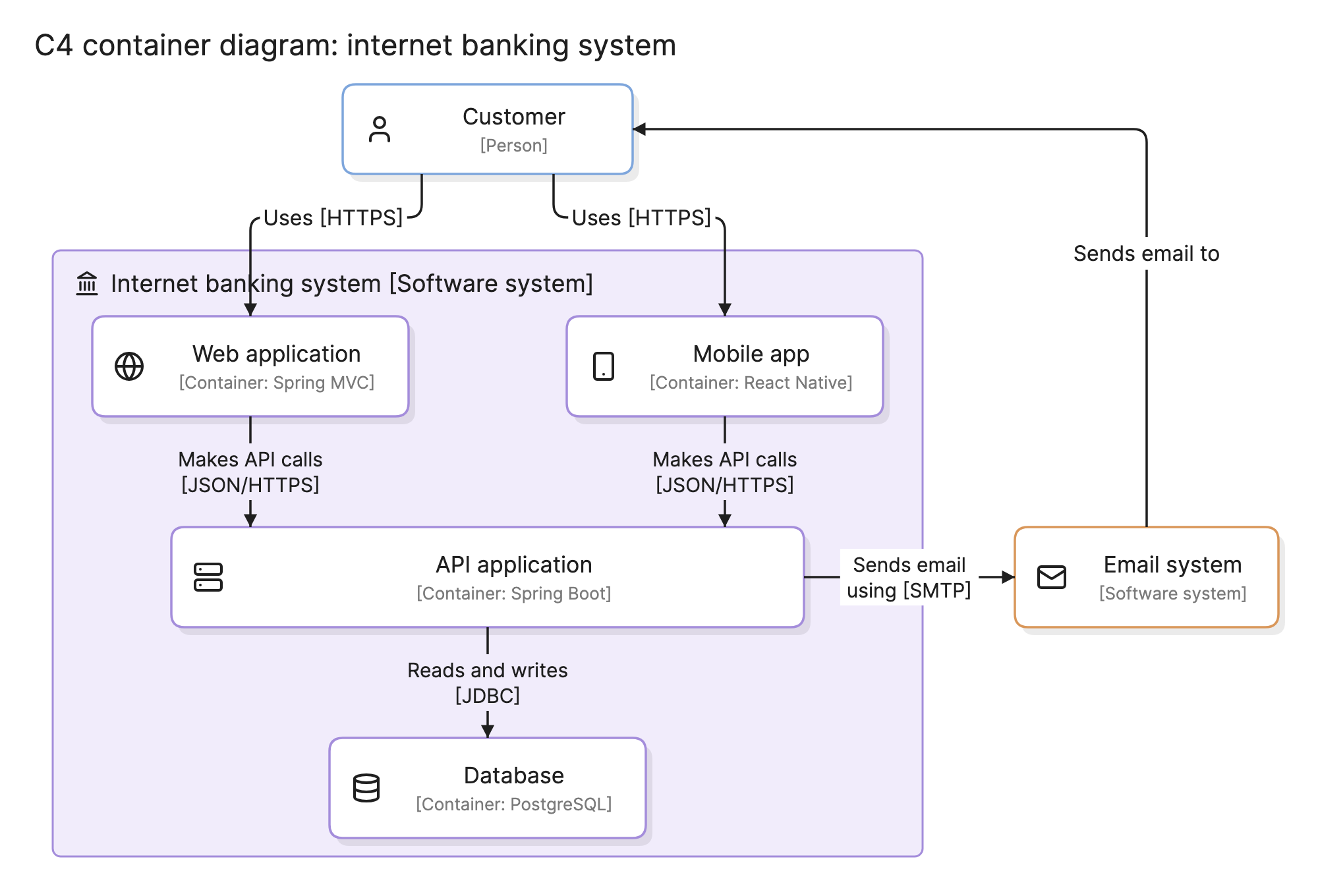
Start with the person and follow the arrows. In the internet banking example at the top of this page, the customer uses either the web application or the mobile app over HTTPS. Both containers make API calls to the API application, which is the only container that reads from and writes to the database.
The API application also sends email through an external email system, which sits outside the system boundary and is drawn in a different color because the bank does not own it. The email system sends messages back to the customer, closing the loop.
Two things stand out. The web and mobile apps hold no data of their own, so every feature goes through the API, and the database is reached by exactly one container, which is a design decision worth protecting.
How do you create C4 diagrams?
- Name the system and its boundary. Decide what is inside the system you are describing and what is external.
- Draw the context diagram. Add the people and external systems, with a labeled relationship to each.
- List the containers. Walk through what has to be running or stored for the system to work, and give each one a technology.
- Draw the container diagram. Place the containers inside the boundary and connect them, labeling each relationship with what it does and how.
- Add component diagrams where they earn their place. Pick the containers that are complex, shared or often misunderstood.
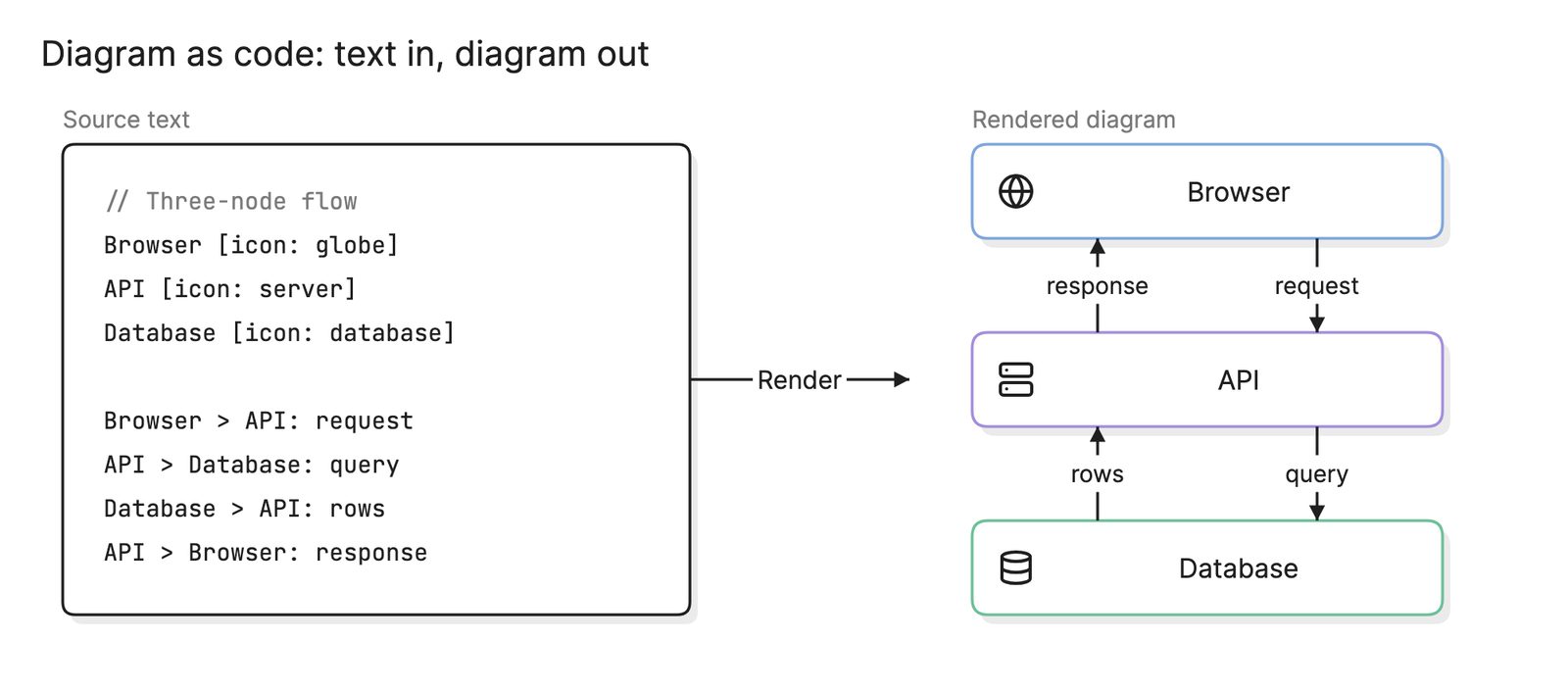
- Keep the diagrams with the code. Store them in the repository, ideally as diagram as code, so they are reviewed alongside the changes they describe.
What are common C4 model mistakes?
- Mixing levels. A container diagram that also shows classes, or a context diagram that names technologies, defeats the purpose of having levels.
- Treating containers as Docker containers. A C4 container is a logical unit. A database is a container even when it is a managed cloud service.
- Unlabeled relationships. A line without a description forces the reader to guess. Say what flows and over what protocol.
- Drawing level 4 by hand. Code diagrams go stale within days. Generate them.
How does the C4 model compare with other approaches?
| Approach | What it is | How it relates to C4 |
|---|---|---|
| Architecture diagram | Any diagram of a system’s structure | C4 is one disciplined way to draw architecture diagrams |
| UML diagram | A formal notation with many diagram types | C4 borrows ideas from UML but uses a far smaller vocabulary |
| Deployment diagram | Which software runs on which infrastructure | C4 adds a supplementary deployment diagram that maps containers to nodes |
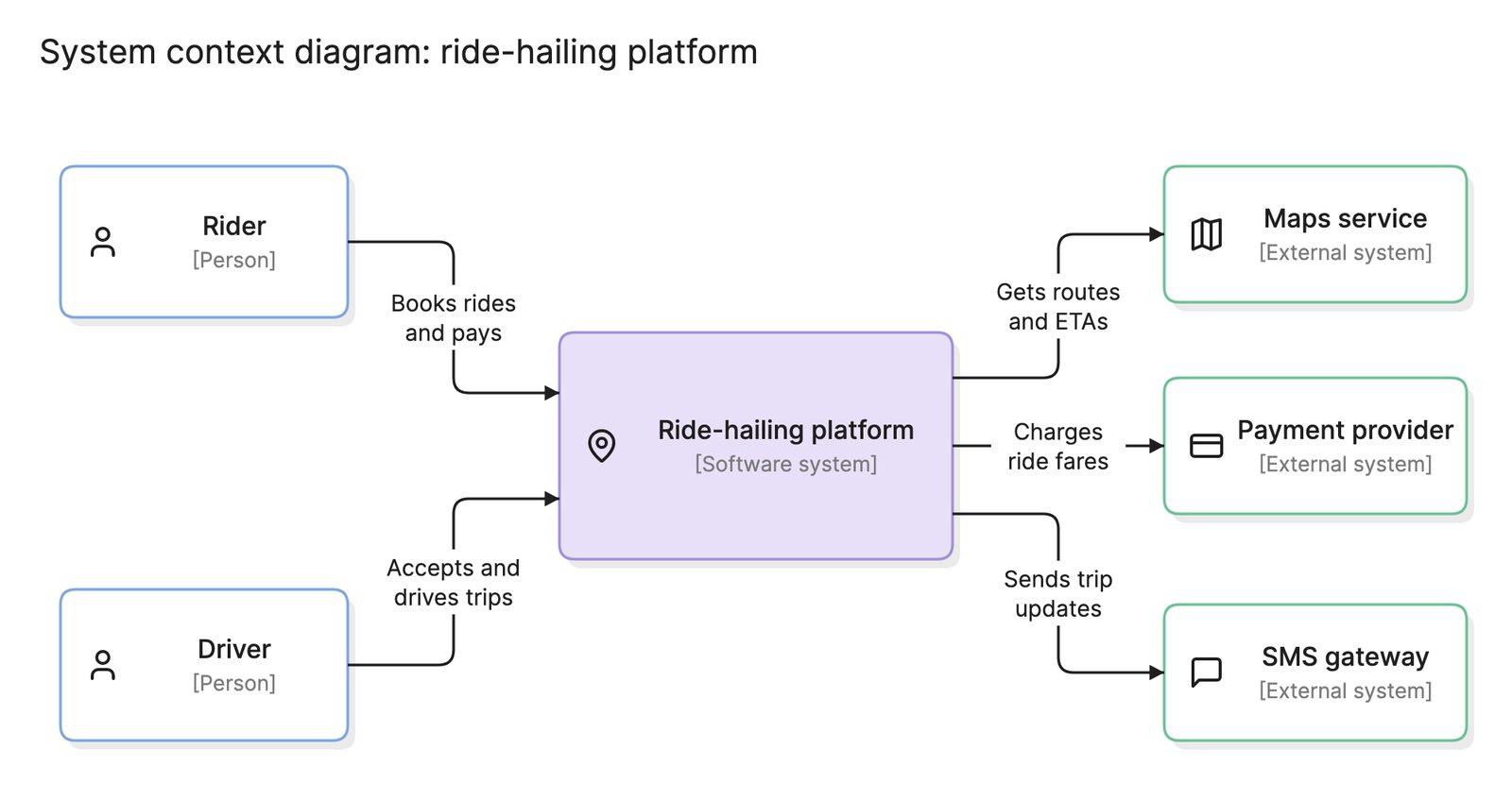
| Context diagram | A system and its outside world | The same thing as C4 level 1 |
What tools can you use to make C4 diagrams?
- Structurizr and its DSL. A text format built around the C4 model, in which you describe the model once and generate every level from it.
- Drag-and-drop diagramming tools. Most ship a C4 shape library. They are quick for a first draft, but each level is a separate drawing to maintain.
- AI diagramming tools. Tools like Eraser turn a description of your system into a C4 diagram that you can keep editing as text, so the context and container levels stay consistent with each other and with the code.
For more on this kind of diagram, see architecture diagrams.
Frequently asked questions
-
What does C4 stand for?
The four Cs are context, containers, components and code, which are the four levels of detail in the model. Simon Brown created it in the early 2010s as a lighter alternative to full UML modeling for describing software architecture.
-
What is a container in the C4 model?
A container is anything that needs to be running or stored for the system to work: a web application, a mobile app, an API, a database, a message queue or a file system. It is not a Docker container, although a Docker container usually holds exactly one C4 container.
-
What is the difference between the C4 model and UML?
UML is a large, formal notation with many diagram types. The C4 model is a small set of abstractions and four levels of diagram, drawn with plain boxes and lines. Many teams use C4 for the first two or three levels and a UML diagram such as a class diagram where they need code-level precision.
-
Do you need all four levels of the C4 model?
No. Most teams draw the context and container diagrams for every system and add component diagrams only for the containers that are complex or shared. Code diagrams are rarely drawn by hand, since an IDE can generate them from the source when they are needed.